12 WooCommerce Plugins That Boost Sales & Customer Experience (2026)
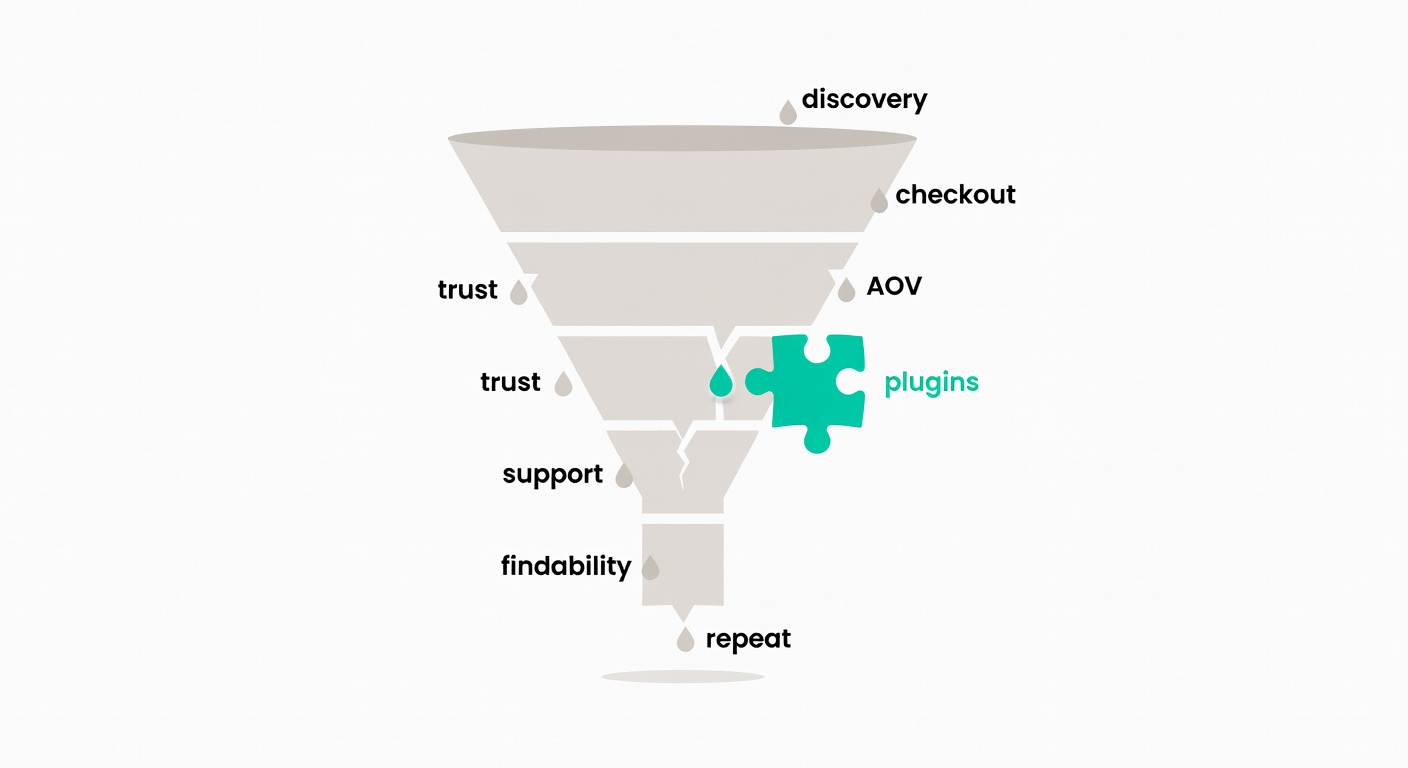
WooCommerce out of the box is “fine” at taking orders, but it’s not great at answering the questions that stop a purchase, recovering the carts you already paid to acquire, or nudging AOV up without making your store feel spammy.
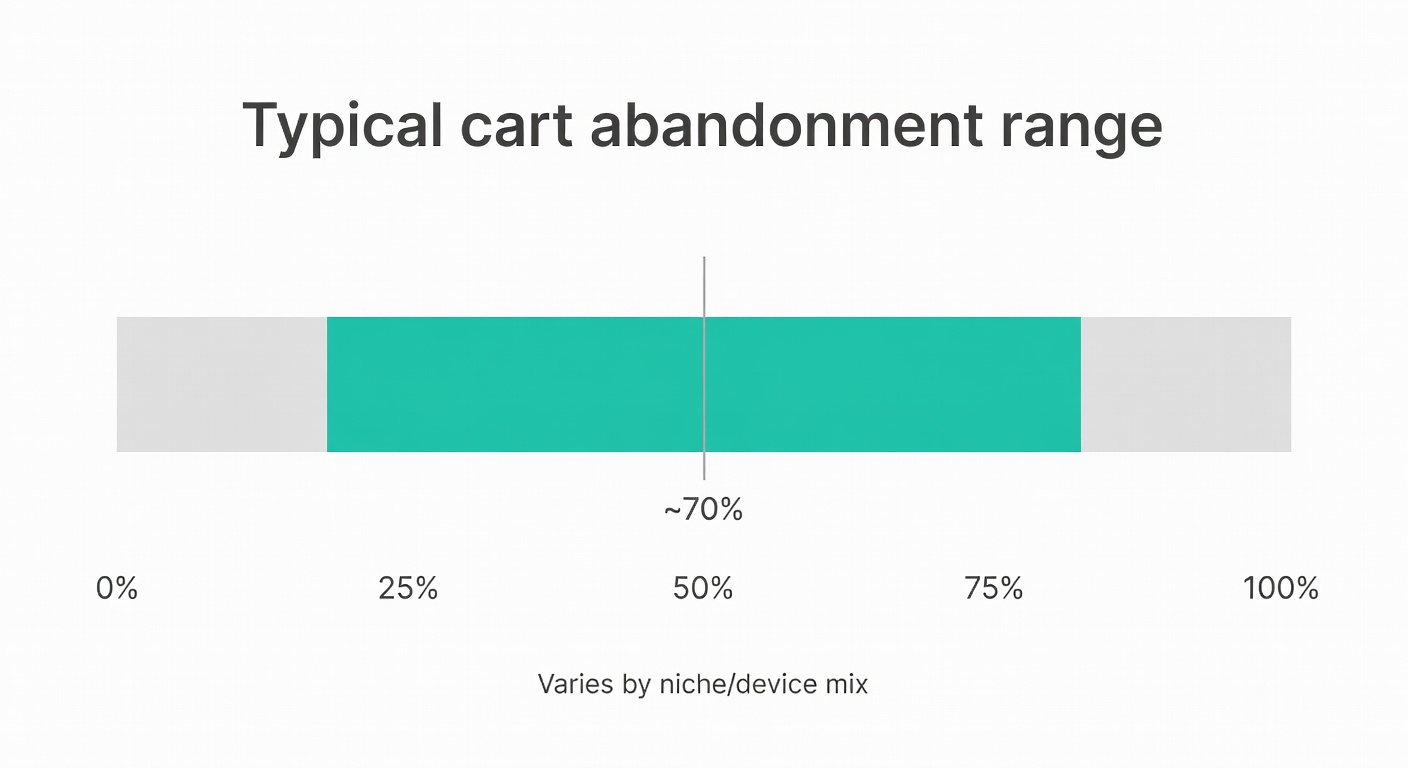
And the numbers are ugly: cart abandonment often sits around 55–80% for ecommerce stores, depending on the niche and device mix (Crocoblock). That’s not a rounding error. That’s the business.
AI Product Assistant (Product Discovery + Policy Answers Without Tickets)
If a shopper can’t quickly answer “is this compatible with my setup?” or “what’s your return policy?”, they bounce. Not angrily—quietly. And you never see them again in Analytics.
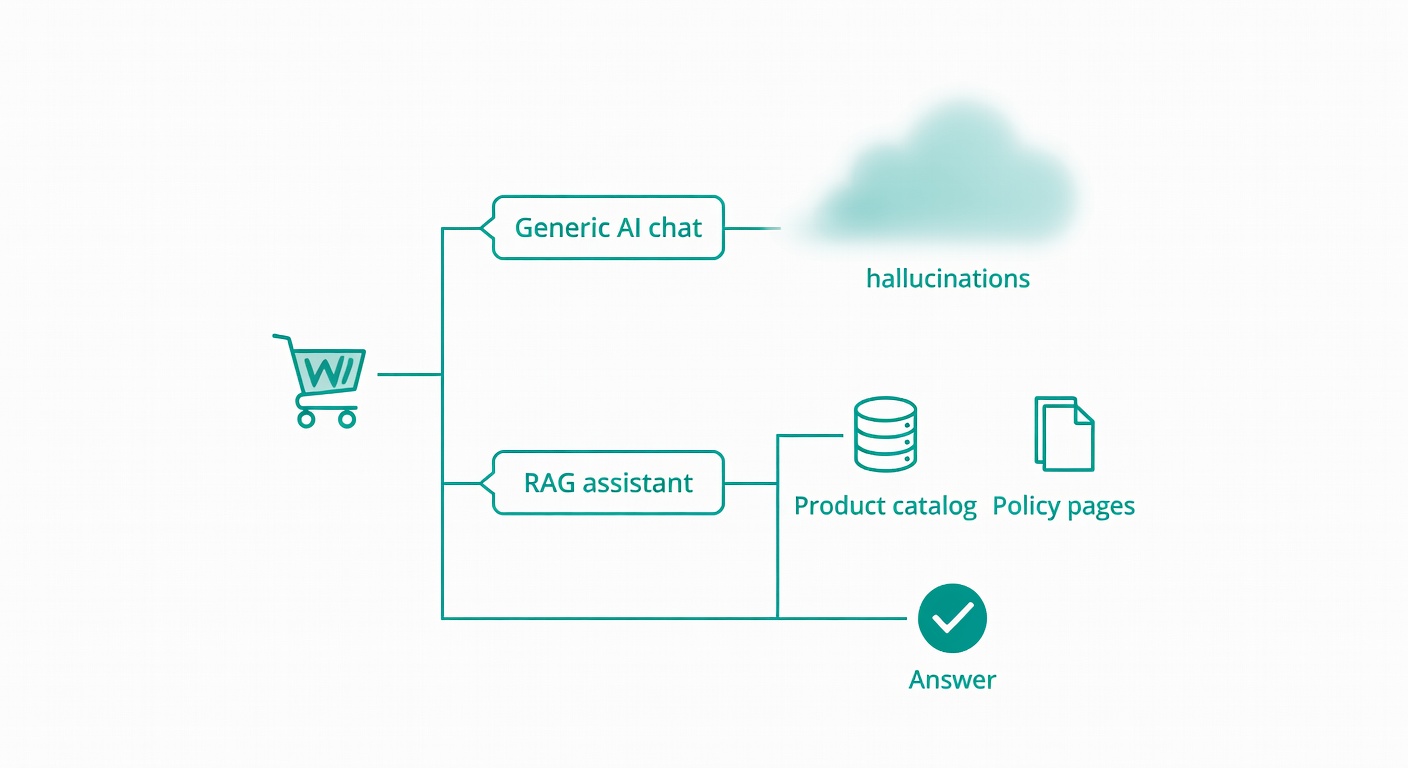
RAG-style assistants (Retrieval-Augmented Generation) are basically a way to have a chat widget pull answers from your catalog and pages instead of making stuff up from thin air—at least when it’s implemented well (Ailog). The catch is you still need clean product data and up-to-date policy pages, or the bot will confidently repeat yesterday’s truth.
Atiendia Assistant for WooCommerce
- What it does: Atiendia Assistant for WooCommerce (atiendia.com) takes this approach — using RAG to index both your product catalog and your store’s informational pages, so the same widget that helps someone pick a product can also answer ‘do you ship to Colombia?’ without escalating to a human.
- Problem it solves: Shoppers who can’t find the right product (or a key policy detail) leave; a natural-language assistant reduces those “I’m stuck” exits.
- Honest limitation: New plugin with a small install base—less community validation than established tools—and it requires the Atiendia backend for inference.
- Pricing: Free on WordPress.org.
Hopefully, this sheds some light on the tangled web of “AI chat” versus “AI that actually knows your store.”
Abandoned Cart Recovery (Fix the Checkout Drop-Off You’re Already Paying For)
Cart abandonment is the tax you pay for having a checkout that doesn’t answer objections fast enough. And yes, it’s commonly cited in the 55–80% range (Crocoblock). If you’re running ads, you’re effectively buying traffic that’s going to ghost you.
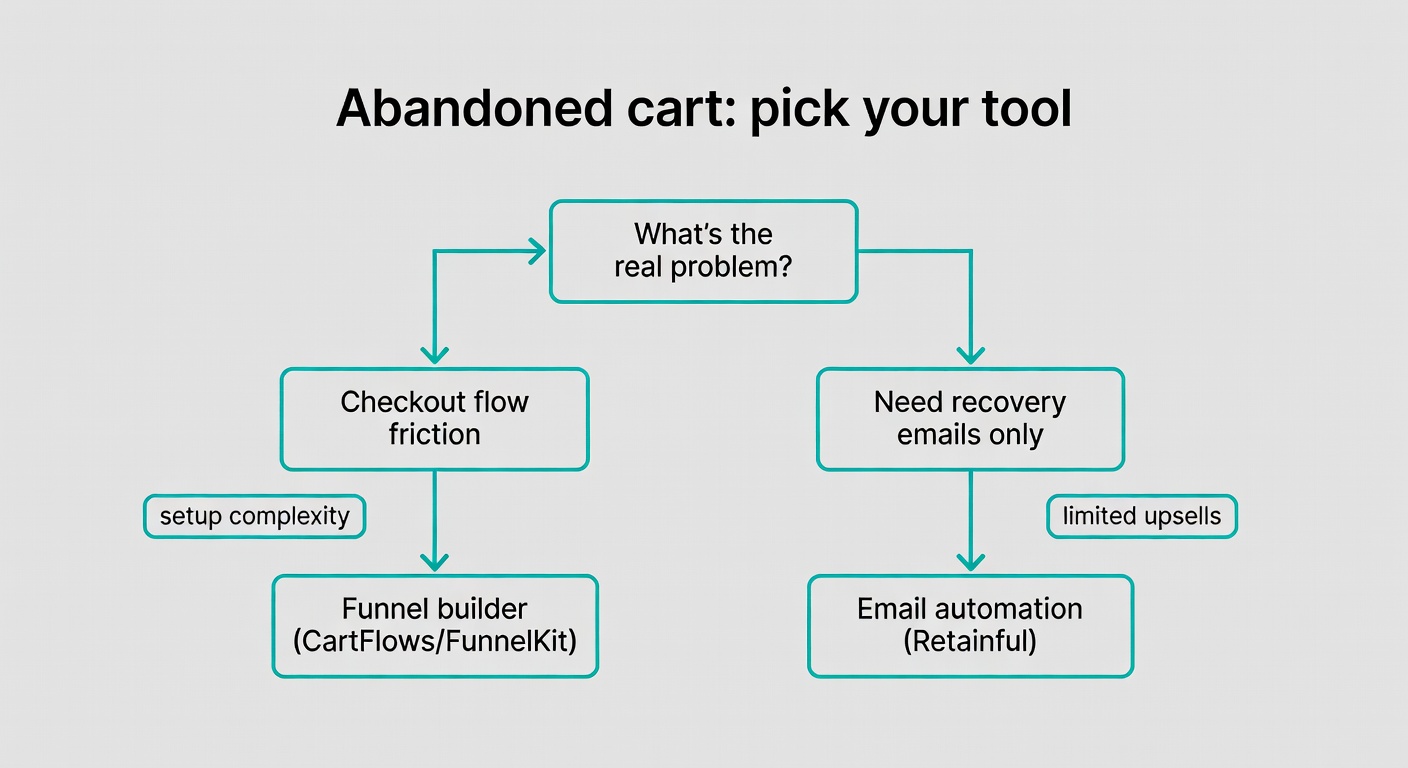
I’ve seen this category split into two real needs. First: stores that need a better checkout flow (order bumps, one-click upsells, testing). Second: stores that just need solid recovery emails with decent timing and coupons.
In practice, recovery works best when your messages match the real objection: shipping cost, delivery time, returns, or “I’m not sure this fits.” If your emails are generic, you’re just sending noise.
CartFlows / FunnelKit
- What it does: Full funnel builder for WooCommerce—custom checkout flows, order bumps, one-click upsells, A/B testing, plus cart recovery.
- Problem it solves: The default WooCommerce checkout is often a conversion dead end; rebuilding the flow can remove friction and increase completed orders (Sweetcode).
- Honest limitation: The catch is setup complexity; it’s easy to build something “fancier” that actually converts worse, and it can be overkill for small stores (Cart2Cart).
- Pricing: Freemium; paid plans from ~$99/year.
Retainful
- What it does: Focused abandoned cart email sequences with next-order coupons and simple automation.
- Problem it solves: A simpler alternative when you don’t need a full funnel builder—just a way to bring back carts with minimal moving parts (Cart2Cart).
- Honest limitation: Less powerful than FunnelKit for upsells, order bumps, and checkout experimentation.
- Pricing: Free up to 300 contacts; paid from $19/month.
Once you’ve got recovery in place, the next leak is usually AOV: getting more value per order without turning your store into a discount machine.
Upsells and Cross-sells (Raise AOV Without More Ad Spend)
Once checkout isn’t actively sabotaging you, AOV is usually the fastest “math win.” Not glamorous. Just effective.
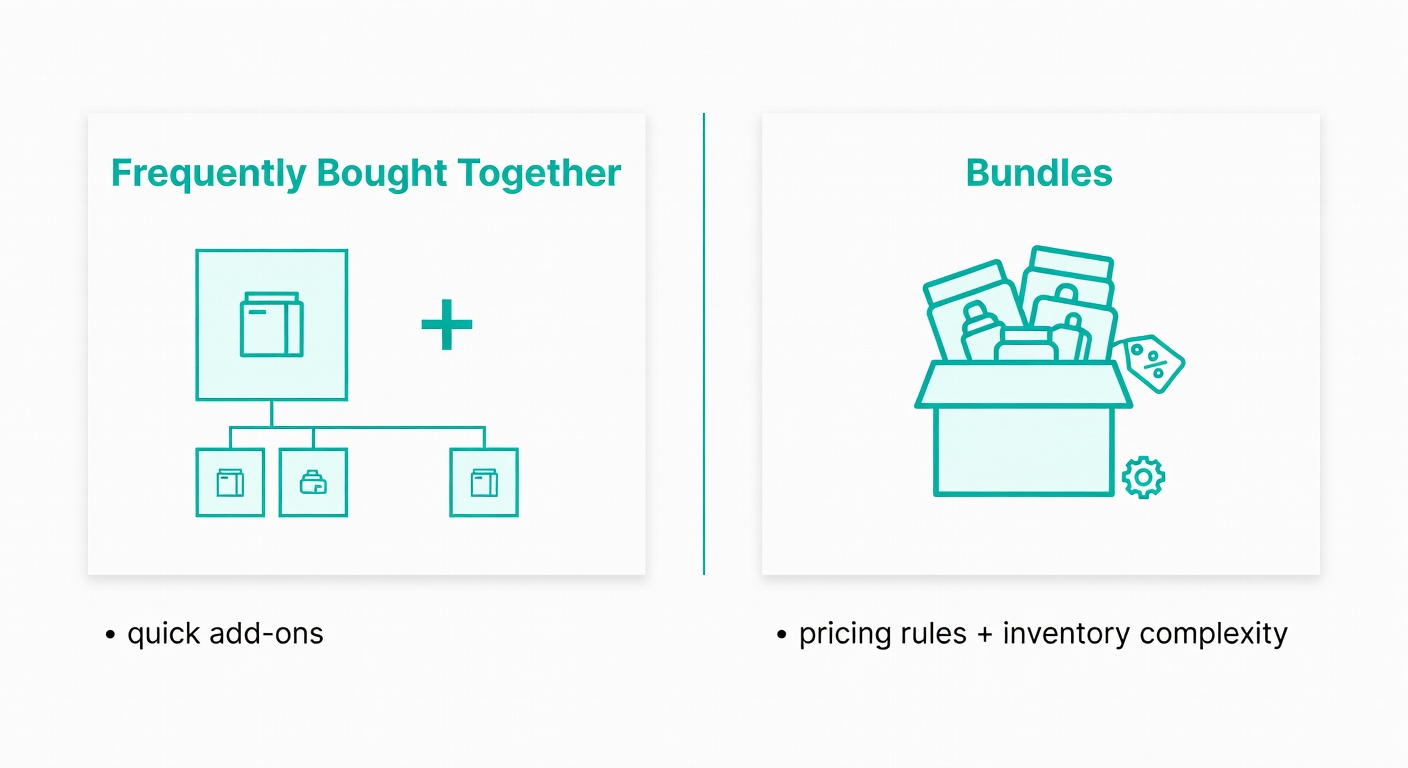
But here’s where things get interesting: there are two very different approaches. One is “people who bought X also buy Y” on the product page. The other is structured bundles with pricing rules, optional items, and inventory implications.
I’ve seen this fail when recommendations are generic (“customers also bought… random stuff”) or when bundles are hard to understand. Confusion kills AOV.
YITH WooCommerce Frequently Bought Together
- What it does: Displays curated product combinations right on the product page to encourage add-on purchases.
- Problem it solves: WooCommerce’s native related products can feel random and unconvincing; tighter pairings make cross-sells more relevant (Sweetcode).
- Honest limitation: Requires manual configuration per product for best results—set it and forget it usually turns into “set it and it gets stale.”
- Pricing: Free version available; premium ~$79/year.
WooCommerce Product Bundles (official)
- What it does: Creates bundled offers with flexible pricing, optional items, and dynamic discounts.
- Problem it solves: Increases AOV without discounting individual SKUs—bundles can feel like a better deal while protecting your pricing structure (WooCommerce Marketplace).
- Honest limitation: Inventory tracking for bundles can get complex, especially with shared components and variations (Crocoblock).
- Pricing: $49/year.
After you’ve tightened AOV, the next thing that tends to cap conversion is perceived risk—whether shoppers trust the store and the product pages enough to commit.
Social Proof and Reviews (Make the Store Feel Less Risky)
If you’re sending cold traffic to a store that feels anonymous, you’re asking people to take a leap of faith. Most won’t.
Social proof has two jobs: (1) show that real humans buy from you, and (2) make product pages feel “decided” by customers, not just described by you. The catch is overdoing it—too many popups and you start to feel like a casino.
TrustPulse
- What it does: Shows real-time activity notifications like “Maria from Buenos Aires just purchased this.”
- Problem it solves: Anonymous stores feel risky; real purchase signals reduce hesitation and help shoppers commit (Sweetcode).
- Honest limitation: Can feel intrusive if you don’t throttle frequency, choose sane pages, and avoid interrupting checkout.
- Pricing: From $5/month.
WooCommerce Product Reviews Pro
- What it does: Adds photo/video reviews, verified buyer badges, and review filtering to product pages.
- Problem it solves: Default WooCommerce reviews are text-only and easy to ignore; richer reviews answer objections visually (VividWorks).
- Honest limitation: Paid only—no free tier to test on a small slice of your catalog first.
- Pricing: $79/year.
When trust cues still don’t answer the last-mile question, support is usually the next lever.
Live Chat and Customer Support (Answer the One Question That Blocks the Purchase)
A lot of shoppers don’t need a long conversation. They need one answer: sizing, compatibility, delivery timing, warranty, returns. If they can’t get it quickly, they bounce.
What actually works is boring: clear business hours, a real escalation path, and saved replies for the top 20 questions. Not pretending the bot can solve everything (it can’t). Chat is a conversion tool when it reduces hesitation, not when it roleplays as your entire support team (Sweetcode).
Tidio
- What it does: Live chat plus AI chatbot (Lyro) and email automation in one place.
- Problem it solves: Customers who can’t get a quick answer during purchase leave; live chat catches those “last-mile” questions.
- Honest limitation: Lyro AI requires a separate paid plan, and the free chatbot is limited—so you may hit a ceiling fast.
- Pricing: Free plan available; paid from $29/month.
WPBot
- What it does: WordPress-native chatbot with RAG support, OpenAI integration, and WooCommerce product display inside chat.
- Problem it solves: A more technical option for stores that want more control over how AI logic is handled and what data it uses (Ailog).
- Honest limitation: Requires more setup time than Tidio, and advanced features tend to require paid add-ons.
- Pricing: Free core; premium add-ons from ~$59/year.
Search and Product Filtering (Stop Losing Buyers Who Know What They Want)
People who use site search are usually high-intent. They’re not browsing; they’re hunting.
The problem is WooCommerce/WordPress search often misses obvious matches because it’s not indexing the fields shoppers care about (attributes, SKUs, custom fields). If you’ve got a large catalog, lots of variations, or B2B-style part numbers, this category jumps the priority list (Cart2Cart).
SearchWP
- What it does: Replaces native search with indexing for product attributes, custom fields, and page content.
- Problem it solves: Native search can effectively behave like “title search,” causing “no results” exits even when the product exists (Cart2Cart).
- Honest limitation: Requires the WooCommerce extension on top of the base plugin, so budgeting and setup are a two-step.
- Pricing: From $99/year.
Pay attention to this next bit: search fixes are invisible when they work, and painfully obvious when they don’t.
Loyalty and Retention (Bring Back the ‘Not Today’ Shopper and the One-Time Buyer)
Acquisition is expensive. Retention is where margins get to breathe.
But loyalty tools can quietly turn into “permanent discounts” if you’re sloppy with redemption rules. I’ve seen this happen: points stack with sales, customers learn to wait, and suddenly you trained your best buyers to pay less.
Wishlists are the other side of retention—less about discounts, more about giving “not today” shoppers a path back (and a reason to return).
WPLoyalty
- What it does: Points and rewards for purchases, reviews, referrals, and registrations.
- Problem it solves: One-time buyers are expensive to acquire; a loyalty program gives customers a reason to come back (KoalaApps).
- Honest limitation: Reward redemption at checkout needs careful configuration or you’ll erode margin without noticing until it hurts.
- Pricing: From $99/year.
YITH WooCommerce Wishlist
- What it does: Wishlist with social sharing, back-in-stock alerts, and sale notifications.
- Problem it solves: Browsers who aren’t ready to buy today need a path back—wishlists capture intent you’d otherwise lose (VividWorks).
- Honest limitation: Core features are free, but the more useful ones (like email alerts) require premium.
- Pricing: Free core; premium ~$94/year.
Closing: Build a Stack You’ll Actually Configure
Pick one plugin per category, and start with the category that matches your biggest current drop-off point—cart abandonment, product discovery, trust, support, findability, or repeat buyers. If you’ve ever migrated platforms or rebuilt a store, you already know the temptation is to install everything at once and “sort it out later” (Cart2Cart).
In practice, what actually works is slower: install, configure, measure, then move on. The catch is that the best plugin stack is the one you actually configure correctly, not the one with the most features.
Final note: build the stack around your biggest leak
Organise your stack around the leak that’s costing you the most money right now, not the plugin that looks coolest in a demo: choose one tool per category, configure it fully, and only then move to the next bottleneck. A smaller stack you actually understand (and keep maintained) beats an overstuffed stack you never finish setting up.
Sources
- https://crocoblock.com/blog/best-divi-woocommerce-plugins/
- https://sweetcode.com/blog/best-woocommerce-plugins-to-increase-cro-and-maximize-ad-roi
- https://cart2cart.net/blog/best-woocommerce-plugins-to-use-after-migrating-your-store-2025-guide
- https://app.ailog.fr/en/blog/guides/rag-woocommerce-integration
- https://woocommerce.com/products/
- https://www.vividworks.com/blog/best-woocommerce-plugins