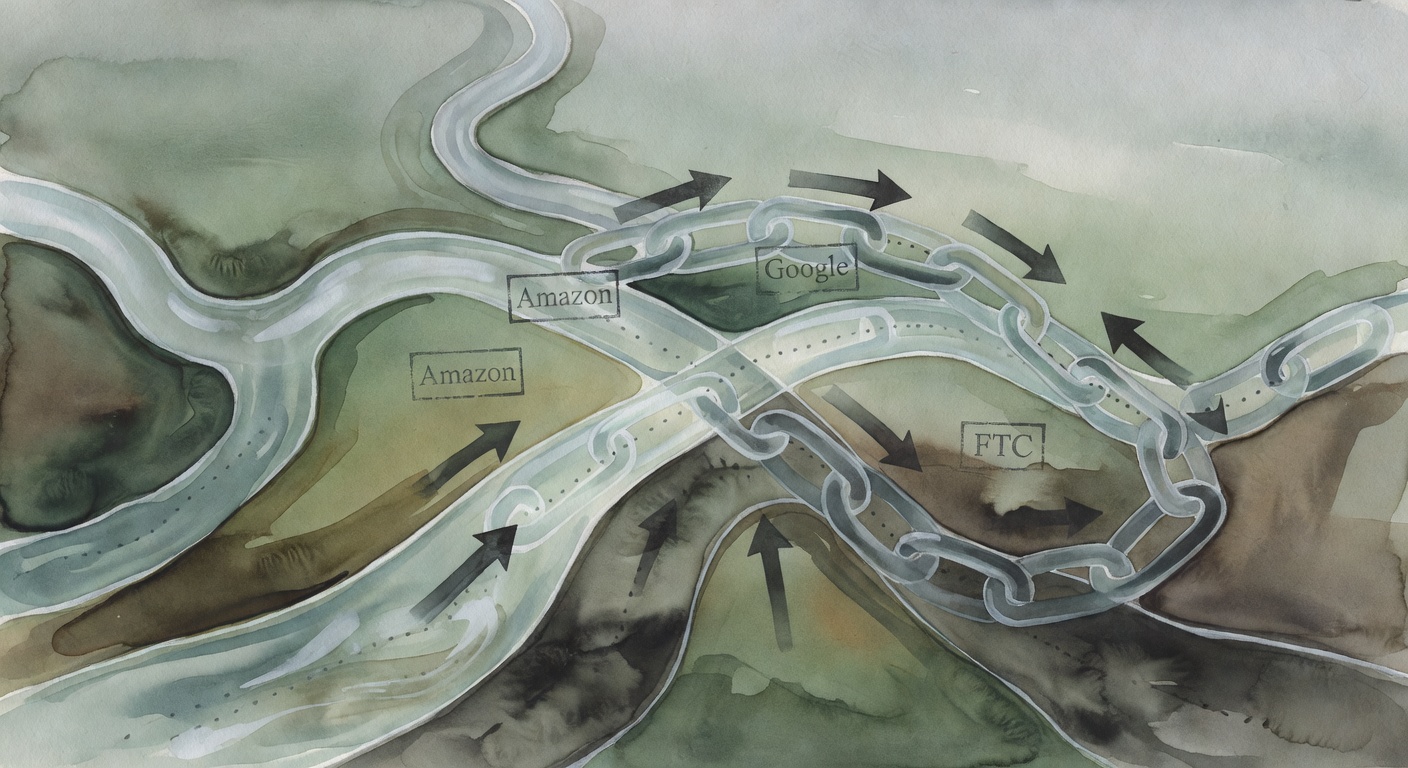
Affiliate Link Cloaking Compliance: Amazon Rules vs Google rel=”sponsored” + Safe Redirect Methods
Executive Summary (Key Takeaways)
Affiliate link “cloaking” (cleaning up ugly tracking URLs behind your own /go/ or /recommends/ links) is normal affiliate ops. It’s also where people accidentally step on platform rules.
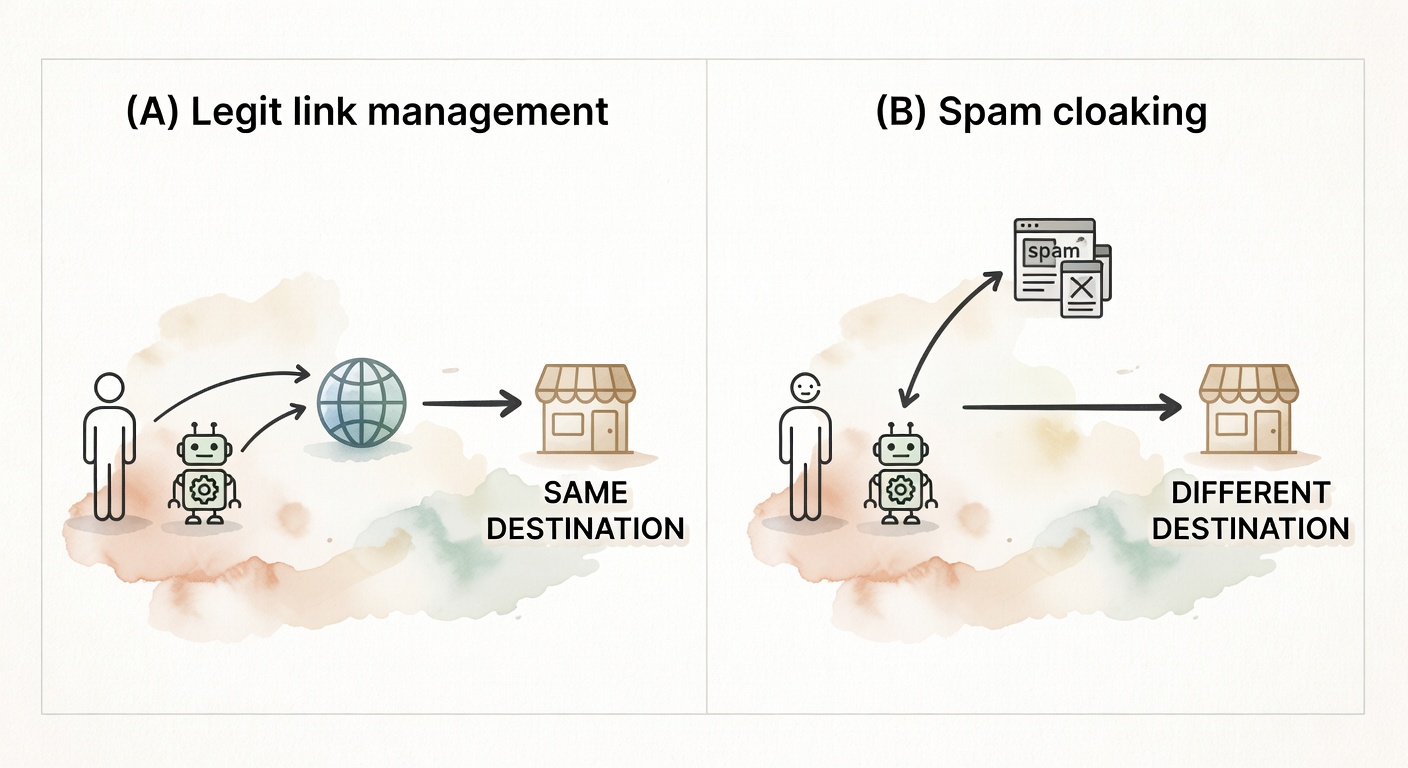
Here’s the clean version: legit link management sends users and crawlers to the same endpoint, and you qualify paid links properly. The messy version: you obscure where a click is going (or where it came from), strip tracking parameters, or make your setup impossible to audit.
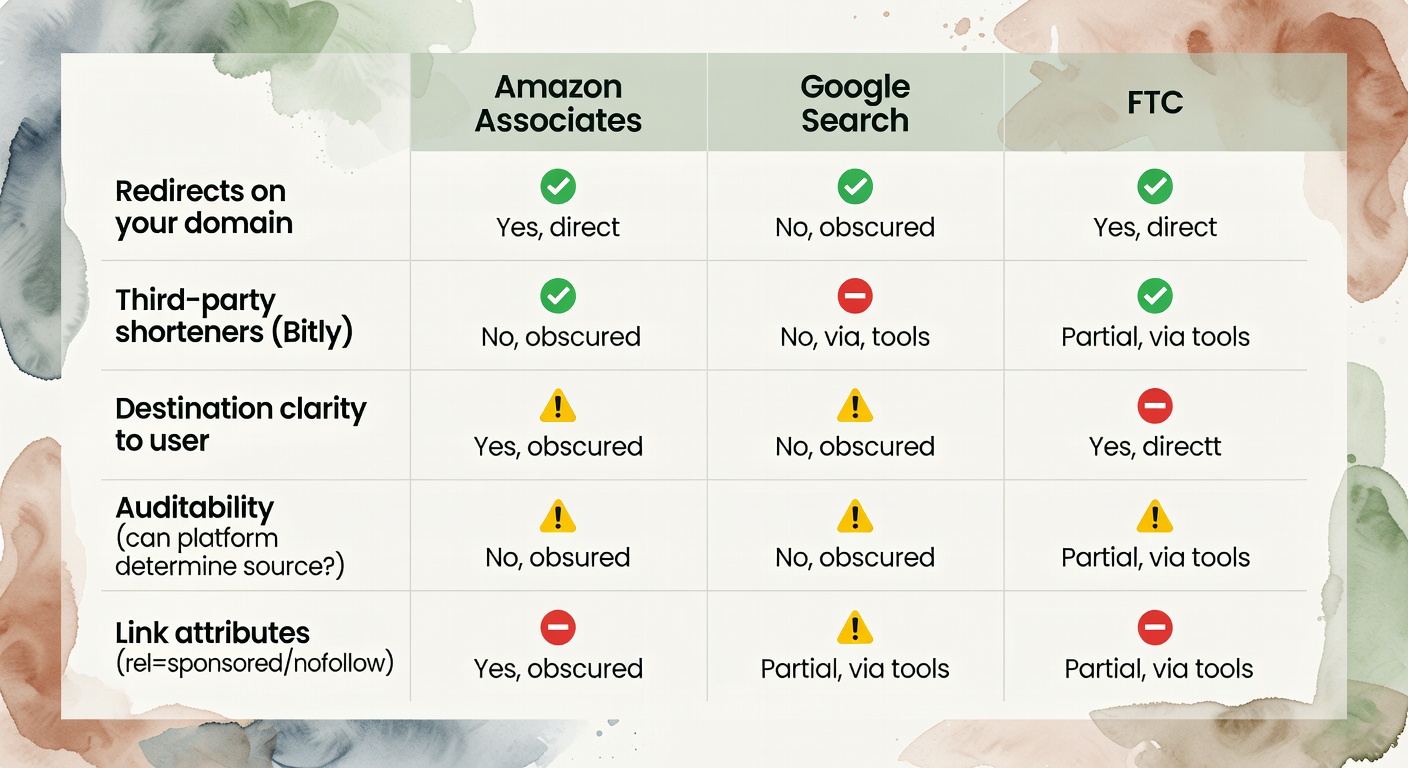
Amazon is the strict one. Their policies explicitly say you “will not cloak, hide, spoof, or otherwise obscure” the URL of your site containing Special Links such that Amazon can’t determine where the click originated, and they also warn against using shorteners in ways that reduce destination transparency for Amazon-bound clicks (Lasso’s policy excerpt). Google’s focus is different: qualify affiliate/paid links with rel="sponsored" (nofollow is still acceptable) per Google’s outbound link qualification documentation (Google Search Central).
Pick a method you can explain in a compliance email. Then keep an audit trail. That’s the whole job.
The Tension: Clean Links vs. Compliance Warnings (A Realistic Scenario)
I keep seeing affiliate programs built like a junk drawer—everything tossed in, nothing labeled, and somehow we’re surprised when it jams.
A blogger I know (anonymized, but painfully real) got the dreaded Amazon Associates notice: link masking / link shortening / unclear destination. They weren’t doing anything spicy. No bot tricks. No doorway pages. They’d just swapped raw Amazon product URLs for “pretty” links like site.com/go/best-airfryer and—because they were sharing on social too—sometimes ran them through Bitly.
Then Amazon’s compliance team couldn’t “reasonably determine” what was happening from the outside. Or, worse, it looked like the click path was being intentionally obscured.
That sounds dramatic until you read Amazon’s actual language about not obscuring URLs (including via redirects) and not using shorteners in a way that muddies where the click ultimately goes (policy excerpt).
The fix wasn’t “never use redirects.” It was building something you can audit and defend. Okay—now let’s look at what breaks when you scale it.
What Link Cloaking Actually Is (and What It Isn’t)
Let me back up and define what I mean by that.
Affiliate link cloaking (the legit kind) is using your own domain to create a clean, readable URL that redirects to a longer affiliate tracking URL—while sending both users and bots to the same destination. Example: yoursite.com/recommends/widget → 301/302 → merchant.com/?affid=123&subid=abc.
This is mostly about:
- UX (people trust readable links more than parameter soup)
- link management (update one destination, fix it everywhere)
- tracking hygiene (consistent subIDs, consistent placement naming)
What it is not: SEO “cloaking” in the spam sense—showing different content to Googlebot than to humans. That’s the kind of cloaking Google explicitly treats as a violation in its spam policies (Elementor does a decent job separating these concepts, even if the term overlap is annoying) (Elementor overview).
This post is only about the first category: redirects and link management for affiliates. Not deception. Not “bot vs. human” split testing. Not any of that.
If you only remember one thing from this section, make it this: redirects are fine; opacity is what gets you in trouble.
Compliance Rules by Platform: What’s Actually Allowed (Amazon, Google, Networks, FTC)
Amazon Associates: The “Don’t Obscure” Rule (and what it means in practice)
Amazon’s policy language is the reason this topic makes me twitchy.
Two lines matter most (quoted in Lasso’s help doc from Amazon’s Operating Agreement / Program Policies):
- “You will not cloak, hide, spoof, or otherwise obscure the URL of your Site containing Special Links (including by use of Redirecting Links) … such that we cannot reasonably determine the site or application from which a customer clicks through…” (source)
- “You will not use a link shortening service in a manner that makes it unclear that you are linking to an Amazon Site.” (source)
Notice what Amazon is actually protecting:
- Attribution integrity (they need to know where the click came from), and
- Destination clarity (a user shouldn’t feel tricked about where the click lands).
So what’s allowed “in practice”? My read—based on the language above—is:
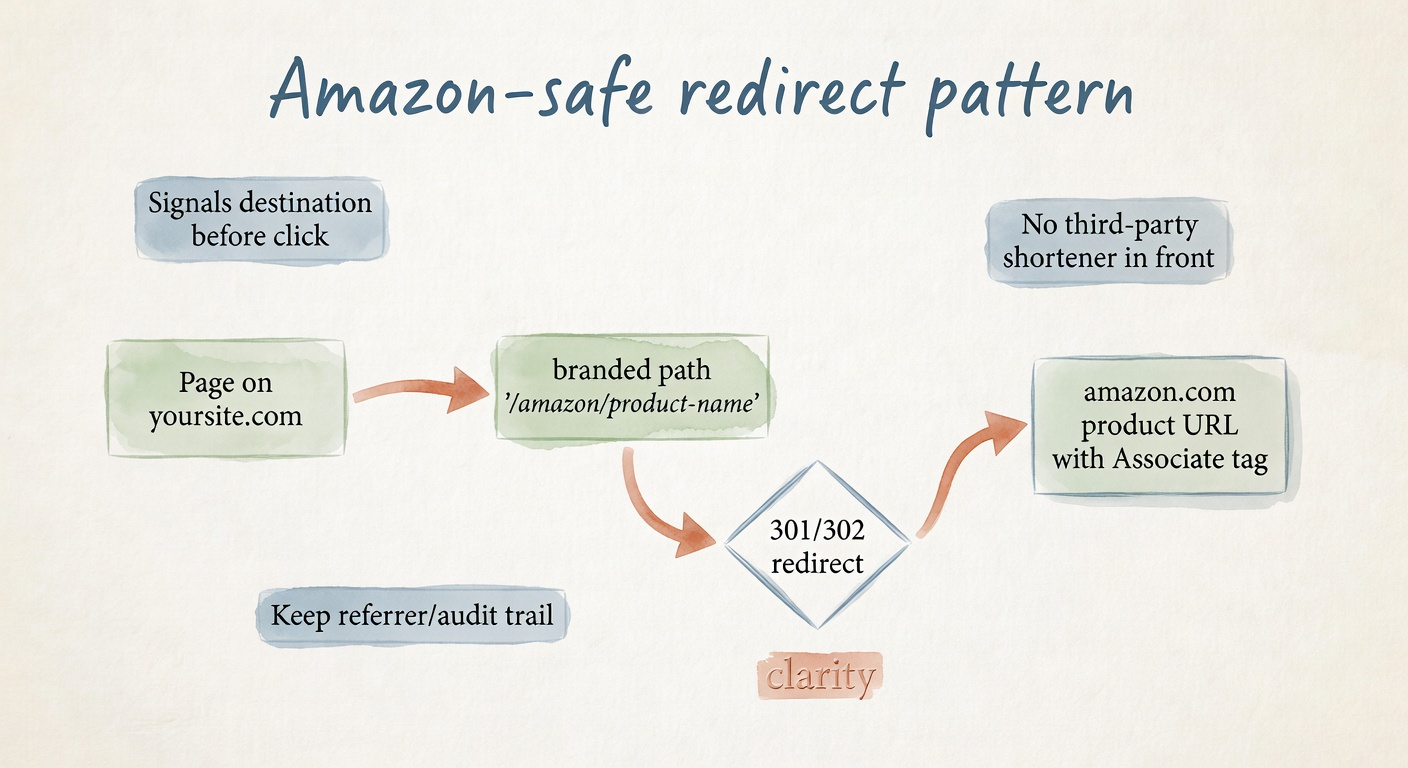
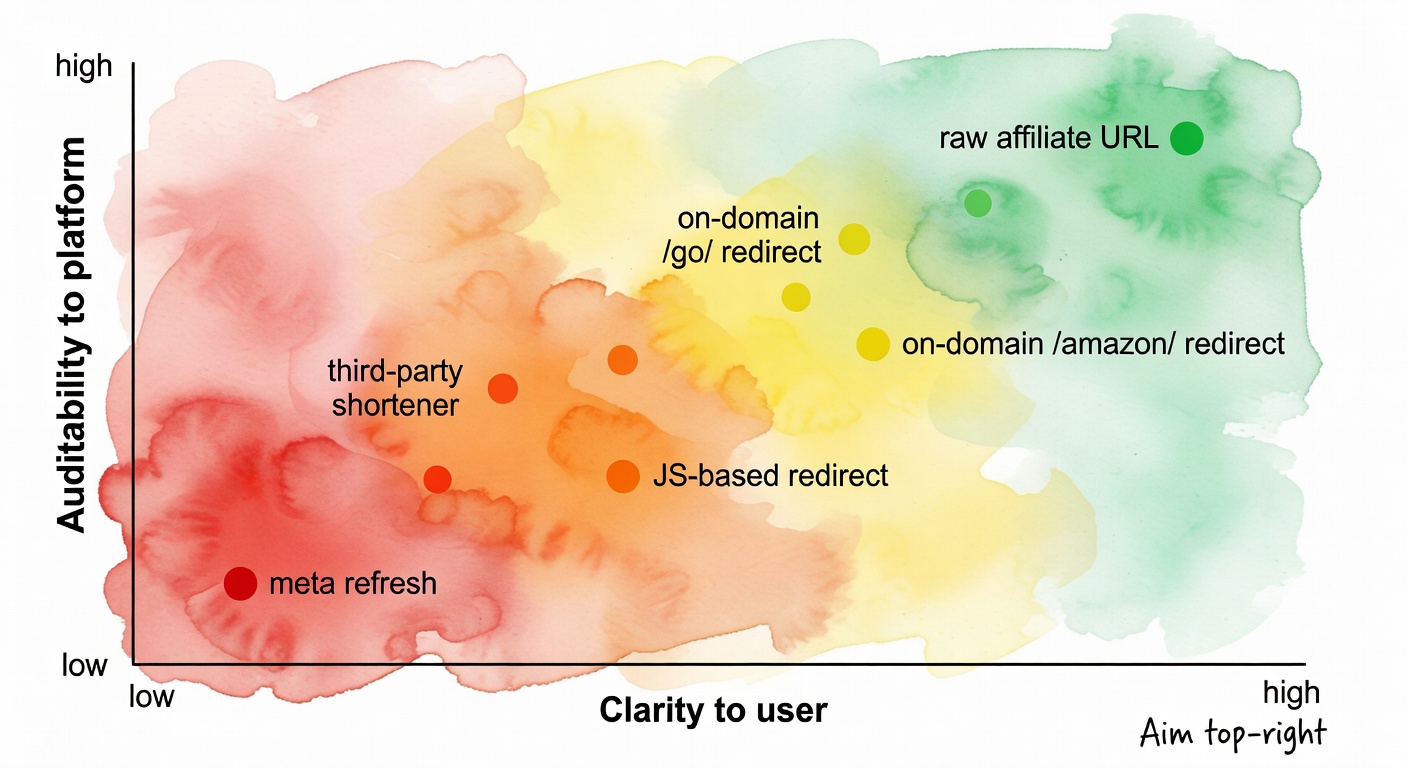
- Higher risk: third-party shorteners (Bitly-style) in front of Amazon links, especially when the destination isn’t obvious.
- Lower risk: branded redirects on your domain that clearly signal “this goes to Amazon” before the click (some tools use an
/amazon/path for exactly this reason) (example + interpretation).
And yes—this is an interpretation, not a magic shield. Amazon can still decide you’re non-compliant. The goal is to make your setup obviously not deceptive and easy to verify.
Quick example (realistic):
site.com/go/airfryer→ feels generic, could go anywhere.site.com/amazon/airfryer→ signals Amazon intent before the click.
That sounds fine until you read the terms and realize there’s a trap door. Build for clarity.
Google: rel="sponsored"/nofollow and what Google penalizes vs. what’s just suboptimal
Google’s affiliate issue is not “you used a redirect.” It’s “you’re passing PageRank through paid links” and “you’re not qualifying the relationship.”
Per Google’s documentation on qualifying outbound links, “Mark links that are advertisements or paid placements … with the sponsored value.” (Google Search Central)
In the same guidance, Google notes that nofollow is still acceptable, though sponsored is preferred. (same doc)
So cloak or don’t cloak—the outbound link element should be qualified. Skipping it doesn’t guarantee a penalty tomorrow, but it does create a policy/quality risk you don’t need, and it makes the site harder to defend in a manual review.
Here’s where last-click gravity quietly pulls the whole program off course: sloppy link attributes force Google to infer intent. Don’t make them guess.
Affiliate Networks (ShareASale, CJ, Impact, etc.): usually fine—until you break attribution
Most networks and programs I’ve worked with don’t care if you use redirects or “pretty” links. They care that:
- the click tracks,
- the parameters survive,
- and nothing about the flow is deceptive.
The failure mode is boring and expensive: your redirect drops query parameters or breaks subIDs, so attribution dies quietly.
Imagine you’re sending:
/go/merchant → https://network.com/click?aid=123&sid=review-table
But your redirect setup accidentally strips everything after ?. Your link still “works.” Your commissions don’t.
No tracking. No trust.
General cloaking overviews call out this tracking/redirect mechanic, even if they don’t go deep on network terms (Elementor, Hostinger).
Also: some programs have sub-affiliate rules (if you’re buying traffic, syndicating, or letting others promote under you). I’m not going to pretend one rule covers all networks. Check each program’s terms.
FTC disclosure: cloaking doesn’t change your disclosure obligation
Cloaking doesn’t count as disclosure. It doesn’t “hint” your way into compliance.
If you’re endorsing products for compensation, you need a clear disclosure on the page (and ideally near the first affiliate link). Elementor’s guide includes the standard best-practice reminder: disclose and use proper link attributes (Elementor).
My practical rule: put a short disclosure above the first affiliate link on money pages (reviews, comparisons), and don’t bury it in the footer. Conversion hygiene and compliance aren’t enemies. They’re roommates.
Alright, now we can talk tactics without lying to ourselves.
Three Implementation Methods (with Code): WP Plugins vs JavaScript vs Server-Side Redirects
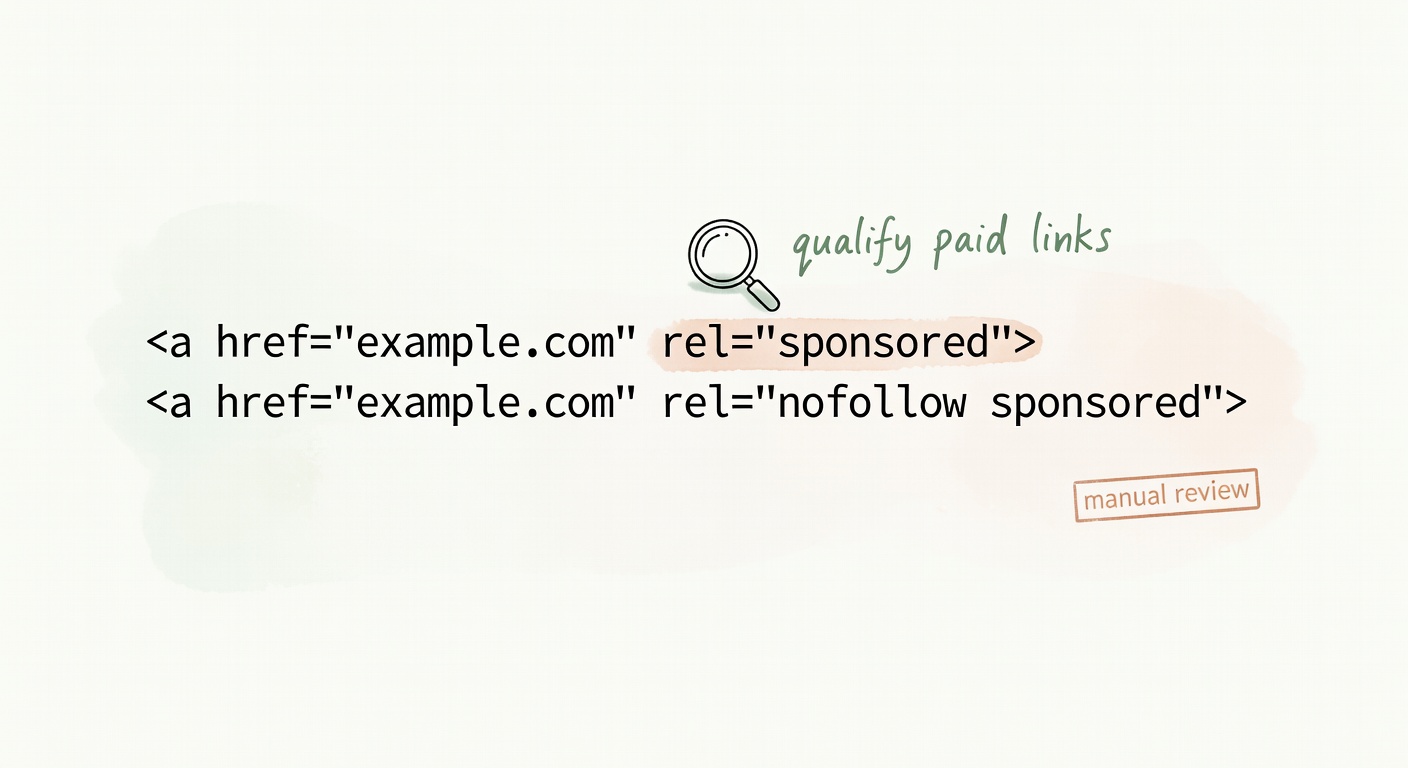
Before methods: here’s the HTML pattern Google’s paid-link qualification guidance points to for affiliate links.
<a href="https://yoursite.com/go/widget"
   rel="sponsored nofollow">
  Check price
</a>
Google recommends rel="sponsored" for paid links, and notes nofollow is still acceptable (and commonly paired) in its outbound link qualification docs (Google Search Central).
Now the methods.
Method 1: WordPress plugins (Pretty Links, ThirstyAffiliates)
If you run a WordPress content site, plugins are the default because they create a clean redirect layer without you touching server config.
How it works: you create a slug (/go/widget) and the plugin issues a 301/302/307 redirect through WordPress routing.
Pros
- Fast setup; non-technical friendly.
- Central management: update one destination URL, fix it sitewide.
- Built-in reporting and organization features (categories/tags/notes vary by plugin).
- Link health features exist in both ecosystems: ThirstyAffiliates has an Automatic 404 Checker; Pretty Links has “Link Health” reporting (WPBeginner comparison).
Cons
- WordPress dependency: if WP is down, redirects are down.
- Plugin updates can introduce weird breakage (I’ve seen links vanish or settings reset—rare, but not imaginary).
- Performance overhead: every click hits WP/PHP + database. On high-traffic sites, that’s not free.
Compliance notes
- Both Pretty Links and ThirstyAffiliates support adding
nofollow/sponsoredattributes (called out in ThirstyAffiliates’ own comparison) (ThirstyAffiliates vs Pretty Links). - ThirstyAffiliates highlights “uncloaking” as an Amazon compliance feature (useful if you’re heavy on Amazon) (same source).
- For Amazon specifically, keep redirects obviously Amazon-bound (e.g.,
/amazon/slug) so there’s no confusion about merchant intent (Amazon policy excerpt).
Best for
Content bloggers, review sites, anyone with a few dozen to a few hundred links who wants a UI and an audit trail.
Mini scenario (hypothetical, but common): you have 40 posts linking to one SaaS offer. The merchant changes networks. With a plugin, you swap the destination once and you’re done. Without it, you’re spending a rainy Saturday in the Pacific Northwest doing find-and-replace and praying you didn’t miss a sidebar widget.
Method 2: JavaScript redirects (onclick / window.location)
JavaScript redirects are popular in widgets, link buttons inside SPAs, and situations where you want to pass dynamic parameters at click time.
How it works: the browser executes JS and sends the user to the destination (or to your redirect endpoint) after a click.
Example:
<button id="buyBtn">Buy now</button>
<script>
  document.getElementById('buyBtn').addEventListener('click', function () {
    const subId = encodeURIComponent('comparison_table_top');
    window.location.href = '/go/widget?subid=' + subId;
  });
</script>
Pros
- Flexible: easy to append subIDs, campaign tags, or user state.
- Useful in dynamic components where you don’t control raw HTML output cleanly.
Cons
- Crawlability ambiguity: Google can render JS, but not always the way you expect across contexts. That can make auditing harder.
- Doesn’t work if JS is disabled or blocked.
- Harder to review at a glance (compliance teams and future-you prefer boring HTML).
Hostinger lists JavaScript redirection as one of the redirect types used in link cloaking setups (Hostinger).
Compliance note
This isn’t “cloaking” in the spam sense by itself. But it can create opacity: what does the user see, what does the crawler see, what fires when? If you can do server-side, do server-side for standard content pages.
Best for
SPAs, dynamic affiliate widgets, situations where you truly need click-time parameter logic.
Method 3: Server-side redirects (.htaccess / Nginx / PHP)
This is my bias: I realize I’m biased toward systems that are easy to audit.
How it works: your server returns a 301/302 redirect before WordPress (or any app) gets involved. Fast, predictable, and easy to test with curl.
Moz’s redirect guide covers the common redirect types and their SEO implications, including why 301s are the standard for permanent moves and why temporary redirects have different signals (Moz redirects).
Pros
- Fastest and most reliable.
- No WordPress/plugin dependency.
- Full control over status codes and headers.
- Clean audit trail (especially if you keep redirects in version control).
Cons
- Requires server access and comfort editing config.
- Harder to manage at scale unless you build tooling.
- No built-in analytics unless you add logging or an event pipeline.
Compliance/SEO note
For affiliate links, you’re typically not trying to “pass equity” to the merchant. You’re trying to be transparent. The cleanest setup is:
- outbound link element uses
rel="sponsored"(and oftennofollow) as described in Google’s outbound link qualification docs (Google Search Central) - redirect is a straightforward 301/302 with no funny business
- redirect chain is short (one hop if possible)
.htaccess example (Apache)
Redirect 301 /go/widget https://merchant.example.com/product?ref=abc123
PHP example
<?php
// /go/widget/index.php
header("Location: https://merchant.example.com/product?ref=abc123", true, 302);
exit;
(Use 302 if the destination might change and you want browsers to re-check; use 301 if it’s truly stable. Moz covers the semantics and SEO impact of each (Moz redirects).)
Best for
Affiliate managers, high-traffic sites, non-WordPress stacks, or anyone who wants maximum control and minimum moving parts.
Comparison table: complexity vs SEO control vs analytics vs scale
| Method | Setup Complexity | SEO Control | Analytics | Scale |
|---|---|---|---|---|
| WP Plugin | Low | Medium | Built-in | Medium |
| JavaScript | Medium | Low | Custom | High |
| Server-side | High | High | Custom | High |
If you disagree, I’m open to it—just show me what you’re measuring.
The Hidden Risk: Cloaked Links That Break Silently (Even When Your Redirect Returns 200)
Now for the annoying part.
Once you cloak links, you create a new failure mode: your link can “work” while your offer is dead. Your /go/widget returns a clean redirect. Status code looks fine. But the final destination is:
- out of stock,
- geo-blocked,
- paused campaign,
- or a 404 behind a CDN that still returns a soft 200.
I’ve watched this happen on seasonal pages. Hypothetical example: you publish a “Best Presidents’ Day Deals” post, and your /go/deal links keep redirecting perfectly… to expired promo pages. Your analytics show clicks. Your EPC falls off a cliff. You don’t notice for two weeks because nothing is technically “broken” on your domain.
This is also where networks get blamed for problems that start in your own setup.
WP plugins try to help—Pretty Links has Link Health reporting and ThirstyAffiliates has broken link checking features (WPBeginner). But even then, many checks focus on your redirect endpoint, not the real user outcome at the end of the chain.
Tools like linkstest.com exist specifically to monitor whether the full redirect chain—including the final destination—is actually working for real users, not just returning a status code.
Run the boring checks first. They catch the expensive problems.
Quick Decision Guide: Which Method to Use (and the “Amazon-safe” default)
Use this as a constraint-based decision, not a personality test:
-
Running a WordPress content site with <50 affiliate links? → WP Plugin
Pretty Links or ThirstyAffiliates are both fine; pick based on workflow and reporting needs (WPBeginner). -
Need dynamic parameter passing or SPA integration? → JavaScript
Keep it auditable: send users to a server-side/go/endpoint after the click, and still qualify the paid relationship where applicable (Google Search Central). -
Running a large affiliate operation or non-WP setup? → Server-side
Fewer moving parts, better performance, cleaner audit trail (Moz redirects). -
Amazon Associates specifically? → WP Plugin with
nofollow/sponsored+ visible disclosure on page
And avoid ambiguous redirects—Amazon’s own language is explicit about not obscuring click origin and keeping Amazon intent obvious (Amazon policy excerpt).
If you only remember one thing from this section, make it this: pick the method you can explain in one screenshot and one sentence.
Closing: Cloaking Isn’t the Problem—Undisclosed, Untrackable, Unmonitored Cloaking Is
Cloaking itself isn’t the villain. Undisclosed cloaking is. Cloaking that strips tracking is. Cloaking that breaks silently is.
Pick the method that fits your stack. Qualify affiliate links with rel="sponsored" (nofollow is still acceptable) the way Google’s outbound link documentation asks you to (Google Search Central). Keep your disclosure visible. Preserve tracking parameters end-to-end. Then monitor the full redirect chain like it’s a revenue-critical system—because it is.
If this feels strict, good—it means you’re building something that can survive volatility.
Sources
- Google Search Central: Qualify outbound links (rel=”sponsored”, “nofollow”, “ugc”)
- Lasso Help Center: Can I Cloak Amazon Links? (includes Amazon policy excerpts)
- Moz: Redirects — types, SEO impact, and best practices
- WPBeginner: Pretty Links vs ThirstyAffiliates comparison (features + link health)
- ThirstyAffiliates blog: ThirstyAffiliates vs Pretty Links (nofollow/sponsored + uncloaking)
- Hostinger: Link cloaking overview (mentions JS redirection types)