Amazon Affiliate Clicks Steady but Conversions Down in 2026? Check the Funnel
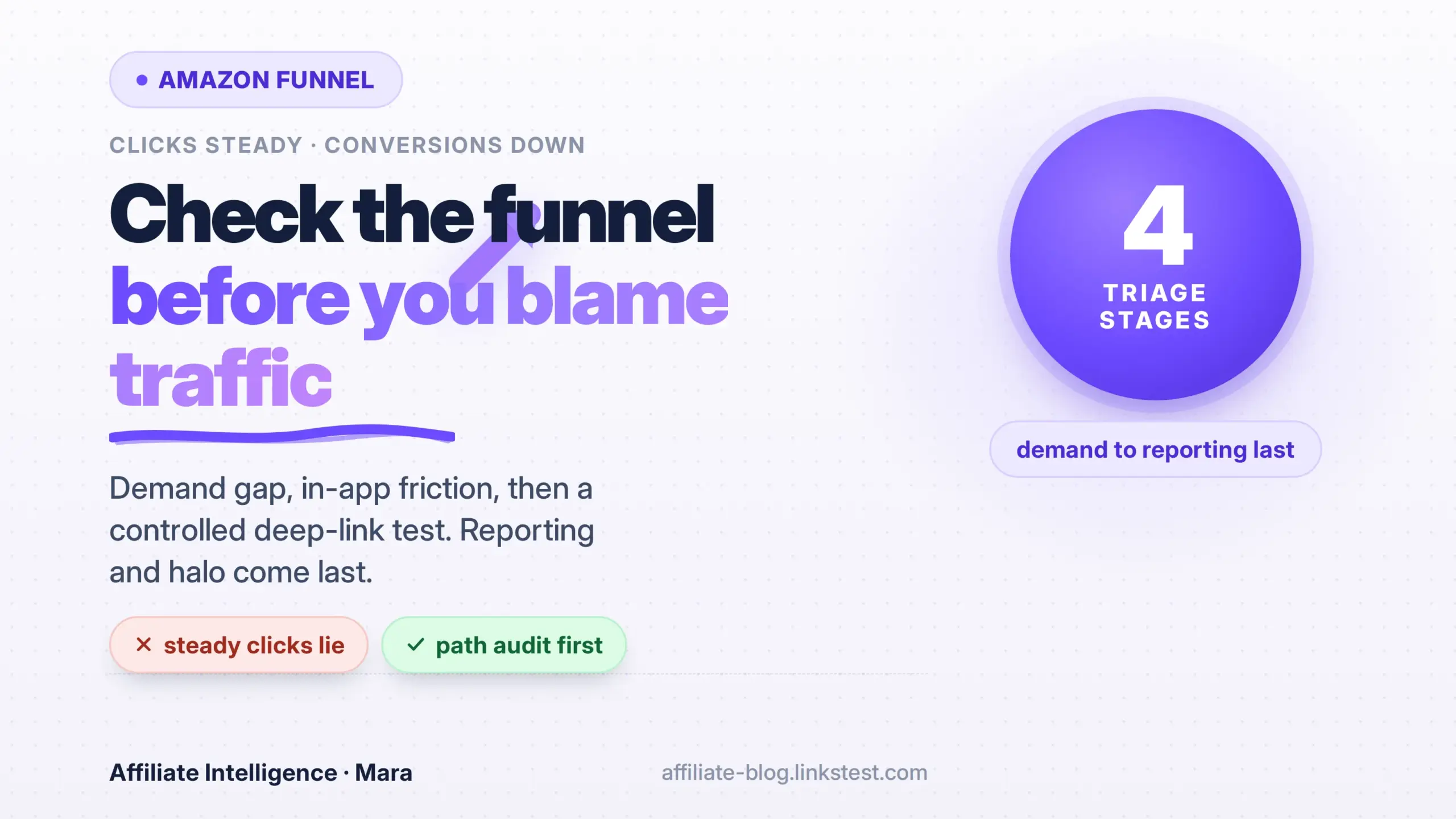
Operators often open a clicks-steady, conversions-down report and reach for seasonality or “Amazon is broken.” A common failure mode follows: stable outbound clicks get treated as proof the funnel is fine, when the actual clue is one hop deeper. This tutorial walks Amazon Associates publishers through funnel triage (conversion drop funnel diagnosis checklist) in order: demand baseline, outbound gap, mobile friction, controlled deep-link test, then reporting and halo last.
Before trusting a reporting-blame story, open the funnel ledger first. If you need the Amazon item-level reporting Tracking ID workarounds or the Amazon halo-effect change content strategy, those live in separate URLs. Do not rebuild them here.
Prerequisites: Open the Funnel Ledger
The goal is to assemble a before/after evidence pack before you change anything. You cannot triage what you cannot see.
Assemble four raw materials first.
- Associates Central access with report downloads. Amazon says Ordered Items and Bounties update hourly, while the Earnings Report is current as of the previous day (Amazon Associates reporting update frequency).
- A page list tagged by linked ASIN, Tracking ID, Subtag, and onsite versus offsite class.
- Traffic source mix, especially social versus organic versus email.
- An independent click log if available. It is not required for the first pass.
Action:
Reports -> select last 90 days -> export all Tracking IDs -> save local CSV
For each high-traffic page: record page URL, linked ASIN, Tracking ID, Subtag, onsite/offsite, source mix
Why this works: memory is not a number. If report detail changes or historical access closes, you are working from exported rows, not recollection. Amazon can change report views and historical access without warning.
Checkpoint: You can pull a page-level earnings export and tag every URL to a linked ASIN, Tracking ID, Subtag, and traffic source.
Failed Assumption: Steady Clicks Mean a Healthy Funnel
The failed assumption runs like this: stable outbound clicks equal a healthy referral pipe, so the problem must be outside the funnel. That is the wrong first conclusion.
Steady clicks are a demand signal. They prove people still see your link and tap it. They do not prove the purchase context is intact on the other side.
A structural scenario makes this concrete. A publisher sends roughly 1,000 tagged clicks per week from a social post to the same ASIN. Clicks stay flat. Ordered items drop from 50 to 18, so conversion falls from 5% to under 2%. Nothing on the traffic side changed enough to explain that. The click count ruled out a traffic problem first-order.
That leaves three hidden places: the demand-to-outbound gap, mobile and in-app browser friction, and destination payability. Reporting lag and halo change belong last because they are scope changes or measurement lag, not funnel mechanics.
Per Amazon’s glossary, conversion is items dispatched divided by clicks, expressed as a percentage (Amazon Associates conversion rate glossary). A flat denominator with a falling numerator is a post-click issue, not a visibility issue.
Checkpoint: You can state whether the drop is traffic-side or post-click, and you have not blamed reporting, halo, or seasonality yet.
Demand Baseline, Then the Outbound Gap
The goal is to separate demand softening from a gap between site sessions and tagged outbound clicks.
Measure demand first: search impressions, brand queries, and site sessions from your own analytics. Demand may soften while outbound stays deceptively flat because the same number of links still get clicked by returning or lower-intent visitors. The actionable clue is usually the gap between demand and tagged outbound, not the Amazon click total alone.

Action:
Build a five-column ledger:
date | demand_sessions | site_sessions | tagged_outbound | amazon_clicks | ordered_items
The funnel path is:
demand/search -> site sessions -> tagged outbound -> Amazon conversion
If site sessions fall but tagged outbound stays flat, demand weakened while link placement held. If site sessions stay flat but tagged outbound falls, the link or tag placement changed. If both stay flat and Amazon conversions fall, move to mobile and destination checks.
Why this works: a stable outbound number can hide a shrinking demand pool, and a shrinking demand pool changes purchase intent even when the link is clicked. You have to name which layer moved first.
Soft-link optional later: if your Amazon click count stops matching your own tagged outbound, verify the final URL still carries tag= before assuming Amazon lost the click.
Checkpoint: You have a gap checklist and can say whether demand, site sessions, or tagged outbound moved first.
Mobile and In-App Browser Friction
The goal is to audit the actual click path on risky traffic, especially social.
A social tap often opens an in-app webview, not Safari or Chrome. Inside that webview the shopper is frequently logged out of Amazon, with no saved payment and no one-tap checkout. The click still counts in your dashboard. The purchase context does not.

Amazon’s mobile policy states that affiliate links have to open in the Amazon Shopping App or the device’s native browser, not inside an app’s own webview (Amazon web views mobile policy). What actually happens in Instagram, Facebook, or TikTok is often the opposite.
Action:
Audit one risky path on a real device:
source: Instagram DM
device: iPhone, Amazon app installed, user logged in
tap opens: Instagram webview
Amazon sees: logged out
tag present: yes/no
Run that same audit for TikTok bio, Facebook post, and email. Record where each path actually opens and whether the tag survives.
Country adjacency matters here too. A shopper in the UK tapping a US link lands on amazon.com without OneLink, sees the wrong currency and shipping options, and often abandons. That is not a funnel break from your content. That is a marketplace mismatch.
Vendors selling deep-link tools quote numbers like 67% mobile login abandonment or 3-4x app-versus-browser conversion. It bears repeating: those are vendor claims, not Amazon figures. Use them as a reason to test, not a multiplier you paste into a forecast.
Checkpoint: You can name where each risky traffic segment opens, whether it reaches Amazon logged in or logged out, and whether the tag survives (redirect-chain commission leakage audit).
Controlled Deep-Link Test
The goal is to run a one-sitting deep-link test without rewriting every link from a vendor lift claim.
A raw app deep link does not carry your associate tag by itself, and Amazon does not document how the tag tracks once inside the app (CreatorFlow Amazon deep links for Instagram affiliates). That is the real risk. You can build a link that opens the app beautifully and still lose attribution if the tag does not survive the handoff.

Start from a real Associates URL. Always begin with the full tagged URL:
https://www.amazon.com/dp/B0XXXXXXXX?tag=yourid-20&linkCode=ll1
Never trim the query string. The bit after the ? is what gets you paid (U2L Amazon affiliate deep link guide).
Action:
Create two Tracking IDs under the same Associates account:
- control_tracking_id
- deep_link_tracking_id

Assign risky social traffic only:
segment: Instagram and TikTok followers, mobile, app installed
control_link: full Amazon URL with control_tracking_id
test_link: deep-link wrapper that passes the full URL with deep_link_tracking_id

Run window: minimum 7 days or 500 clicks total
Why separate Tracking IDs work: if you swap all links at once, you cannot measure incrementality. You might move revenue without growing it. The control tag isolates risky traffic while the deep-link tag proves whether app handoff changed anything.
Check the test tag survives. Tap the test link from your own phone, complete a small order, and confirm the click and order appear under the deep-link Tracking ID. Amazon’s program limits Tracking IDs to 100 per associate account (Amazon Associates tracking ID limit), so use them deliberately.
Vendor-published case studies cite conversion multiples in the 2-3x range for social bio and DM links routed into the app (U2L Amazon affiliate deep link guide). Treat that as a directional reason to test, not a universal law.
Checkpoint: You have a control and a treatment ID on risky traffic only. No full-site link rewrite happens until the test reads out.
Non-Paying Paths and Mismatches
The goal is a destination payability check before you touch content.
Two mismatch classes hide inside a steady click count.
First, country and marketplace mismatch. A click may land on a storefront where you are not enrolled, or where the shopper cannot easily buy. OneLink is Amazon’s geo-redirection tool, not an app deep link. It sends international visitors to their local Amazon store with your tag attached (Amazon OneLink geo-redirection). If you never set it up, your non-US clicks may be dead weight. Use it for localization, then treat app handoff as a separate concern.
Second, non-paying destination types. A click to a product detail page is not the same as a click to a search page, category page, home page, or bounties page. Amazon’s Operating Agreement excludes or disqualified purchases in specific conditions, including digital products, subscriptions, and pre-release items (Amazon Associates Program Policies). If your top links drifted to search or category pages, sales can count as indirect and pay much lower, often around 1.5%, rather than a direct category rate.
Action:
Export your top 20 clicked destination URLs.
Classify each: product detail, search, category, home, bounty, non-product.
Cross-check against the current Associates commission statement exclusion list.
Why this works: if steady clicks land on a page that cannot produce a qualifying purchase, conversions will fall without any funnel break. The click was fine. The destination was not a payable unit.
Checkpoint: You have a destination payability label for top clicked URLs and know which marketplaces can actually credit you.
Reporting and Halo Belong Last
The goal is to place reporting lag, halo scope, and volume gates at the end of triage, not the beginning.
Reporting lag is real. Ordered Items and Bounties update hourly, but the Earnings Report is current as of the previous day (Amazon Associates reporting update frequency). If your drop shows over the last 48 hours, you may be looking at delay, not a conversion collapse. Wait 72 hours before declaring a cliff.
Volume gates and “Other” rows hide detail from smaller accounts first. Sold-ASIN truth is mostly gone or restricted below an unpublished activity gate. Low-volume Tracking IDs and Subtags often roll into an “Other” row, so segment proof disappears without any actual conversion change. Do not rewrite content over an Other row.
Then split onsite from offsite. The April 14, 2026 Operating Agreement change narrowed onsite commission to the linked ASIN or its Amazon-determined variants, not the rest of the cart. That is an onsite scope change. Your offsite referral pipe still behaves like the classic referral path. If the entire drop sits in the onsite Onsite Store ID, that is a policy reset, not a funnel problem.
Action:
Reports -> filter by Tracking ID -> compare onsite Store ID vs offsite Store ID
Mark every affected page as onsite, offsite, or mixed
Why this works: placing reporting and halo last prevents you from blaming the calipers before you have checked the path. Diagnose the funnel path first, then interpret the dashboard.
Checkpoint: You have separated reporting lag, halo scope, and volume gates from the funnel itself. You can name which pages the same-ASIN rule actually affects.
Troubleshooting Common Issues
Five common errors, with fixes.
-
Steady clicks, zero orders for two to three days. Fix: check Ordered Items versus Earnings Report freshness. Ordered Items update hourly; wait 72 hours before treating it as a cliff. If still zero, verify the tag on the final URL.
-
Your own tagged outbound is flat but Amazon clicks are lower. Fix: run a one-hop trace without following redirects:
curl -I "https://your-redirect-url"
Read the location header and query string at each hop. If the tag drops mid-chain, that is hop leakage, not a funnel issue. The full forensics trail lives in the redirect-chain commission leakage audit.
-
Clicks steady but conversions fell only on onsite placements. Fix: split the dashboard by onsite and offsite first. Do not rebuild offsite pages as if they lost the cart-wide halo. That triage belongs to the same-ASIN halo content reset.
-
A deep-link test shows no click in the dashboard. Fix: start again from the full Associates URL with
tag=. Tap from a real phone, complete a small order, and confirm the click appears under the test Tracking ID. A raw app scheme without a tag will not pay. -
Low-volume Subtags vanish into “Other.” Fix: stop waiting for sold-ASIN restoration. Keep an independent click ledger with page, tag, and placement data. The full measurement rebuild is in the item-level reporting workaround. For a broader click-to-commission diagnostic path, use the conversion drop funnel diagnosis checklist.
Optional thin cases: if a redirect sits behind a merchant registration wall, that is a funnel break, not a link fix. If you are handling Amazon cloaking or rel=sponsored hygiene, keep that separate from this triage.
Closing: diagnose the funnel path before rewriting content strategy. Steady clicks are not a traffic problem. The gap, the mobile path, the destination, and only then the reporting.