Amazon Associates Item-Level Reporting Broke: Tracking ID Workarounds
Operators often treat the missing sold-ASIN report as proof that Amazon tracking broke. A common failure mode follows: the publisher still has earnings accruing, still sees four report levels, but declares the account blind and starts rewriting content before touching the tags. That is a panic response, not a diagnosis. This tutorial rebuilds measurement in six steps, with checkpoints after each.
Prerequisites: Open the Ledger Before You Rewrite
You cannot triage what you cannot see. Before touching a single page or contacting support, assemble four raw materials.
First, Associates Central access with report downloads. Amazon’s reporting help states Ordered Items and Bounties update hourly, while the Earnings Report is current as of the previous day. Pull your baseline before the window shifts.
Second, a page list tagged by linked ASIN. Every URL you publish should map to the specific product or variant it sends clicks toward.
Third, a Tracking ID and Subtag map. You need to know which tag lives on which page before deciding anything.
Fourth, the other primary docs open in another tab: the onsite commissions help, the multiple Tracking IDs help, and the Associates Program Policies.
Run this before any rebuild:
Action: Reports -> select last 90 days -> export all Tracking IDs -> save local CSV
Action: page list -> add linked ASIN column -> add tracking ID column -> add onsite/offsite column
Why it works: Amazon can change report views and historical access. If you never exported the old rows, you are working from memory. Memory is not a number.
Checkpoint: You can export a page-level earnings view and tag every URL to a linked ASIN, Tracking ID, Subtag, and surface class. The primary docs are open.
Step 1: Split Onsite vs Offsite First
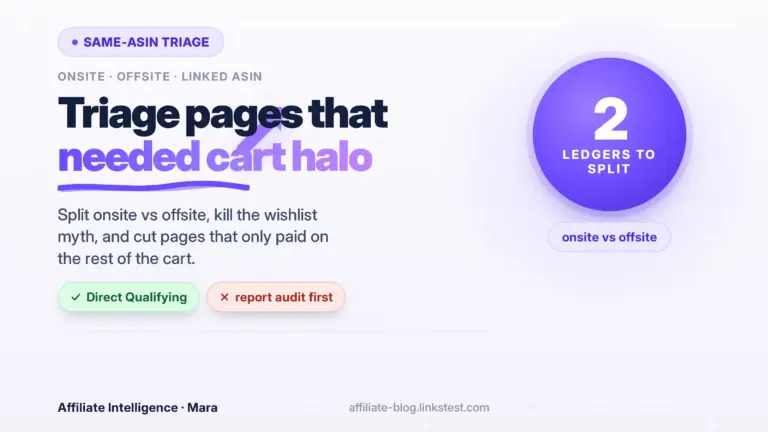
The goal is to stop troubleshooting the wrong dashboard. Amazon still separates onsite earnings under a distinct Onsite Store ID, often starting with onamz, while traffic you drive yourself uses your regular Store ID and standard attribution rules. The onsite commissions help referenced earlier says onsite earnings come from content Amazon surfaces inside Amazon, not from traffic you send in. That split matters before any content decision.
If you need the program-level definition before continuing, the Amazon Associates for operators handles the signup, approval, and program basics. This tutorial assumes you already hold an account.

Build a two-column page ledger:
Column A: onsite pages - shoppable videos, idea lists, storefront placements Amazon may surface
Column B: offsite pages - blog posts, YouTube descriptions, newsletters, social links you distribute

Every URL gets one label: onsite, offsite, or mixed
Why this split comes first: the same-ASIN narrowing covered in the same-ASIN / halo content triage is an onsite scope change. Your offsite path still behaves like the classic referral pipe. If you rebuild offsite pages as if they lost the cart-wide halo, you will cut pages that still earn.
Checkpoint: Each page has a column label - onsite, offsite, or mixed. You can see which pages the same-ASIN rule actually touches.
Step 2: Name What Actually Changed: Four Levels and the Volume Gate
The goal is to state the redesign without claiming tracking is broken. Community-shared support replies describe four surviving levels: Linked ASIN, Category, Tracking ID, and Subtag. Sold-ASIN truth is mostly gone or heavily restricted below an activity gate.
Write this down:
Report hierarchy now:
Linked ASIN -> Category -> Tracking ID -> Subtag

What disappeared: exact sold-ASIN detail below Amazon's unpublished activity gate
What still accrues: clicks, ordered items, shipped items, earnings
Why this matters: docs lag. Amazon’s reporting help still describes an Orders Report where you can see each item ordered, but support replies describe something much narrower. That mismatch is documentation lag, not proof you misread the screen.
The volume gate is the sharper problem. Amazon has not published a universal hard floor. A support template shared across multiple publishers describes an account below an unpublished activity gate being denied detailed product metrics, while a larger account with steadier volume sees more granular rows. I will not turn that report into a universal threshold. I will say the gate hides detail from smaller accounts first. Those are the operators who need sold-product feedback most.
Do not wait for sold-ASIN restoration before fixing your tag structure. The old rows may never come back.
Checkpoint: You can explain in one sentence: reporting went from sold-product truth to four-level inference, gated by activity volume.
You are not calling that “broken” yet.
Step 3: Separate ‘Less Detailed’ from Real Tracking Failures
The goal is to file the right ticket and avoid the policy-style reassurance loop. Before I trust any panic, I classify the complaint.
Two very different problems get collapsed into “reporting broke”:
Class A: Reporting-detail complaint
"I cannot see every sold ASIN."
Expected support response: "Data is collected and will show as volume grows."

Class B: Specific tracking failure
"Ordered item missing; I have the URL with tag intact; earnings line absent."
Expected support response: investigate link formatting, Session, eligibility
Amazon’s Program Policies state that purchases not correctly tracked or reported because links are not properly formatted are disqualified. That is a real failure class. “I want the old report back” is not.
For the post-click conversion loss before you blame reporting, the click-to-commission funnel diagnosis checklist separates delay, cookie overwrite, and mobile friction. Use it after you classify the complaint.
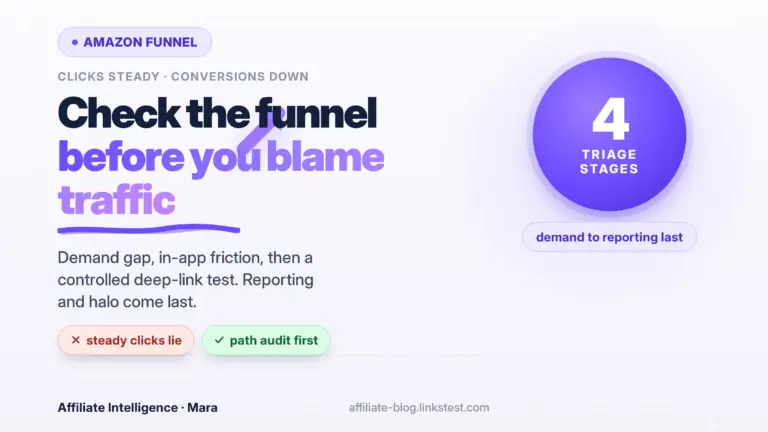
Also, when clicks look steady but conversions slide, the Amazon clicks steady conversions down funnel piece separates mobile friction from visibility loss. It will help you avoid blaming the reporting gate for a funnel problem.
Action: before any support ticket, attach URL proof. Expand the final URL and verify the tag= parameter contains your expected Store ID or Tracking ID. Keep a copy of the page where the link lives.
Why this works: support can act on a malformed or stripped tag. Support cannot act on a design choice that hides detail below an activity gate. Wording changes the escalation path.
Checkpoint: You have a complaint class label for what you are seeing, and you know which class meaningfully escalates.
Step 4: Work the Four Surviving Levels Without Pretending They Replace Sold-ASIN
The goal is an honest per-level job description. These are control points, not basket truth.

Linked ASIN  -> click-start intent, not proof of purchase
Category     -> broad demand shift, not product certainty
Tracking ID  -> site or channel split
Subtag       -> placement or template split

What each cannot tell you: exactly what sold
Linked ASIN tells you where the click started. If Article A sends 300 clicks to ASIN X and Article B sends 40, you have learned something about hook strength and placement. You have not learned that ASIN X was purchased. Use Linked ASIN for pre-click persuasion only.
Category rollups are blunt but usable. If Kitchen underperforms while Storage improves over 30 days, you can shift editorial effort even without seeing the exact bins and racks sold.
Tracking ID and Subtag are your best remaining audit trail. Amazon’s tracking ID help still describes Tracking IDs as a way to analyze different sites or merchandising strategies under one Associates ID. The program limits you to 100 Tracking IDs per account. That is enough for channel-level control.
Set a workable stack:
site: sitea-seo
Tracking ID: sitea-tools-20
Subtag: comparison-table-top
Linked ASIN: cordless drill set

Read: the top comparison-table placement on the tools section generates material click intent.
Do not read: that exact drill sold.
Why this works: you preserve measurement even when downstream detail disappears. You can test placement and channel, which is usually enough for layout and effort decisions.
Also check for wrong-ID contamination. A page can still fire with an old Store ID or another channel’s Tracking ID and look active while crediting the wrong bucket. Verify the intended tag, not just that a tag exists.
Checkpoint: You have a written job description and limitation list for Linked ASIN, Category, Tracking ID, and Subtag. You do not claim any of them proves sold-ASIN truth.
Step 5: Rebuild Measurement Before Publishing More Pages
The goal is a strict upstream tag map plus an independent click ledger. The lazy workflow - publish first, sort attribution later - is dead.
Action: no new page goes live until this map exists.

channel: sitea-seo
tracking_id: sitea-kitchen-20
subtag: comparison-table-top
source: organic-search
ledger row: date|page|source|tracking_id|subtag|linked_asin|final_url|click_verified

channel: sitea-email
tracking_id: sitea-kitchen-20
subtag: email-block-bottom
source: email
Why this works: when Amazon gives less downstream detail, you become stricter upstream. The independent ledger gives you a second accounting to reconcile against Associates Central.
Export and preserve historical item-level rows while they are available. If your current report still shows any sold-product columns, snap them now. Historical access can close.
For the independent click verification mechanics, the UTM SubID server-side tracking proof covers the ledger side. For links that silently stop resolving, the link-rot silent failures piece covers finding dead links before they cost commission. For redirects and compliant handling, the Amazon cloaking compliance piece is the rulebook.
Amazon’s Tracking ID Summary Report includes only IDs with activity in the requested period. Use that as your in-dashboard reconciliation layer, not your only layer.
Checkpoint: A pre-publish tag map and an independent click ledger exist. No new page goes live without a mapped tag.
Step 6: Three ‘No Money’ Modes and What You Still Cannot Recover
The goal is a written list of unrecoverable signals, so you stop pretending perfect tags restore sold-ASIN truth.
Three “no money” modes still confuse operators:
Mode 1: Delay - commission income is paid approximately 60 days after the end of the month.
        You can have money owed and not yet see it.
Mode 2: Cookie/window - clicks appear, cart additions within 24 hours hold up to roughly 90 days.
        Orders can land outside your mental window and still be live.
Mode 3: Missing sold-ASIN detail - earnings still accrue, but you cannot see which ASIN produced them.
What you still cannot recover even with perfect tags:
- exact sold ASIN per order below Amazon's gate
- returns signal by product
- Creator Connections discovery by sold ASIN
- halo basket contents
- old historical rows behind a closed report access
Returns-signal loss is one consequence. Publishers used the return list to stop promoting products that kept coming back. That signal is gone for many accounts now. I will not fabricate a returns percentage impact, but the operational loss is real.
Creator Connections discovery has a specific cost: without sold-ASIN detail, you cannot quickly spot a sold item that had an active campaign and opt in. That slows campaign discovery. It is not a reason to rewrite your content. It is a reason to keep a separate campaign watch list.
Display artifacts are a trap. Some rows show blank or “0” product titles while earnings still exist. That is an artifact, not proof the page failed. Verify by expanding the date range and checking Tracking ID-level shipped items before cutting any page.
For the same-ASIN content triage that should follow, the halo effect content triage piece handles which pages to keep. For demand-vs-funnel checks, the clicks steady funnel piece separates mobile friction from visibility loss.
A prettier content calendar with foggy tags is not progress. Progress is a mapped Tracking ID/Subtag stack plus an honest list of what the report will never give you back.
Checkpoint: You have a written unrecoverable list, and you verify display artifacts before cutting content.
Testing/Verification: Reconcile the Independent Ledger and Prove URL Tags
Before I trust a dashboard change, I verify the tag.
Run this check:
Expected final URL tag value: sitea-tools-20
Observed final URL:
https://www.amazon.com/dp/B0EXAMPLE?tag=sitea-tools-20
Verdict: pass
Amazon’s link-checking help says you can check for your Store ID or Tracking ID in the URL after updating your site, most often as &tag=. If you modify links yourself, use the Link Checker tool. If the tag is missing, the click can reach Amazon without your ID and nothing credits.
Then reconcile:
associates_shipped_items_by_tracking_id
vs
independent_ledger_clicks_by_tracking_id
A large gap where clicks verify but shipped items never appear is a support ticket with URL proof. A gap where earnings accrue but sold-ASIN is absent is the reporting gate, not a tracking failure.
Checkpoint: You have a reconciled click ledger and proof of intact tags before any escalation.
Troubleshooting Common Issues
Blank or “0” product titles in the report
Fix: expand the date range to Yesterday or Last 7 Days, then check Tracking ID shipped items. If earnings still show, treat the row as a display artifact. Do not cut the page.
Tracking ID missing in final URL
Fix: paste the full URL into a browser, let it settle, copy the final destination. If tag= is absent, rebuild the link from Associates Central or SiteStripe. Do not use a stripped old short link.
Dashboard shows earnings but no sold ASIN
Fix: expected under the four-level reporting gate. Route questions through Tracking ID and Subtag. Do not open a “reporting is broken” ticket for this.
Support says less detailed, not broken
Fix: stop arguing about the interface. Convert the complaint into a specific tracking failure with URL proof, date, item count, and expected tag.
Tag stripped in an in-app browser
Fix: use a compliant link path that keeps the tag intact. For social mobile friction, the clicks steady funnel piece covers the split test.
Wrong Tracking ID present
Fix: open your page source or final URL, confirm the tag string against your map. Replace with the channel-level Tracking ID.
Should you wait for sold-ASIN restoration before fixing tags? No. I’ll say it again: fix tags first, content second. Inference is the operating mode now, and the sooner your tag map is clean, the more each surviving report level tells you.