Affiliate Conversion Drop Troubleshooting: Funnel Diagnosis Checklist (Click to Commission)
Key Takeaways
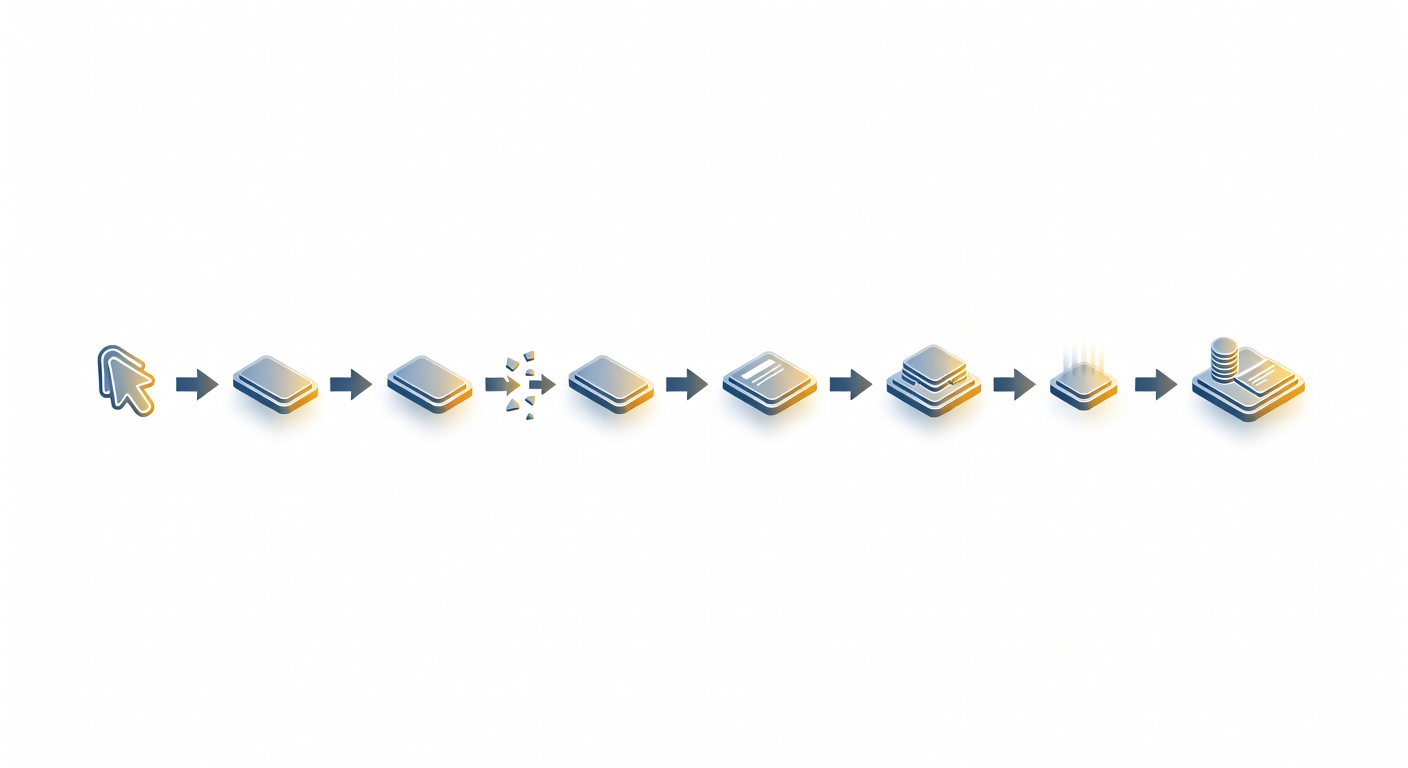
Stop guessing. Isolate the break by walking the funnel in order: click → redirects → landing page → offer availability → conversion tracking → commission attribution.
Start with a controlled test click using a known subid/click_id, then follow that ID through every system. If your tracker shows clicks but the network doesn’t, you’re in a click/redirect problem. If the network shows conversions but commissions don’t appear, you’re in attribution/payout logic.
Three “first checks” I run every time:
- Clicks: do you see the tracking endpoint fire (e.g.,
track.php) and can you pull debug logs (like&PDebug=Yin Post Affiliate Pro)? (Post Affiliate Pro click tracking) - Postback: is the network actually firing the S2S URL, and is the right parameter name used (e.g.,
click_idin ClickFlare)? (ClickFlare postback troubleshooting) - Redirect chain: does the full chain resolve for the actual geo/device, not just your office IP?
Run the boring checks first. They catch the expensive problems.
The Worst Kind of Drop: When “Nothing Changed” (But Conversions Still Tank)
Conversions tank, and everyone swears nothing changed. Traffic volume looks normal, the offer page “loads for me,” and the network says “tracking looks fine.” That’s the worst case: invisible failures.
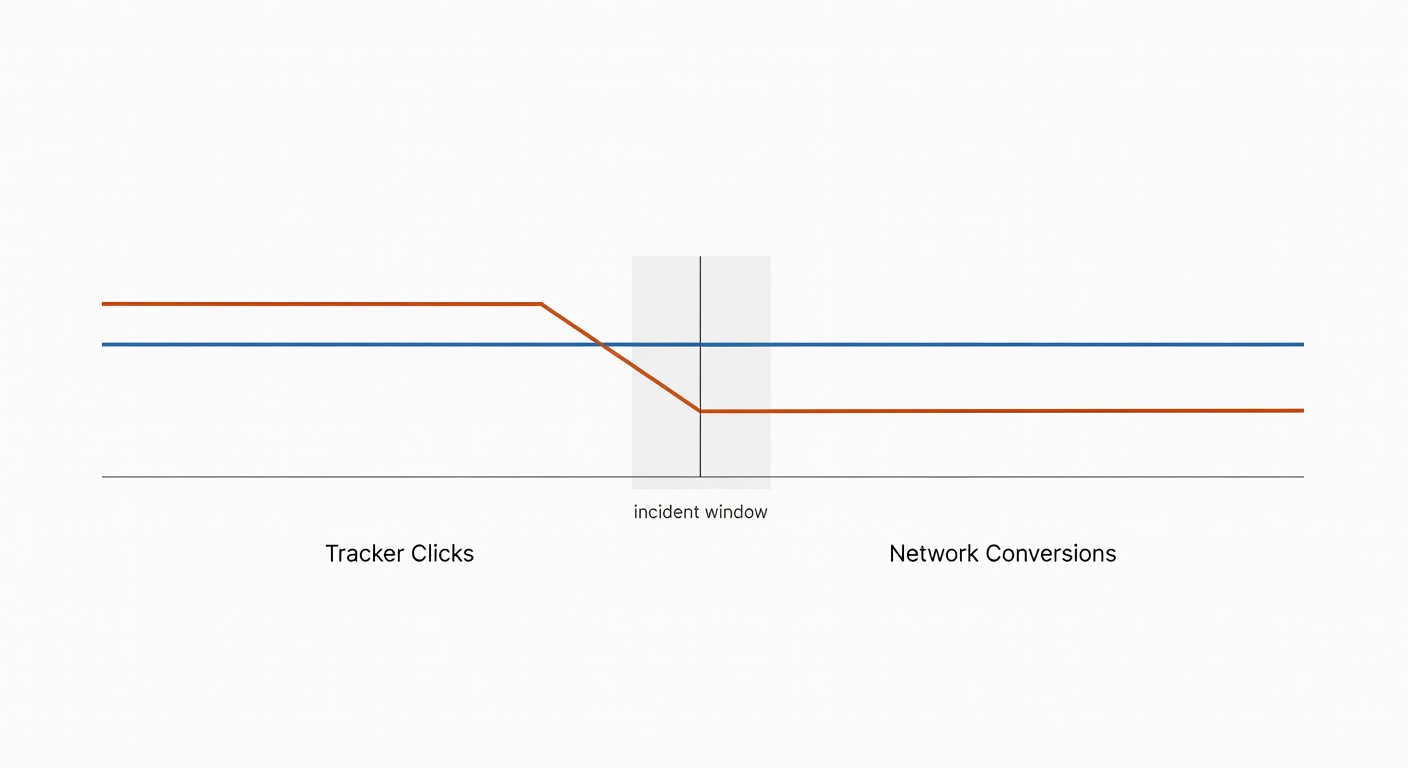
Classic war-room view: Voluum/RedTrack shows steady clicks, the network UI shows leads down 40%, and the advertiser claims innocence. Publishers see EPC crater and reallocate spend. Now you’re debugging under pressure—aka when people change three things at once and destroy the audit trail.
So do it like adults: follow the funnel, hop by hop, and prove where it broke.
Why Random Troubleshooting Wastes Hours (and Usually Makes You Blame the Wrong Thing)
Most debugging starts with stories:
- “Traffic quality dropped.”
- “Facebook algo changed.”
- “LP needs new copy.”
Sometimes true. Often coping.
Treat the affiliate funnel like a packet path. Validate each hop with evidence—logs, IDs, timestamps, status codes—until you find the first place reality stops matching your reports.
Also: attribution noise is real. Last-click dynamics can make “affiliate died” look true when it’s really “affiliate got uncredited” (or coupon/toolbars hoovered credit). BlueAlpha’s playbook is a useful reminder to separate what’s tracked from what’s incremental. (BlueAlpha)

The Diagnostic Framework (Click → Redirects → LP → Offer → Tracking → Commission)
1) Click layer: are clicks being recorded and parameters preserved?
What breaks here
- Click tracking script never fires (tag missing, JS error, CSP change).
- Parameters get dropped on an intermediate redirect.
- Wrong parameter names (affiliate ID / banner ID / subid mismatch).
- Campaign inactive/not approved, or fraud protection blocks the click.
- Query/anchor ordering silently breaks parsing.
How to detect it
- Compare tracker clicks vs network clicks for the same window/partner.
- In DevTools, confirm the tracking endpoint call happens and returns
200. - If you’re using Post Affiliate Pro-style links, use debug mode to see why a click didn’t save.
Post Affiliate Pro: add &PDebug=Y to a redirect link (with event logging enabled) to see click-saving logs. (PAP click debugging) They also call out that the anchor must come last if you mix query + anchor params. (PAP anchor ordering)
Example
- Broken:
https://site.com/#a_aid=aff&a_bid=banner?utm_source=fb - Fixed:
https://site.com/?utm_source=fb#a_aid=aff&a_bid=banner
Clicks didn’t stop. Attribution did.
2) Redirect chain: is every hop resolving for the real user (geo/device/SSL)?
What breaks here
- A hop returns 4xx/5xx or loops (301/302 ping-pong).
- JS/meta redirects behave differently than server-side redirects.
- Geo/device rules block traffic (403/451), but only for the target audience.
- SSL/DNS/CDN edge issues.
- Cloaker rules misfire and send legit traffic to a dead end.
How to detect it
- Trace the full chain in DevTools (Preserve log): URLs, status codes, timing, final destination.
- Test from target geo + device class. Office IP tests are comforting and often useless.
A redirect tracer can help surface hidden hops (including JS/meta). (Redirect Sniffer thread)
Example
Works on your laptop. UK mobile carrier traffic gets a 403 on hop #3 (WAF/geo restriction). Dashboards say “clicks fine, conversions down.” The chain is the problem.
3) Landing page layer: does the LP load fast, match the right variant, and avoid caps?
What breaks here
- LP is “up” but slow enough that mobile users bounce.
- Wrong geo/device variant served (or fallback template missing CTA).
- Form/CTA broken after a front-end deploy.
- Split-test variant dead or routing logic caps/pauses traffic.
How to detect it
- Bounce spike + session duration collapse.
- Check mobile TTFB/full load; don’t rely on desktop.
- Confirm the correct variant is served for target geo/device.
vCommission cites “studies” claiming conversions can drop 7% per second of load time—directional, but the operational point stands. (vCommission)
4) Offer availability: is the offer actually live (not paused, rotated out, or restricted)?
What breaks here
- Offer paused or budget exhausted.
- Geo/device/OS restrictions changed without warning.
- Offer rotated out/ID recycled, or endpoint serves a “soft fail” page.
- Advertiser throttling: accepts clicks, silently rejects leads.
How to detect it
- Check network offer status and run a controlled test click from target geo/device.
- Align the drop timestamp with offer change history (keep a change log like a lab notebook).
Example
Leads go near-zero at 9:10am UTC. Network tightened geo to “UK only,” and your biggest publisher was sending IE traffic. Boring. Fixable—if you check rules.

The Offer Monitoring Gap: “URL Resolves” Isn’t the Same as “Users Can Convert”
A URL ping (or curl -I) only proves the server answered. It doesn’t prove the offer works end-to-end with geo rules, device rules, JS challenges, bot protection, and the full conversion path.
This is where automated offer monitoring earns its keep: end-to-end tests across geos/devices, continuous monitoring, and handling anti-bot protections. Their “5% of offers are broken” framing is vendor-ish, but the failure mode is real. (LinksTest)
5) Conversion tracking: is the postback/pixel firing with the right click_id/subid?
What breaks here
click_id/subidnever makes it into the offer URL, so the network can’t send it back.- Network isn’t firing the postback at all.
- Wrong parameter name on the tracker endpoint (
cidvsclick_id). - Attribution window/retention mismatch (conversion happens after the tracker forgets the click).
- Duplicate suppression blocks legitimate multi-event flows without a transaction ID.
ClickFlare is explicit: S2S postback is “the most accurate” method in their system, and they require click_id. (ClickFlare) They also note retention: visit data retained 7 days for real-time postback attribution. (ClickFlare 7-day retention)
Keitaro lays out the flow: click → tracker generates subid → conversion → network retrieves subid → network sends postback → tracker records conversion. When it fails, find where the subid got lost and use postback logs. (Keitaro postback troubleshooting)
How to detect it
- Confirm the offer URL contains the click token and it populates on click. (ClickFlare click ID passing)
- Get network postback logs (timestamp + full URL fired).
- Manually hit the postback endpoint with a known-good recent click ID to confirm your side records it. (ClickFlare testing)
- In Keitaro, check
Maintenance → Logs → Postbacksfor errors like “Click for subid not found.” (Keitaro errors)
Example
Network fires: https://yourdomain.com/cf/cv?cid=#s2#
ClickFlare expects click_id, not cid, so it can’t attribute. Fix param name, retest with a fresh click, verify conversion appears. (ClickFlare parameter requirement)
6) Commission attribution: are conversions credited, deduped correctly, and not blocked by rules?
What breaks here
- Conversions exist, but commissions don’t show yet due to payout/locking rules.
- Fraud filters flag a partner; conversions held/reversed.
- Duplicate suppression collapses multiple events into one.
- SubID misuse triggers reporting restrictions; sub-affiliate view goes dark.
- Coupon/code paths bypass link attribution.
CAKE example: if an affiliate passes unique values in s1 (when it’s intended to be non-unique), CAKE can enforce reporting restrictions and block sub-affiliate reporting until fixed—and they require at least 100 compliant clicks to confirm resolution. (CAKE excessive unique Sub ID alert)
ClickFunnels Backpack reminder: commissions may not show if the customer hasn’t passed the payout period set in the plan. (ClickFunnels commission visibility)
How to detect it
- Compare for the same window:
- advertiser orders
- network conversions
- tracker conversions
- Check reversal rate and pending vs approved timing.
- Audit dedupe rules and payout visibility windows.

Decision Tree / Quick Reference (Bookmark This for the Next Drop)
Use this when conversions drop and you need an answer in 5–10 minutes.
START
|
|-- 1) Did CLICKS drop?
|     |
|     |-- YES → Traffic/source issue OR click tracking broken.
|     |         - Check tracker uptime + click endpoint fires (DevTools).
|     |         - If PAP-style: run a test click with &PDebug=Y and read logs.
|     |         - Verify params persist on landing URL (anchor/query ordering).
|     |
|     |-- NO → Clicks steady. Go next.
|
|-- 2) Do TRACKER clicks ≈ NETWORK clicks?
|     |
|     |-- NO (tracker > network) → redirect/param loss between systems.
|     |         - Trace redirect chain (DevTools Preserve log).
|     |         - Confirm click_id/subid token is present and populated.
|     |
|     |-- YES → Go next.
|
|-- 3) Does the OFFER/LP work for target GEO/DEVICE?
|     |
|     |-- NO → redirect chain / geo restriction / SSL / WAF / offer paused.
|     |         - Test from target geo + mobile.
|     |         - Check offer status/caps in network UI.
|     |
|     |-- YES → Go next.
|
|-- 4) Are CONVERSIONS missing in the tracker?
|     |
|     |-- YES → postback/pixel issue.
|     |         - Confirm network is firing postback (ask for logs).
|     |         - Verify correct parameter name (e.g., click_id in ClickFlare).
|     |         - Check retention window (e.g., ClickFlare 7-day visit data).
|     |         - Check tracker postback logs (e.g., Keitaro "Click for subid not found").
|     |
|     |-- NO → Conversions exist. Go next.
|
|-- 5) Are COMMISSIONS missing/low?
|     |
|     |-- YES → attribution/commission logic.
|     |         - Check payout/locking period (Backpack-style delays).
|     |         - Check dedupe rules, fraud holds, reversals.
|     |         - Check reporting restrictions (e.g., CAKE excessive unique s1).
|     |
|     |-- NO → It's a real performance drop (offer/LP/traffic quality).
|
END
Close: Cut Debug Time from Hours to Minutes by Eliminating Layers
Most conversion drops have a boring cause: params dropped, offer paused, geo rule changed, postback not firing, dedupe eating events, payout windows hiding commissions. Fixable—if you isolate.
The skill isn’t heroics; it’s evidence and an audit trail. Keep a change log. Run a controlled test click with a known ID whenever you change anything (and on a schedule). When conversions fall, stop telling stories and start following the chain.
Sources
- Post Affiliate Pro — Click Tracking (debugging, track.php, anchor ordering)
- ClickFlare — Troubleshooting S2S Postback URL (click_id, retention, duplicates)
- Keitaro — Postback Troubleshooting (subid flow, postback logs, common errors)
- CAKE — Excessive Unique Sub ID Alert (s1 misuse, reporting restrictions)
- LinksTest — Automated offer link monitoring (vendor claims + capabilities)
- BlueAlpha — Affiliate measurement pitfalls (last-click issues)