Affiliate Brand Bidding Policy: What Trademark PPC Clauses Prohibit
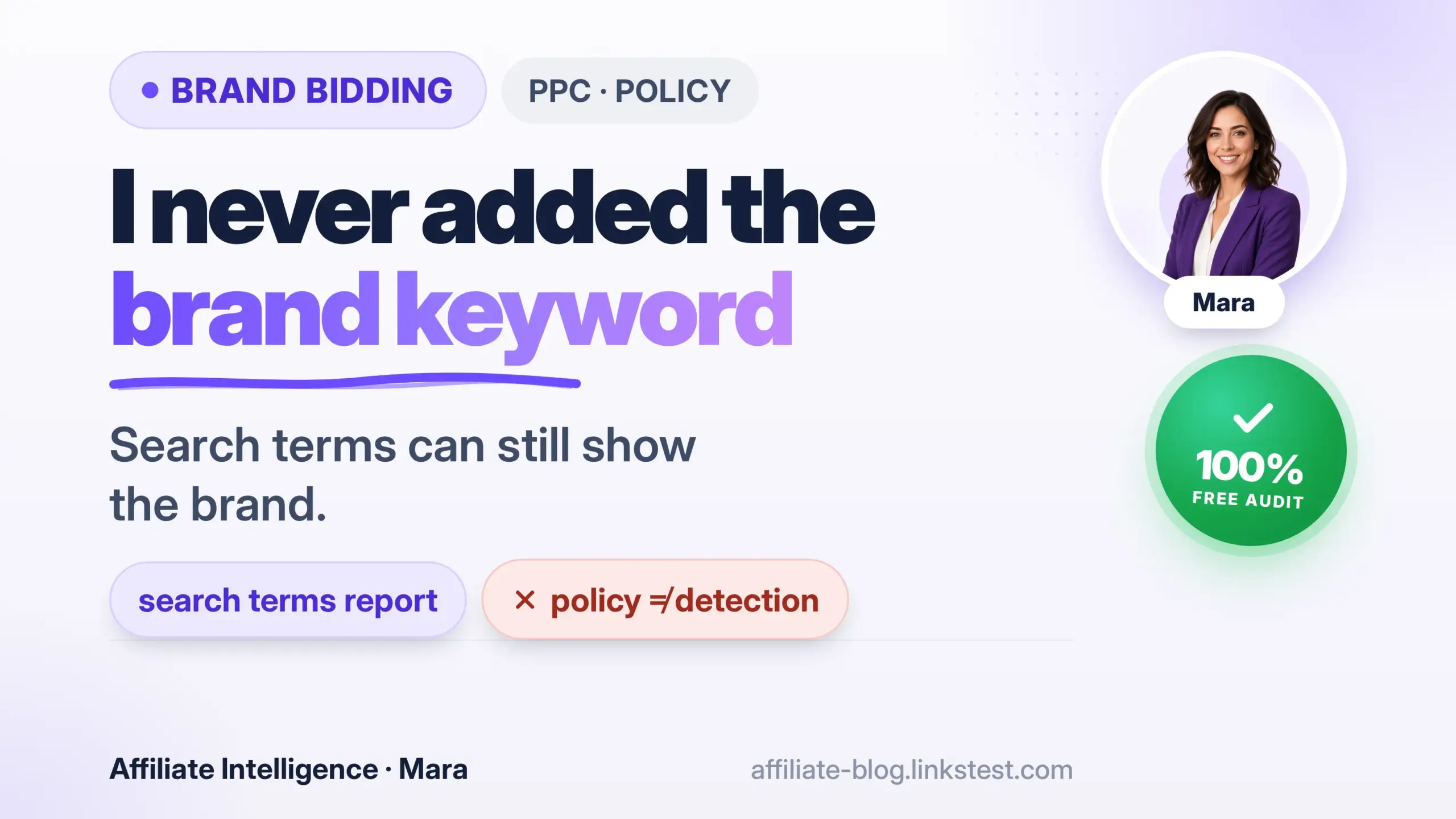
Most publishers treat brand bidding as a cartoon villain move: typing the merchant’s name into a keyword field on purpose and collecting “free” commissions. The failed assumption sounds innocent enough: “I never added the brand keyword.”
Cloaking and redirect hygiene that get accounts suspended are covered in the cloaked landing vs redirect hygiene guide. When brand PPC and affiliate last-click collide in the same report, use the PPC attribution collision audit. To catch overlap in Search Term reports before a clawback, use the PPC-affiliate overlap detection guide.
The search terms report can show the merchant’s brand string even when you never added it as a keyword. Merchants who search their own brand and walk the funnel may find an affiliate path attached to that click. Commissions then freeze, reverse, or the program treats the outcome as a clause breach - regardless of intent. See how withheld commissions work after a review and preventing clawbacks.
This is where the clause bites. Brand-bidding restrictions in affiliate program terms don’t just ban intentional exact-match bids. They ban the outcome-your ad appearing on a brand search, often regardless of how you engineered the campaign. The clause doesn’t care whether you meant to. It cares what the merchant sees when they Google their own name and find your affiliate ID in the click path.
The job of this piece is a publisher self-audit framework for trademark and PPC clauses. It’s not how to steal brand traffic, and it’s not how a brand sues you. It’s the gap between “I followed Google’s rules” and “the program just reversed three months of commissions.” Every major section answers one question: what do I change in my paid setup this week so a trademark clause doesn’t erase my money?
The Failed Assumption: “I Never Added the Brand Keyword”

If you’ve ever said that sentence to an affiliate manager, you already felt the disconnect. You build a campaign around generic product keywords. You even add phrase-match negatives for the merchant’s name. Then a review finds your tracking link sitting behind an ad that answered a search for “MerchantName coupon.” Your first thought is “I didn’t bid on that.” The clause doesn’t distinguish.
What’s actually happening? Broad match expands into the brand query. A close variant matches the merchant’s plural misspelling that you didn’t list as a negative. Performance Max or dynamic keyword insertion (DKI) slots the trademark into your headline. The merchant’s own brand search lands on your ad, they click through, and the affiliate network registers that click with your SubID attached. At that point, intent doesn’t matter. The program terms treat it as a breach.
Operators who assume “I didn’t add the brand keyword” equals compliance are trusting a fantasy. The audit trail-search terms, asset text, the landing page’s H1-is the only thing that speaks in a review. That’s the thread this whole article pulls: audit the leakage path, not your intentions.
Taxonomy of Violations: Four Categories People Smash Into One Word

There are four distinct failure modes lumped together under “brand bidding.” If you can’t separate them, you can’t fix the one that actually triggered the violation.
-
Direct brand bid. You explicitly targeted the merchant’s trademark as a keyword. Simple. Most publishers would never do it on purpose, but some do, and the clause certainly bans it. Misspellings, brand+coupon, brand+geo variants often count the same way.
-
Match-type and automation leakage. This is the silent killer. You bid generically-say, “best running shoes.” Broad match or close variants expand that into “Nike running shoes.” Your ad appears on a brand query you never added. Performance Max campaigns, as Google documents, can show on brand searches even when you have exact-match negatives elsewhere, especially under limited budget scenarios or when the Search campaign budget is constrained. Performance Max only respects negative keywords for Search and Shopping inventory, not Display, YouTube, or Discover, leaving gaps you won’t see in your search terms report.
-
Trademark in ad copy or display path. The keyword was generic, but your ad’s headline, description, or display URL contained the brand name. That can happen through DKI, automatically generated assets, or unsupervised sitelink extensions. Both the platform’s trademark policy and the affiliate agreement can fire. Google may restrict trademark use in ad copy, but will not automatically restrict the keyword itself (Google Ads trademark policy).
-
Creative or domain lookalike. Trademark in your display domain, a Twitter handle that mimics the merchant, or an “Official Store” vibe on your landing page. This blends program TOS risk with platform policy risk.
The critical distinction: Google may allow you to bid on a trademark as a keyword while restricting its use in ad copy; the affiliate agreement can still ban the bid itself. Winning a Google trademark argument does not clear a program TOS breach. The two systems-platform policy and contract-operate independently.
How to Read the Clause Before the First Dollar of Spend

Don’t join a program and later scroll the terms looking for the word “bidding.” Do it before you set up a single campaign. I recommend screenshotting the specific trademark/PPC clause with the date and version visible. Memory is not evidence in a review.
Here’s a pre-scale cheat sheet, publisher side:
- Are brand or trademark keywords banned outright, restricted, or not mentioned at all?
- Does the ban cover misspellings, plurals, brand+geo, brand+coupon?
- Is trademark use allowed in display URL, ad copy, or landing page H1?
- Is paid traffic allowed only via a bridge page or owned pre-sell content?
- What’s the stated remedy: warning, commission withhold, reversal, termination, network blacklist?
Some programs do allow restricted brand bidding - usually with a max CPC cap, position rules, or an owned lander only. Treat that allowance as explicit written permission with the version date documented. Verbal affiliate-manager approval or industry rumor does not count.
If the terms are silent on paid search, assume nothing. A silent clause paired with ambiguous program manager approval is not protection. The moment a merchant sees their brand term in your search terms report, the silence becomes a “violation” they can define retroactively. Screenshot the clause and the program’s version date. That’s your only anchor.
For the broader pre-scale compliance checklist - FTC disclosures, consent, coupon policy, traffic quality documentation - use the 12-point compliance audit. That piece stays wide; this one drills into trademark depth.
Accidental Brand Bidding: The Production Failure Modes
If you are the program operator catching partners on the brand SERP - including the “it was broad match / accidental” excuse - use the affiliate brand bidding detection guide for the evidence pack, Auction Insights gaps, and weekly detect SOP. This article stays on clause language and production failure modes for publishers.
When the clause bans brand terms but paid traffic is still allowed, use the affiliate paid search without brand bidding guide for compliant keyword lanes and negatives.

Most violations are not deliberate brand hijackings. They’re production leaks. The campaign was built with clean intent, and automation or incomplete negatives broke it.
Broad match and close variants. A keyword like “wireless earbuds” in broad match can match to “Sony wireless earbuds” even if you never typed “Sony.” If Sony is the merchant and your affiliate ID is attached, the program sees a breach. Broad match uses semantic signals that treat brand names as signals, not boundaries. A category-generic term like a test-prep keyword can expand into a named course provider’s trademark the same way, so broad match is a leakage path, not a protected setting.
Phrase/exact safety is weaker than you think. Phrase match can still include the brand if the query contains your phrase surrounded by brand terms. Exact match now accepts close variants that might include the brand in a different form. Don’t trust match type to save you; pull the search terms report.
DKI and auto-generated assets. Dynamic Keyword Insertion replaces your ad’s headline with the keyword that triggered the ad. If that keyword was a broad match generic that matched to “brand+product,” the headline now contains the trademark. Google’s own documentation on keyword insertion admits that when the keyword is too long, it truncates-but you can’t control what lands. Auto-generated assets (text customization) can pull from landing page content and insert brand names you never wrote in an ad.
Auto-apply recommendations. Google’s suggestions can flip a keyword to a broader match type without your explicit approval. Change history is part of the audit; check if a recommendation was applied during the window you’re being reviewed for.
Brand+coupon and deal families. Even if you avoid the brand term itself, “merchant name coupon” or “merchant discount” queries are brand-adjacent and often explicitly banned in the clause. They’re high-converting, which makes them landmines.
Negative keyword failure modes. The most common: you added the brand root as a negative, but not the plural, not the misspelling, not the brand+geo variant. Account-level negatives apply everywhere, but campaign-level negatives can leave one campaign “clean” while another leaks. If you run multiple campaigns for the same program, verify hierarchy. Performance Max negative keywords only apply to Search and Shopping inventory-not Display, YouTube, Gmail, or Discover. A gap there can show your ad on brand searches on YouTube, invisible in your search terms report. The merchant can still find it.
Your negative list is probably leaking somewhere. Fix hierarchy, cover morphological variants, and disable auto-apply that silently pushes matches wider.
Publisher Self-Audit Pass: Before the Merchant’s Brand Search Finds You

Merchants detect brand bidding by searching their own brand terms from multiple locations and walking the funnel. Assume that happens. Here’s what to do on a live account, ideally this week:
Compliance cadence that matters:
- Weekly when live paid spend touches a trademark-restricted program - not a one-time export.
- Within 24-48 hours after any auto-apply recommendation that widens match type or adds broad match.
- Before every budget scale, new campaign, or new ad group for that program.
- Treat brand-string hits in the search terms report as compliance findings first, wasted-spend optimization second.
- Save dated exports – CSV or screenshot - so a review has evidence, not memory.
-
Export the search terms report for every campaign touching the program. Search for the merchant’s brand string, common misspellings, and brand+coupon variants. Even one instance in the last 30 days is a liability.
-
Confirm negative keyword coverage. Check account-level negatives, then drill into each campaign’s shared lists. Do they cover the root word, plural, misspelling, and modifier families? Check Performance Max campaigns separately-they need brand exclusions or negatives specifically applied, and they won’t cover Display/YouTube.
-
Scan all ad assets and automation. Disable DKI in ad groups where broad or phrase match keywords exist. Review Responsive Search Ads for auto-generated headlines. Check sitelinks, callouts, and structured snippets. If you use Performance Max, review asset reporting for any brand insertion.
-
Inspect the display path, final URL, and landing page H1. Trademark cosplay isn’t just ad text. A display path like “merchantname.com/deals” or a landing page H1 that reads “MerchantName Official Review” can trigger a program breach even if Google’s algorithm didn’t flag it.
-
Re-read the program’s paid and trademark clauses against what is actually live. Screenshot the TOS again with today’s date; clauses can change.
-
If a review has already started, don’t argue based on memory. In one sitting, export the search terms report, the change history, and the click/SubID log for the same date window - side by side with the network’s own transaction records. The money mechanics-how a program can withhold or reverse commissions-are covered in the withheld commissions deep-dive and the clawback prevention article. Have evidence before you send a single email.
Allowed Paid Paths That Are Not Brand Arbitrage
If the program allows paid traffic but bans brand bidding, what’s left? More than you think.
-
Generic, category, and problem-phrase keywords. “Best running shoes” or “how to fix plantar fasciitis” are fair game if the program doesn’t restrict paid traffic entirely. These don’t touch the brand but still capture purchase intent upstream.
-
Competitor or comparison angles only where both ad-platform rules and program TOS allow them. Google may let you bid on a competitor’s name as a keyword, but if the program’s terms say “no competitor brand terms,” you’re still in breach.
-
“Vs brand” or alternative framing only with explicit written permission from the program manager. Don’t assume it’s okay because you saw another affiliate do it.
-
When paid requires an owned pre-sell or bridge, build a proper stack. The tracking setup playbook covers platform choice and data capture; the Meta bridge-page reality check explains why a thin click-through page won’t hold. A bridge page that adds genuine value-comparison, pros/cons, verification-fits many program rules and keeps you off the brand term.
Long term, brand arbitrage can look like fast money. Durable publishers build owned demand on compliant generics. I’m not romanticizing hijacking.
When It Becomes an Account Problem vs a Program Problem
A program TOS breach for brand bidding triggers a money issue: commission withhold, reversal, or termination. That’s a contract between you and the merchant. The withheld commissions deep-dive explains how reviews freeze payouts, and the clawback prevention piece shows how reversals hit after the fact.
Separately, Google or Meta can suspend your ad account for Misrepresentation, Unacceptable Business Practices, or Circumventing Systems. That’s a platform enforcement action. A trademark complaint from the merchant can lead to ad disapproval or account restriction, but the account-level ban is about destination quality, deceptive practices, or policy evasion. The ad-platform suspension guide maps how to handle those, and the piece about why approved campaigns still get banned explains why “the program said yes” doesn’t shield your ad account.
Don’t conflate the two. A merchant might be appeased if you stop bidding, but if Google has flagged your domain for misrepresentation, un-pausing ads won’t fix that.
The One-Sitting Brand-Bidding Pass: Seven Questions Before You Scale
Treat this as a weekly ritual when you have live paid spend on a trademark-restricted program-not a one-time ceremony. Before you scale or renew campaigns, answer these seven questions in one sitting:
-
What exact brand strings does the agreement ban? List every word, misspelling, and brand+coupon/deal variant. Don’t guess-read the clause.
-
Did I screenshot the clause with the version date before a single dollar of spend? If not, pull it now and date-stamp it.
-
Do any live search terms show those strings? Export the report across every campaign touching the program. Even one instance calls for an immediate negative keyword fix.
-
Could DKI, Performance Max, or auto-generated assets insert the brand into copy? Disable DKI in sensitive ad groups, add brand exclusions in PMax, and lock auto-apply recommendations.
-
Are my negative lists hierarchical and complete across all campaigns? Account-level negatives exist for a reason. Check campaign-level lists, and remember PMax’s limitations on Display/YouTube.
-
Is my lander, display path, and URL free of trademark cosplay? No “official,” no identical color schemes, no domain that looks like a typo away from the merchant’s.
-
If I get reviewed tomorrow, can I export query and SubID evidence in one sitting? Have a CSV ready from the ad platform and from the affiliate network, side by side.
Brand bidding clauses are not a morality play. They are auction physics plus contract text. Audit the leakage path, not your intentions.
Before you spend another dollar on paid traffic into a trademark-restricted program, answer those seven. Screenshot the clause, scrub the search terms, lock your negatives, and make sure your evidence file is export-ready. The merchant’s brand search is already open in their incognito window.
If brand is blocked but paid search is still allowed, stay in the brand-bidding cluster via allowed keyword lanes without brand bidding. For the SubID column in that evidence pack, use the SubIDs attribution guide so the network report can prove which lane fired.