Affiliate Paid Search Without Brand Bidding: Allowed Keyword Lanes
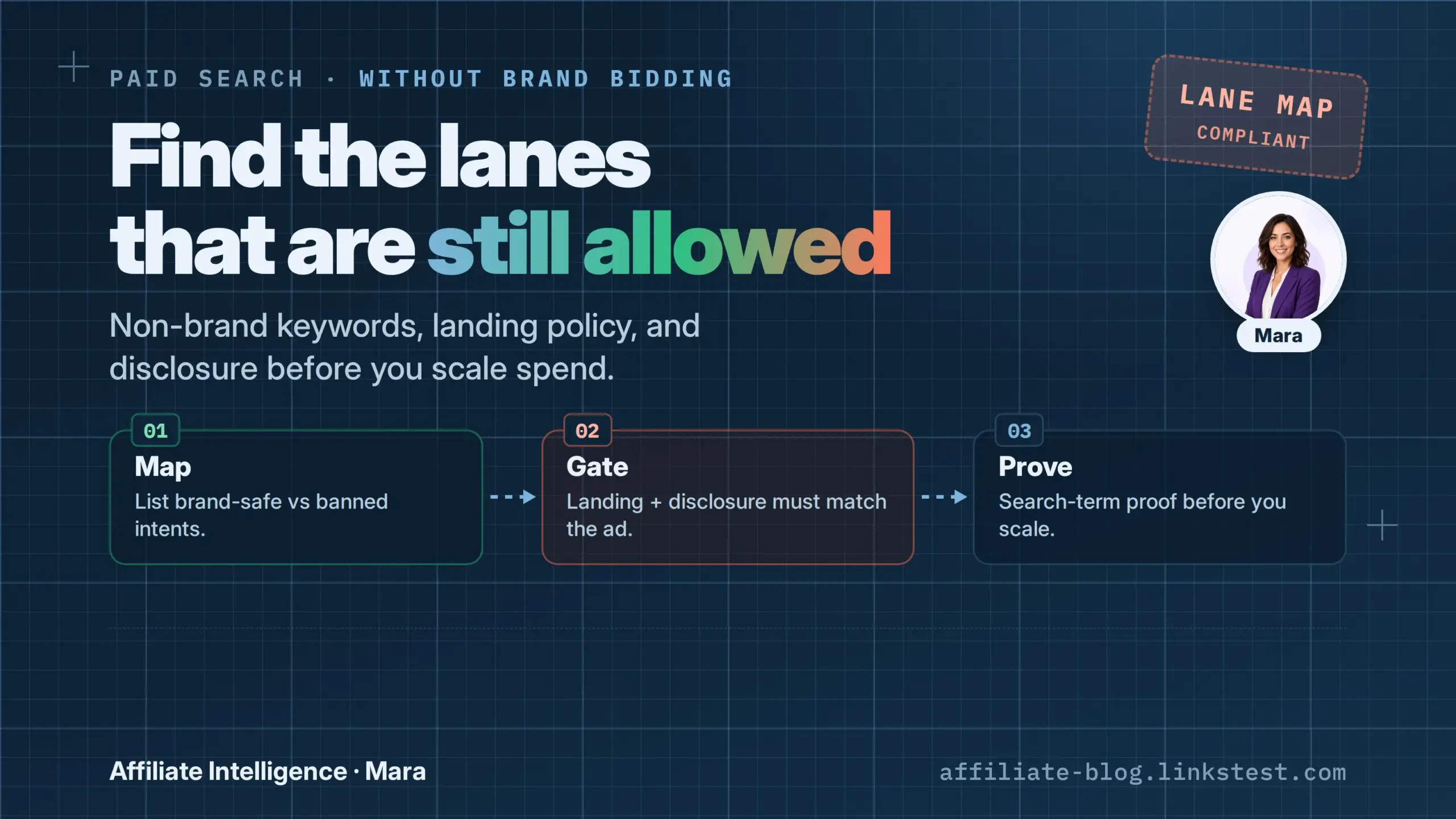
A brand bidding ban is not a paid search ban. The job is to keep paid alive without eating the merchant brand SERP. Publishers who treat the clause as a hard stop leave money on the floor; publishers who ignore it get reversed. This playbook splits the difference with lane controls.
Prerequisites
Have these open before first spend or before touching a live campaign:
- Dated screenshot of the program’s trademark/PPC clause, version number visible.
- Brand-root list: exact name, plural, misspellings, brand+model, brand+coupon.
- Search term export for every campaign that touches the program.
- Network SubID access so a click can be tied to a source.
Memory is not evidence. Google Ads search term reports show the actual query that triggered an ad, and account-level negative keyword limits differ for Display and Video About negative keywords - Google Ads Help. The paid account is not closed, it is misconfigured for a brand ban.
[x] Checkpoint: you have the clause screenshot, brand-root list, search term export, and SubID access open.
Step 1: Kill the Failed Assumption and Pass Both Gates
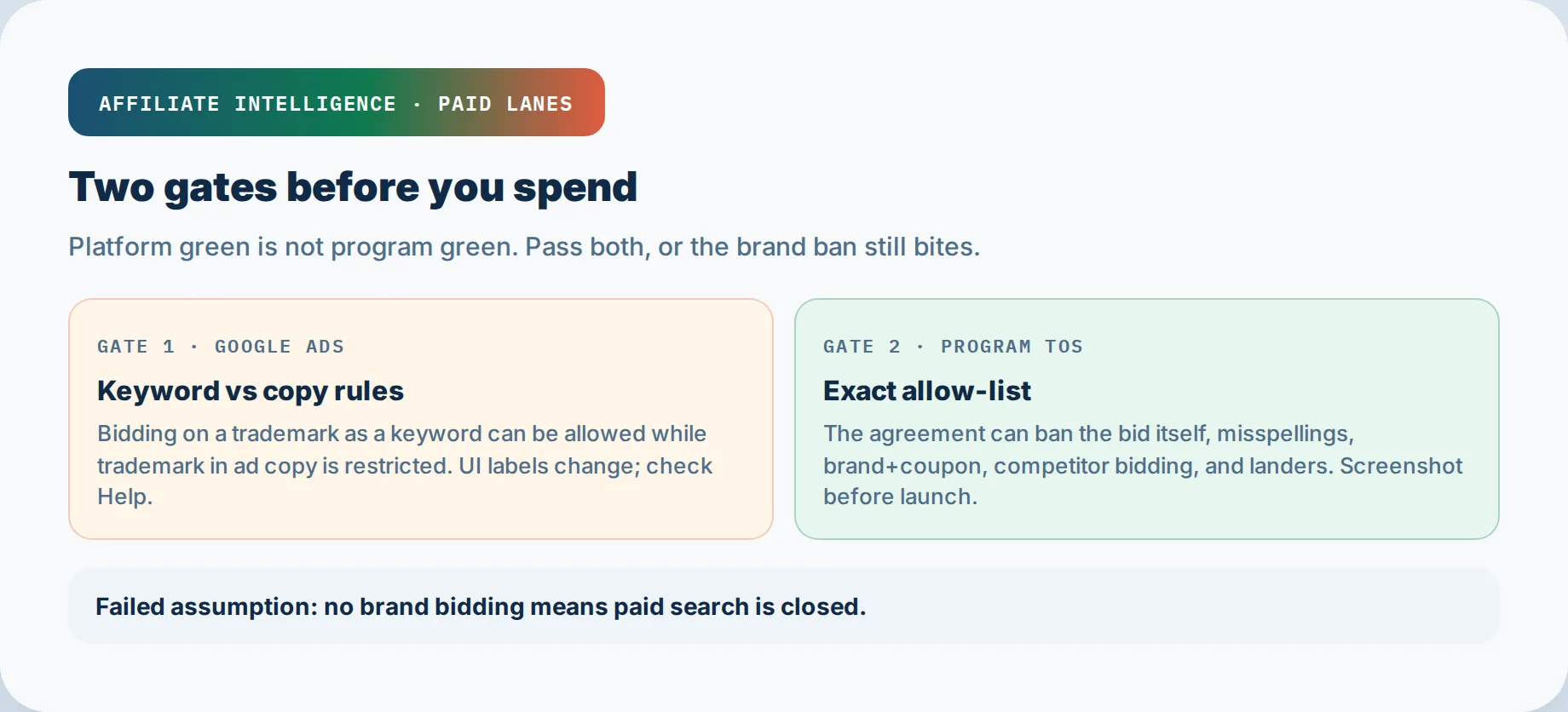
The failed assumption: no brand bidding means no paid. Wrong.
You have two independent gates. Gate one is Google Ads platform policy. Google does not restrict trademarks as keywords, only in ad copy after a complaint Google Ads Trademark policy. Gate two is your program TOS. It can ban the bid entirely, even when Google says the keyword is fine.
Platform green is not program green. Winning a Google trademark argument does not clear a program clause breach. I will say it again: Google Ads will not save you from your program terms.
Before I trust any campaign, I ask which gate is failing. If the keyword itself is restricted, that is a program problem. If the ad copy uses a mark, that may be both. If Google approves but the clause still bans, it is purely program. The brand bidding audit covers how trademark PPC clauses actually prohibit. Do not rebuild that taxonomy here.
Your answer this week: yes, paid can stay live, but only behind clean non-brand lanes that pass both gates.
[x] Checkpoint: you can state which gate is failing and whether the campaign is a platform problem, a program problem, or both.
Step 2: Screenshot the Allow-List and Build the Non-Brand Lane Map
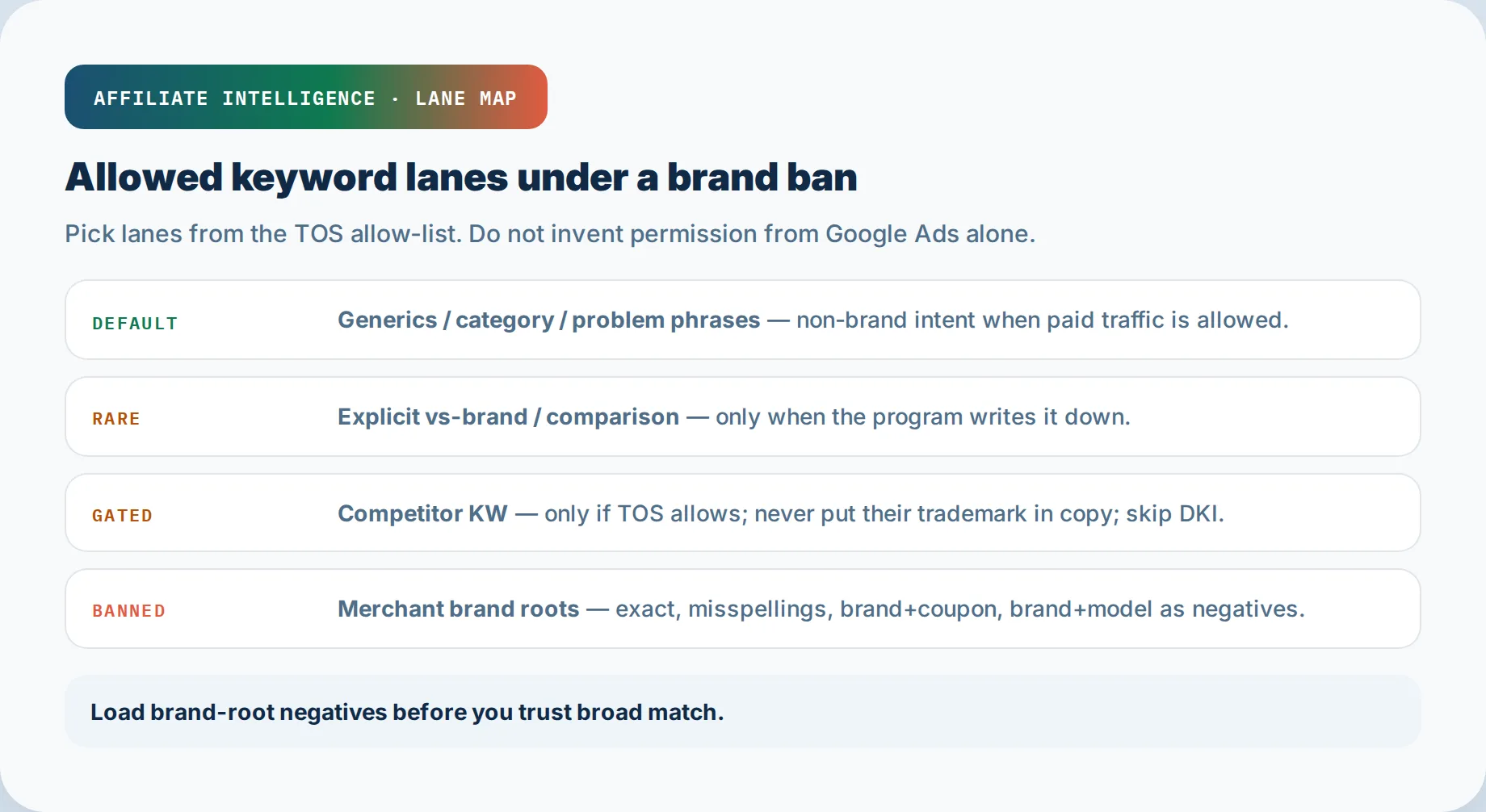
Before spend, screenshot the allow-list exactly as written. Do not work from memory.
Check these fields in the clause:
- Is the brand name banned, restricted, or not mentioned?
- Are misspellings, plurals, brand+coupon, brand+model included?
- Is competitor bidding or versus language allowed, banned, or silent?
- Are there lander or creative restrictions?
- Is the rule “no brand bidding” or “no PPC” entirely?
That last one matters. Some SaaS programs write “no PPC” as a blanket ban, not a brand-only rule. If so, there is no generic lane to run. Read the clause before you build.
Programs write consequences differently. One program may cancel commissions and the partnership on breach; another may disqualify the purchase and reserve the right to terminate the account. Exact wording is the only evidence that counts.
Now map the lanes:
- Generics: “crm software,” “best running shoes”
- Category phrases: “small business crm,” “email marketing for agencies”
- Problem phrases: “email deliverability fix,” “how to reduce churn”
- Rare explicit versus-brand: only where the program permits named alternatives
- Competitor or versus keywords: only if the program explicitly allows conquesting
Generic keyword affiliate PPC is the safest lane when brand bidding is banned. Whether affiliates can bid on competitor keywords depends entirely on the clause. Do not assume permission.
Hypothetical SaaS example: a program bans “Acme,” misspellings, “Acme review,” and “Acme coupon,” but stays silent on competitor bidding. You run generics and category. You do not run “Acme alternative” or competitor terms without written permission. If later written permission exists, save it with date.
Read the clause, then build non-brand lanes. Do not buy a brand-bidding monitor to explain yourself after the fact.
[x] Checkpoint: dated allow-list screenshot and lane candidates that can go live or remain live without brand SERP exposure.
Step 3: Load the Brand-Root Negative Pack at the Right Hierarchy
Negative keywords do not match to close variants. Google Ads spells this out: an excluded word like “flowers” blocks “red flowers” but can still allow “red flower” About negative keywords - Google Ads Help. So plurals and misspellings must be added explicitly.
Build this pack, not just the root brand:
- merchantname
- merchant name
- merchant names
- merchantname coupon
- merchantname discount
- merchantname promo
- merchantname model
- merchant name model
- merchantname deals
- merhcantname
- merchantname.com
Add brand+coupon and brand+model as separate negatives. Account-level lists apply to all eligible search and shopping inventory, while campaign-level lists can miss one campaign while another leaks. For Display and Video campaigns, account-level negative keyword limits sit at 1,000, and matching behaves differently About negative keywords - Google Ads Help.
Verify hierarchy so one campaign cannot leak while another looks clean. Do not trust match type to save you.
[x] Checkpoint: layered negative pack applied at account and campaign levels so broad match cannot accidentally eat the merchant SERP.
Step 4: Lock Down Broad Match, Close Variants, and Auto-Apply
Broad match is a leakage path, not a protected setting. Google Ads broad match can match searches that do not contain your keyword terms, so “wireless earbuds” can surface “Sony wireless earbuds” without ever adding Sony. Close variants add brand roots you never typed. Exact match now accepts close variants too. Match type alone does not prevent leakage.
Disable auto-apply recommendations that silently widen match types. Google Ads UI labels change, and Google has been reported as upgrading campaigns using the broad match campaign setting to AI Max, changing the label while preserving the same automation risk affiliate brand bidding detection guide. If a merchant later says an accidental broad match caused a brand ad, they will not care about the label. That detection guide shows how merchants prove the outcome; use that knowledge to prevent it.
Set a weekly search term check for brand strings. After every auto-apply event, pull the report within 24 to 48 hours.
[x] Checkpoint: auto-apply disabled and a weekly search term check is scheduled for brand strings.
Step 5: Turn Off DKI and Lock Static Ad Copy or Display Path
Dynamic Keyword Insertion replaces headline text with the keyword that triggered the ad Set up keyword insertion for your ad text - Google Ads Help. If broad match expands a generic into a brand query, DKI can write the trademark into your headline while your keyword field stays clean.
If automation can write a trademark, turn it off before the first dollar of spend.
Use static ad copy with no brand strings. Check headlines, descriptions, sitelinks, callouts, and structured snippets. Check the display path and final URL. A display path like “merchantname.com/deals” is a breach even if Google never flags it. When conquesting is allowed, static copy prevents DKI from inserting competitor marks into your own ad.
I will say it again: no dynamic headline or display path near brand roots.
[x] Checkpoint: static ad copy and display paths with no brand strings or dynamic insertion.
Step 6: Prove True Non-Brand Economics and Lander or Display Hygiene
Keep brand leakage out of reporting. If your economics only work with brand queries, the lane is not real. Filter search terms before you calculate ROAS; brand-inflated conversions are not non-brand performance. If two channels later claim the same sale, that is an attribution collision, not a brand-bidding breach. Separate it with the PPC attribution collision audit before changing keyword policy.
Conquesting carries a Quality Score tax. Low expected CTR and low ad relevance on competitor or versus terms can raise CPCs and limit impression share Understanding Google Ads Quality Score - Kaya. Do not assume conquesting will perform like high-intent brand traffic. You accept that tax only if the program explicitly allows competitor bidding, and even then confirm the unit economics hold without brand leakage.
Use approved landing pages only. No “official store” tone, no trademark in H1, no lookalike display URL. If a display URL or lookalike risk appears, hand it to the cloaked landing pages and redirect hygiene guide. Approved pages are the only hygiene that matters.
Long-term, owned audience beats brand arbitrage. Paid generic traffic should feed an email list, review content, or a comparison asset you control. That compounds; rerouting brand demand does not.
[x] Checkpoint: non-brand P&L that does not depend on brand queries, on approved pages with clean display paths.
Step 7: One-Sitting Pre-Flight and SubID Proof
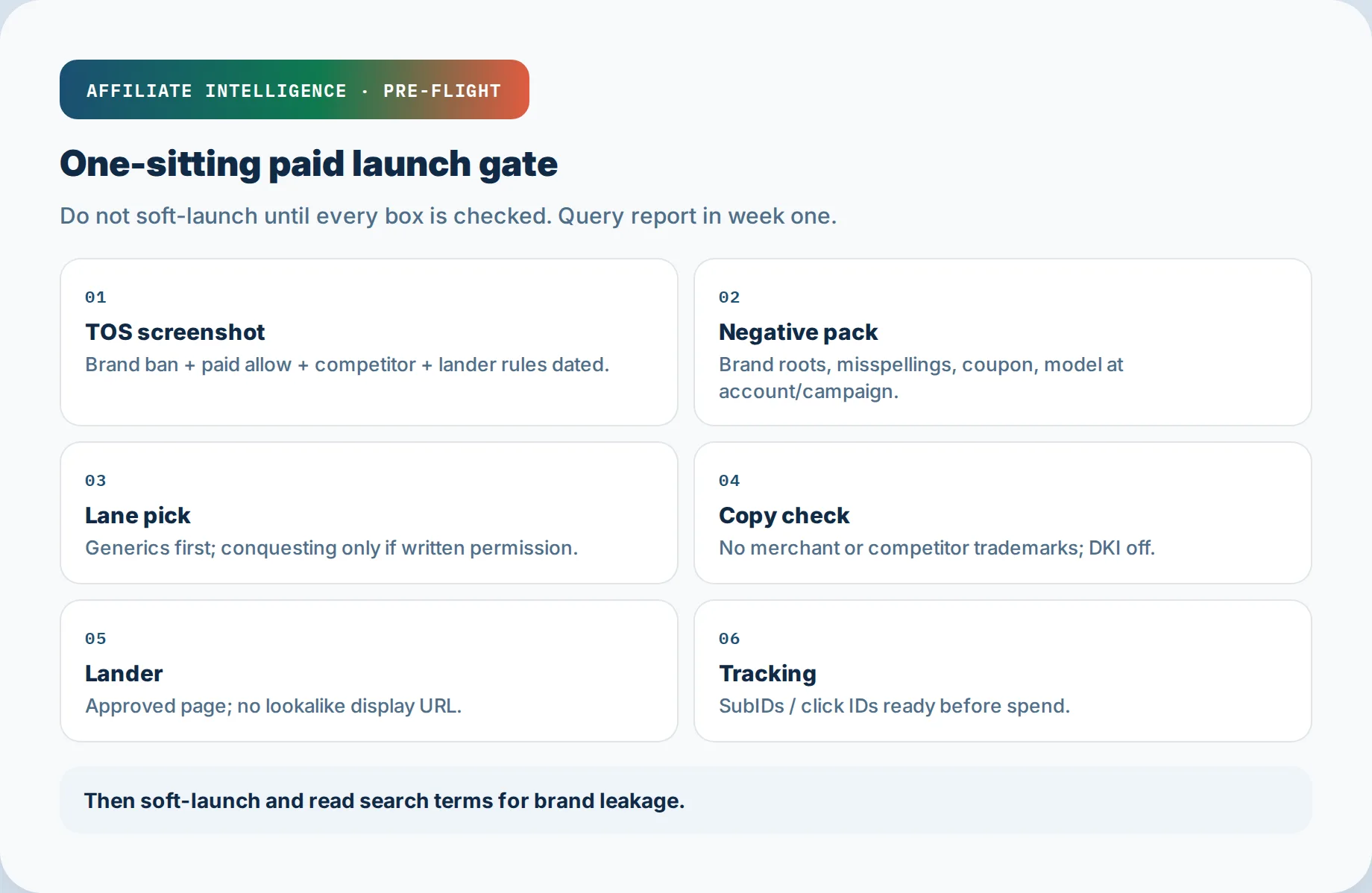
Close this week with a single sitting:
- TOS screenshot, today’s date.
- Negative pack in place at account and campaign levels.
- Lane pick from the allow-list.
- Copy check: static, no brand, no DKI.
- Lander check: approved page, clean H1, clean display URL.
- SubID mapping: every paid source maps to a traceable SubID.
- Soft-launch query report: pull search terms after a small spend window, scan for brand strings.
The search terms report shows the brand string even when you never added it as a keyword. That report is your first proof. Evidence, not memory. If paid is allowed, SubID tracking is what lets a merchant see exactly which campaign produced which click. For tracking setup, see the paid traffic tracking stack, but do not rebuild that setup here.
When your lane is clean, the brand bidding audit becomes the clause reference you hand off, not something you argue against.
[x] Checkpoint: dated pre-flight checklist, SubID mapping, and first soft-launch search term report ready to defend paid traffic.
Troubleshooting Common Issues
- Brand string appears despite negatives. Add explicit plural, misspelling, brand+coupon. Negatives do not match close variants About negative keywords - Google Ads Help.
- PMax serves on brand. PMax negative keywords apply only to Search and Shopping, leaving Display, YouTube, Gmail, and Discover uncovered. Use brand exclusions or restructure the campaign.
- DKI writes brand. Disable DKI and auto-generated assets, then replace with static copy.
- Google approval does not clear program TOS. Platform green is not program green. Fix the clause breach and produce the search term export. If an approved campaign is still rejected or paused later, use the paid traffic ban risk guide to check account standing before relaunching.
- Conquesting QS tax makes CPC too high. Accept the tax only if conquesting is allowed; otherwise drop competitor terms and reinvest in generics or owned audience.
- Brand leakage contaminates reporting. Split brand and non-brand campaigns, and filter the soft-launch query report before calculating any return. Label soft-launch clicks with SubIDs for attribution labeling so brand bleed is visible in the network report, not only in Ads.
Fix the leak, not the intent. If commissions stay flat after the lane split, open silent affiliate tracking failure diagnosis - reporting contamination and tracking breakage are neighboring jobs.