Stop Publishing Recycled Outlines: A Repeatable Content Ideation Process
Pick a topic - say, remote work productivity. Open a blank doc. Ask an AI model for “an outline about remote work productivity.” What you get back is a tidy list of H2s: “Set Up a Home Office,” “Avoid Meeting Overload,” “Use Time-Blocking,” “Stay Visible While Remote.” It’s competent.
It’s also exactly what the top three search results already cover. You fill in paragraphs, publish, and then wonder why the page sits there, read by no one and forgotten by algorithms. The failed assumption is that a topic string is enough. It’s not.
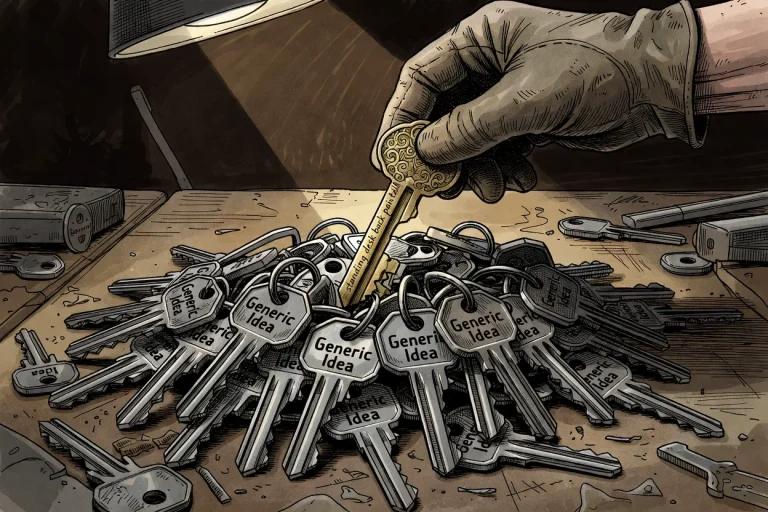
Without a specific angle, a topic only produces an interchangeable draft - a SERP-echo outline that swaps brands and still reads the same. This piece is about a repeatable loop that turns a seed into a non-interchangeable outline, so you stop publishing pages nobody needs. Not another brainstorm. A process.
Prerequisites: what “ready to outline” actually means
You don’t need a calendar full of titles. You need one half-formed seed - a specific tension, a sentence from a real person stuck at a decision, a question competitors keep answering sideways.
Something like “I bought a standing desk but my lower back still hurts after two hours - am I setting it up wrong or is the desk just not right for a tall person?” That’s a seed.
Not “standing desk tips.” Also required: a place to write (any doc will do) and a stubborn refusal to fill calendar slots with unbriefed titles. If you’re already holding a vague category name and wondering why outlines feel hollow, start here.
Seed first
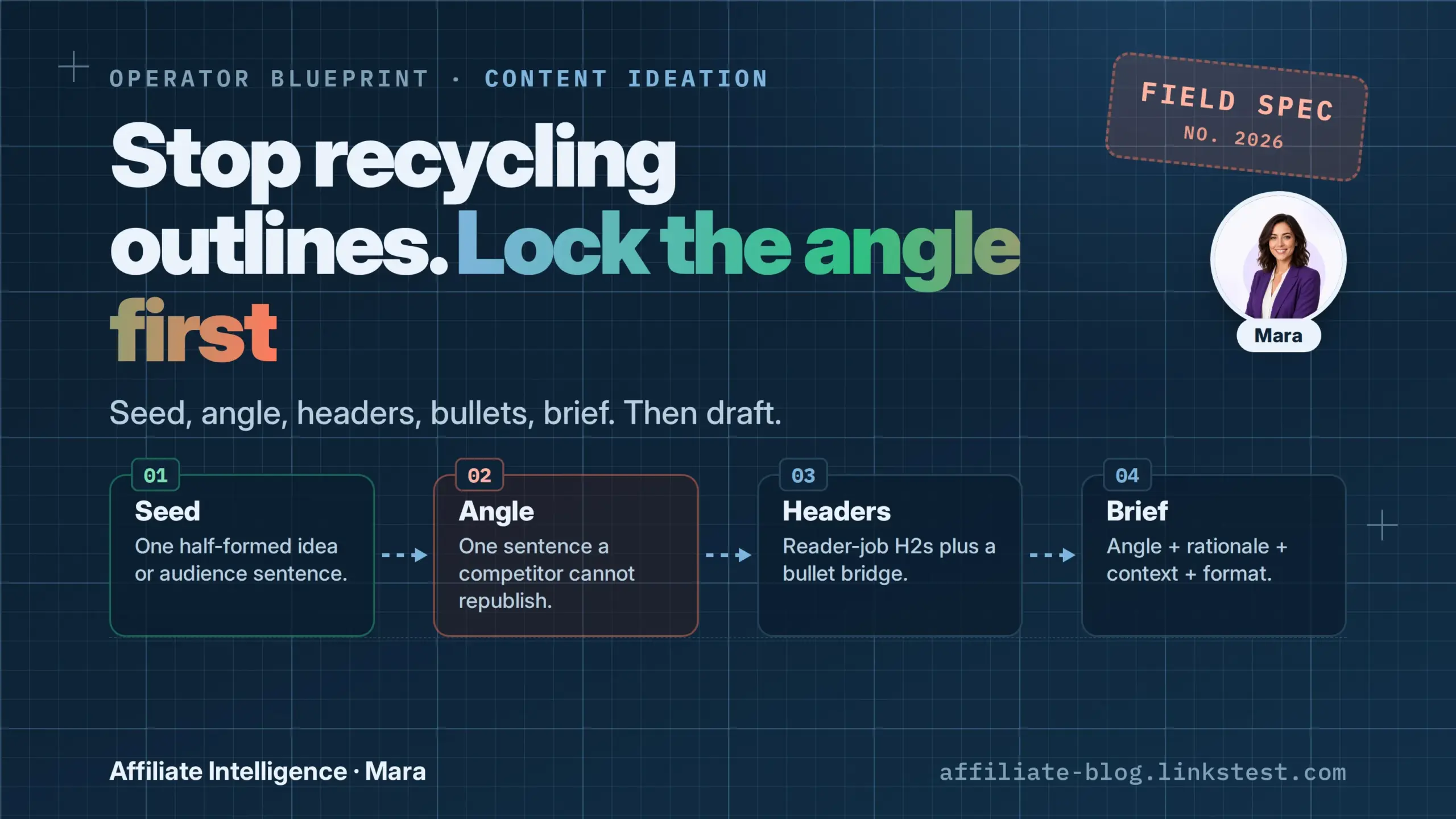
A seed is not a title bank. It’s a half-formed idea or an audience constraint sentence - the raw material you process. Blank AI lists regress to the mean; I wrote about why in why AI blog idea generators give useless lists.
And if you get your seeds from real conversation constraints, finding them is a practice I covered in how to surface affiliate content gaps from community discussions. This article picks up after you have one seed worth processing. I’ll assume you’ve got it.
What to do next: Write that seed out exactly as you found it - preserve the weird phrasing, the specific frustration. Then move to the angle lock.
Angle lock, then light SERP skim
Take your seed and boil it down to a single sentence a competitor cannot republish unchanged. That sentence is your angle. It answers a constraint, objection, or comparison that page-one results only gesture at.
For the standing desk seed above, the angle might be: “Setup guide for people over six feet - posture adjustments, chair pairing, and how to check if the desk actually goes high enough.” Generic? No. Interchangeable with a generic “best standing desk” roundup? Not at all.
Now, run a light SERP check. Search that angle (not just “standing desk”). Do the top five pages resolve it? If a page already tells a tall person exactly how to fix back pain with desk adjustment, your angle isn’t sharp enough.
Sharpen it - go deeper, add a specific measurement, a tool recommendation with a height test. If the SERP only shrugs, you have a real gap. Don’t look at keyword difficulty scores. You’re checking whether this angle is already exhausted, not whether the keyword is hard.
If a competent competitor could republish your outline tomorrow unchanged and still read as a useful, distinct piece, you’re in the recycled pile. Keep iterating until the angle would still add something page one does not already cover - the practical bar operators often label information gain. Searchbloom’s longer essay develops that framing and notes that Google’s patent language is narrower than the popular slogan.

Headers-first + bullet bridge (the outline that earns a draft)
With angle in hand, resist the urge to start writing prose. Instead, build your H2s and H3s so each does a reader job tied to the angle.
For the tall-person desk setup guide, H2s might be: “The hidden spec tall people need to check,” “Posture tweaks that fix lower-back pain before you change desks,” “Chair pairing: seat depth and armrest height for 6’+ users,” “Budget mods if your desk doesn’t go high enough.” These aren’t generic “What to Look For in a Desk.” They directly serve the angle.
Under each H2, before you write a single paragraph, drop 2-4 bullet points-evidence, objections, examples, specific data points, counter-arguments, step-by-step logic. This is the bullet bridge. It gives your future drafting self a concrete path, preventing blank-page stall and rambling. For instance, under “The hidden spec tall people need to check,” bullets might be:
- Minimum desk height specification (look for “max height” not “height range”)
- Typical height limits of popular models (list 3 with specs)
- How to test if your current desk goes high enough (stand with elbows at 90°, measure)
- What to do if you’re between sizes (riser blocks, keyboard tray drop)
Now you have a structure with substance. The bullet bridge also acts as a content brief within the outline itself - it tells you what must be covered and what’s missing before you start writing.
Operators who use this method often cut drafting time significantly; anecdotally, the method is similar to how a brain dump and regroup beats writer’s block - getting ideas onto the page in a rough but organized form kills the inertia.
(If research found that bullet-point outlining tripled writing speed, I’d be skeptical of the multiple, but the principle holds: structure before sentences prevents meandering.)
Just-enough structure. You’re not building a full manuscript. Aim for enough to guide the draft, not so much that outlining becomes its own procrastination theater. Set a timer: 30-45 minutes for this headers-and-bullets stage. If you catch yourself writing full paragraphs, stop. Bullets only.
Optional technique: research dump, then cut. If you’ve collected notes, study citations, or interview quotes, dump them into a separate doc, group ideas, then carve them into the header map. This prevents staring at empty sections.
Similarly, you can write the introduction last once the body answers the angle - many experts recommend that to avoid throat-clearing intros that don’t match the finished piece.
Human sanity check. If you used AI to help structure notes, you must manually verify every header. Kill generic H2s (“Introduction,” “What is X?”), hallucinated sections, and anything that looks like a competitor’s TOC with synonyms swapped. Read your headers in sequence: would a reader scanning them know this page answers a specific, unduplicated question?
If yes, proceed. If not, rework. A human review of AI-generated outlines is critical; as one industry summary put it, “human review ensures alignment with standards” and catches errors that look plausible but are factually empty (ProEdit on AI content needing human review).

Failure-mode map
Before you call the outline done, check against the common ways this process quietly fails. Operators commonly see these patterns - diagnose your outline against each.
- Outline-from-SERP clone. You built your H2s by copying the table of contents of page-one results. Every header is a rewording of what’s already ranking. Diagnostic: if you stripped your angle away, would the outline still make sense? If yes, you cloned.
- AI outline vending without angle lock. You asked a model for “an outline about X” and used the output without locking an angle first. The result is fluent, plausible, and entirely lacking a specific stake in the ground. It regresses to the mean, as models trained on existing content do.
- Tool theater. You spent hours swapping between outlining apps, AI brief generators, and calendar tools, adjusting settings, and then called it “work.” No outline exists, only a trail of tool configurations. The fix: close all tools except a plain doc and the seed sentence.
- Calendar fill. You have a column of working titles (“10 Best X,” “How to Y”), each without a brief or an angle. That’s a list of slot fillers, not a pipeline of outlines worth drafting.
- Over-plan stall. Your outline has grown to 3,000 words of notes, 15 sub-sub-headers, and 40 bullet points per section. You’re afraid to start writing because the plan feels fragile. Trim to essential reader jobs and two bullets apiece. Then draft.
- Skipping the brief. You have a list of H2s and think that’s enough to brief a writer - or yourself tomorrow. It’s not. A proper brief includes angle + rationale + context + format. Without those, someone will fill the empty structure with generic paragraphs and call it done.
Check for these six failure modes before you leave the outline phase. If you spot one, go back and tighten the angle, cut the clone headers, or add the missing brief fields. The outline’s job is to make drafting a matter of execution, not reinterpretation.

Soft bridge: when the seed is still a mess (IdeaForge)
Sometimes the bottleneck is earlier: you have a pile of messy community discussions, scattered notes, or a half-articulated pain point and you can’t pull a clean seed from the noise. That’s where a structuring tool helps - not to invent an angle for you, but to surface and organize the signals.
I built IdeaForge as a public-beta tool that scans thousands of community discussions and delivers structured briefs - each with an angle, a rationale, and a real, anonymized quote from the source.
For the standing desk seed we used earlier, a similar type of scan might surface a brief like:
Angle: “Setup guide for tall users with posture adjustments.”
Rationale: “Multiple tall users in discussions report back pain despite buying recommended desks.”
Context quote: “I bought a standing desk but my lower back still hurts after two hours - am I setting it up wrong or is the desk just not right for a tall person?”
That kind of structured seed then feeds directly into the angle-lock and outlining process above.
The tool does not invent lived experience or lock your angle for you. It surfaces human language from public communities (forums, blogs, discussions) and presents it in a brief-like format so you can run your own filter. The first two ideas per search are free; the rest unlock for a one-time $9. No subscription.
I mention it here because when the raw material is chaotic, a structuring pass beats another round of blank-prompt brainstorming.
If you have a messy half-formed topic or scattered notes, paste them into IdeaForge to get an angle, a rationale, and an authentic context quote - then immediately apply the angle lock and SERP skim process described earlier.
A one-sitting checklist before you draft
Take this checklist and run it against the outline you just built. Do it in one sitting so you don’t second-guess yourself into over-planning.
- Do I have one seed - a specific audience sentence or half-formed idea - not a cold title list?
- Is the angle locked in one sentence a competitor can’t republish unchanged? (If you’re squinting, rework it.)
- Did I SERP-check this specific angle, or did I only match the page-one H2s? (If the SERP already answers it precisely, sharpen or drop.)
- Does every H2 do a reader job tied to that angle? (No “Introduction,” “What is X?,” or filler headers.)
- Are there bullets under each header, or am I about to face a blank page when I start drafting? (At least two, no more than four, per section.)
- Is my brief a real brief - angle + rationale + context + format - or just a working title?
- If I used a conversation-structuring tool or AI, did I still apply the human filter-kill generic headers, check factual claims, and ensure the outline isn’t a TOC clone?
If you stall
- Angle stuck - revisit the original audience sentence. What specific frustration did the seed contain?
- Bullets chaotic - do a research dump, then cut into headers. Dump everything, group, then prune.
- Over-plan stall - set a timer. The outline is a guide, not a manuscript.
- Still generic - check that every H2 answers the angle, not a competitor’s table of contents.
Put the process to work
If you have a seed that still feels messy, try structuring it with IdeaForge’s public beta (first two ideas free, $9 one-time for the rest). Once you have a clean angle, come back and run this checklist to confirm its distinctiveness.