Moz Link Explorer Incomplete Report? What Affiliate Audits Miss
A Moz Link Explorer export is not a link audit. It’s a sample of backlinks from a partial index, run through metrics that Google doesn’t use. Call it a scout report, not a clean bill of health.
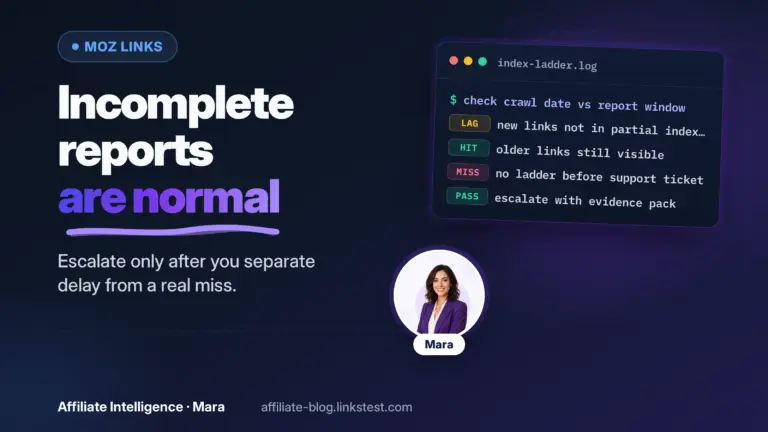
When Link Explorer looks empty or thin, start with discovery triage - not DA panic: why Moz report not showing links (incomplete index).
When the CSV stops early, read filters and plan ceilings before you crown the site clean: Moz export incomplete - truncated CSV is not a clean-site certificate.
The failed “I checked Moz” assumption
If you’ve been glancing at Domain Authority and Spam Score and calling it “audit done,” you’re missing the majority of what can quietly kill commissions. The failed “I checked Moz” assumption is expensive. Not because Moz is a bad tool – it isn’t – but because treating a single, free-account snapshot as a full integrity check leaves gaping holes.
Commissions can bleed out through soft 404s, out-of-stock landing pages, redirect chains that strip tracking parameters, and dead outbound affiliate links that Moz never sees. Those failures live in your own site’s link health, not in your inbound backlink profile. The bulk affiliate link validation checklist is exactly the lane for that work. This piece goes deep on Moz itself, not the full tools catalog – if you need the 200+ free tool directory, the full free backlink tools catalog is available.
So should you trust a Moz readout enough to change your affiliate site this week? Sometimes. And always with cross-checks.
What Moz Link Explorer is actually good for
Link Explorer gives you an inbound link inventory and a rough competitive peek when a full Ahrefs or Semrush seat isn’t in the budget. With a free Moz Community account you get 10 queries per month – after email verification – and each query returns Domain Authority, Page Authority, Spam Score, linking domains, inbound link counts, anchor text analysis, follow vs. nofollow breakdowns, and recently discovered or lost domains. That’s generous for zero dollars. Moz’s own Link Explorer page confirms the 10-query ceiling and the breadth of free metrics.
Publishers who run Moz free can use it to:
- Sample their own backlink profile once a month, watching for sudden spikes in weird domains.
- Check a competitor’s top linking domains before committing to a big content push.
- Monitor link growth or loss after a site redesign or domain migration.
- Sanity-check a potential partner’s link neighborhood before promoting their offers heavily.
For an affiliate operator, those spot checks matter. If a “partner” you’re about to feature is surrounded by link-farm trash, you might not want your site associated with that. Link Explorer surfaces that quickly. It’s also useful for spotting anomalous inbound clusters – say, a batch of unrelated foreign-language sites linking to you overnight. That’s a flag to investigate, not a reason to panic.
But the tool’s free-account limits are real: 10 lookups a month, limited export capabilities (free tier is a narrow monthly window, not a live dashboard), and no ongoing monitoring unless you pay. The data you see per query is solid, but you’re working with a narrow monthly window. Use it like a periodic pulse check, not a live dashboard.
One pattern I recommend: grab a sample of your top 20 linking domains through Moz, export what you can, and compare against Google Search Console’s Links report. If the two don’t align – and they often won’t – you’re getting a useful signal that your backlink picture has blind spots.

Metrics hygiene: DA and Spam Score without the religion
Domain Authority is a Moz comparative metric. It predicts how likely a site is to rank based on link data, not a Google ranking factor. Google’s internal signals are not Moz DA; treat DA as a comparative metric.
So use it as a rough filter, useful for comparing your site against competitors in the same niche. Small DA swings – a point or two – are usually noise. If your DA drops from 32 to 29 over a month while your organic traffic holds steady, don’t panic.
If your top competitor jumps from 30 to 45 in a quarter, that’s worth investigating.
Spam Score is a triage hint, not a verdict. Moz’s Spam Score help page describes it as “the percentage of sites with similar features to the site you’re researching which we’ve found to be penalized or banned by Google.” It’s based on a machine-learning model trained on 27 on-site and domain features – not on the quality of inbound links. That means Moz can label an obvious spam site as low-risk and flag a legitimate, well-trafficked site with a moderate score. It happens.
Here’s the structural scenario that catches publishers: Moz shows a clean Spam Score for a linking domain, but when you open that URL, the page 404s or has been turned into a thin affiliate shell. The score is not the audit. You have to look at the page yourself. Check whether the content is relevant, whether the site still exists in a recognizable form, and whether the link placement looks natural or like a paid-for footer link. Trust your eyes first – the metric second.
Don’t let a high Spam Score on a few linking domains spook you into a cleanup frenzy either. If you have no manual action and your traffic is healthy, those scores are informational, not actionable. Use them to prioritize which links to inspect when you have time, not to delete or disavow on autopilot.

What Moz misses that still costs affiliate money
Moz publishes a large link index – still incomplete by design – and doesn’t claim to cover every page and link. (See how Moz indexes the web.) Moz’s indexing documentation notes that the index is large but doesn’t cover the whole web; the crawler, by design, seeks high-value links and often starts from top-ranking sites. This means legitimate backlinks from smaller, less-crawled sites won’t appear, and newly created spam won’t appear quickly – absence of spam in Moz is not absence of spam.
Google Search Console, on the other hand, is free and often shows linking domains that Moz misses entirely. The GSC Links report is itself a sample, but when it lists 50 domains that Moz doesn’t, you now have a new list of domains to open and evaluate. Bing Webmaster Tools offers a similar free cross-check. I recommend making a habit of comparing Moz samples against GSC at least once a quarter. If budget allows a second opinion tool for a cleanup project, use it; if not, manual cross-referencing deepens your understanding significantly.
But here’s the bigger hole: Moz Link Explorer was never designed to catch on-site affiliate failure modes. Soft 404s – pages that return 200 status codes but display empty product listings or out-of-stock notices – look healthy to a backlink checker. Redirect chains that progressively strip your affiliate ID look fine as long as the final hop resolves. Plain old link rot, where the merchant changes URL structures and your deep links silently die, doesn’t appear in any inbound-backlink report. Those problems live in your outgoing links, and if you haven’t run a separate bulk affiliate link validation check, you’re leaking commissions without any tool flagging it.
Two other layers sit around Moz’s scope: redirect chains that kill tracking parameters (covered in the redirect-chain leakage audit) and the broader question of silent attribution breaks (tracking-failures pillar). Link rot that’s purely about dead outbound URLs belongs to the link rot revenue-loss piece. All of these failures happen outside Link Explorer’s viewport. Treating Moz as your all-in-one audit guarantees you overlook the most common commission killers.

Cleanup without panic (disavow narrow)
The disavow tool is not a hygiene step. Google’s disavow links guidance is explicit: you should disavow backlinks only if you have a considerable number of spammy, artificial, or low-quality links pointing to your site, and those links have caused a manual action – or are likely to. First choice: get the links removed at source. Second choice: disavow, carefully.
Do not disavow from a third-party toxicity score alone. A Moz Spam Score of 60% on a linking domain does not mean Google is about to penalize you. Google’s own algorithms are pretty good at ignoring junk links without your help. Disavowing helpful links can hurt your rankings, and once a disavow file is uploaded, it can take weeks to reverse.
When you’re unsure about a link, leave it and monitor. Dirty verticals – gambling, adult, payday loans – do attract more junk, and some of it may be malicious, but the same principle applies: manual triage first. Open the linking page. Look at whether it’s a real site with content or a parked domain. If the link is genuinely irrelevant and looks paid, note it and consider whether it could trigger a manual review. I would not disavow a handful of odd links if my site otherwise has a clean profile.
An optional clue worth watching: linking domains whose estimated organic traffic has collapsed to near zero. A site that was once legitimate but has since been abandoned, wiped of content, or turned into a link farm is no longer the same signal. This isn’t an automated rule – never automate disavow decisions – but it adds useful weight to a manual inspection.
Free vs paid: Moz has a seat, not the throne
The free Moz Link Explorer account is enough for light, periodic monitoring if you accept its incompleteness. You get a rich data slice per query, just not many queries. For a small affiliate blog with a modest backlink profile, a monthly check paired with GSC is a reasonable baseline stack.
Paying for Moz Pro – the Standard plan currently runs $99/month according to Moz’s public pricing, plus a free trial – unlocks unlimited queries, larger link exports, link tracking lists, and additional rank-tracking and site-audit features. But the reason to pay isn’t to watch Domain Authority tick upward. It’s to get deeper coverage, batch link research, and ongoing alerts. If your cleanup project requires a truly exhaustive backlink analysis, a tool with a larger and fresher index may be a better spend, but that’s a different decision.
My budget stack for a solo affiliate publisher typically looks like: Moz free for the quick backlink snapshot and Spam Score triage; Google Search Console for the broader but still partial link view; and the bulk on-site QA checklist to catch the failures that never show up in any third-party backlink tool. You can add a second backlink index when budget or risk justifies it, but don’t buy a premium Moz subscription just to stress over DA fluctuations.
FAQ: when Moz looks incomplete
These are the questions that show up when Link Explorer (or a crawl count) disagrees with what you expected. Most of the time the tool is incomplete on purpose. The failure mode is treating that scout report like a clearance certificate for your affiliate site.
Why isn’t Moz showing all my links?
Because Moz is not mirroring the live web. Moz’s own docs are blunt about it: their link index is large, but it does not cover everything, and every vendor builds a slightly different picture. Fresh links can take time to appear after Moz discovers the referring page (their help docs put newly discovered links in the index on the order of a few days after discovery). Older gaps are also normal when Dotbot never found the page, got blocked, or could not parse the link.
Before you assume the report is “broken,” run Moz’s own checklist on the referring URL: robots.txt blocking Dotbot, non-HTML or JavaScript-only links, a canonical that is not self-referential, meta noindex on the linking page, or a server 4xx/5xx when Moz tried to crawl. Moz’s guide Moz Isn’t Finding Your Links walks those checks. If you know a URL should count and Moz still misses it, add it to a Link Tracking List so discovery is queued, then re-check.
Quick reality check: open Google Search Console’s Links report next to your Moz sample. Domains in GSC but not in Moz (or the reverse) are a signal, not a bug ticket. Both views are incomplete. Log both in your change log and open the odd rows manually.
If commissions are dying, do not stop at inbound inventory. Soft 404s and broken outbound affiliate URLs never appear in a backlink scout report. Run that lane with the bulk affiliate link validation checklist.
Why is Moz not exporting all my links?
Exports inherit two ceilings at once: the incomplete index, and your plan’s row limit per backlink query. Moz’s export help is clear: you can export to CSV, but you are capped by the Rows per Backlink Query on your Moz Pro plan (see their pricing Research limits), and any filters you set travel into the export. Free Link Explorer access is also query-capped (Moz currently advertises 10 queries per month on the free Link Explorer product page), so you are not getting a live dump of every linking URL they have ever seen.
Here’s the catch: a truncated CSV feels like a product defect. In practice it is a reminder that you are looking at a scout report under a plan ceiling. Export what you can (Moz documents the Export CSV to Export Notifications flow in Export Link Data), compare the head of that list to GSC, and open the weird rows. Do not wait for a “complete” file before you start triage.
What does a Moz crawl report link count actually mean?
It depends which Moz surface you are staring at. Link Explorer inbound counts are counts from Moz’s link index for that URL or domain. Site Crawl / campaign crawl numbers (including internal link counts) are from Moz crawling your site with their site crawler. Those are not the same dataset, and neither is a Google link graph.
If an internal link count looks like zero or absurdly low, Moz’s help FAQ points at crawl access first: the property may not be indexed yet, or Dotbot may be blocked (including 403-style blocks). That is an access problem, not proof your site has no internal links. Treat big swings as a prompt to re-sample and cross-check, not as a reason to mass-disavow.
If the count and your revenue story disagree, trust the revenue path first: tracking, redirects, and live affiliate destinations.
How do I use Moz to find 404s?
Two different 404 problems get mashed together, and Moz actually has two different tools for them.
Broken inbound links to you: Link Explorer is the inbound index. Use it to spot linking pages that now 404, park, or turn into junk shells: open the linking URL from your sample, even when Spam Score looks calm. A clean score on a dead page is still a dead page.
Broken pages on your own site: that is Moz Pro Site Crawl territory (Critical Crawler Issues to 4xx), not Link Explorer. Moz’s Site Crawl docs also note they do not surface outbound links outside your campaign scope. So “find every dead affiliate hop with Moz” is the wrong job description.
The 404 that usually costs affiliate commissions is still a third lane: your outbound affiliate URLs returning soft 404s, empty product shells, or redirect chains that strip tags. That is conversion hygiene. Skip Link Explorer for that and run the bulk validation checklist (and, when attribution is the mystery, the tracking-failures pillar).
If you do nothing else: sample Moz, open the weird linking pages, cross-check GSC, then audit your own affiliate hrefs. Boring. Effective.
One-sitting Moz + affiliate integrity checklist
If you run this sequence before you log out, you’ll avoid the worst blind spots of relying on Moz alone:
- Define the question first: is your concern inbound-link quality, or are commissions dying on your own affiliate URLs? They need different tooling.
- Pull a Moz Link Explorer sample of your top linking domains (free tier: 10 queries a month; plan your lookups accordingly).
- Note the free account ceiling – 10 queries, limited export/history, no historical Spam Score trend – and accept that you’re seeing a partial view.
- Ignore DA as a Google ranking metric; use it only to compare yourself against same-niche competitors, and don’t chase small swings.
- Treat Spam Score as a triage flag, not a penalty. Open any suspicious linking URL. Verify it loads, check relevance, and inspect its footprint.
- Cross-check your Moz sample against Google Search Console’s Links report. Domains that appear in GSC but not Moz are worth investigation.
- Manually open a sample of suspect linking pages – even those with low Spam Scores – to confirm they aren’t 404s, parked, or irrelevant.
- Do not mass-disavow from third-party toxicity scores. Reserve the disavow tool for cases that genuinely risk a manual action, as per Google’s guidance.
- Run an on-site affiliate link audit separately. Use the bulk validation checklist to catch soft 404s, tag stripping, and redirect-chain failures.
- Escalate beyond Moz only when you have a defined need – a larger backlink index for a cleanup, a second opinion for a diagnosis. Otherwise, deepen your free-tool cross-checks.
- Lightly link your toolchain: the backlink tools directory if you need alternatives, and the tracking-failures pillar for the full picture of where affiliate revenue disappears.
- Keep a change log: date, tool, query, findings, and actions taken. Boring, but the difference between a story and an audit trail is exactly that repetition.
A Moz readout is not a clearance certificate. It’s a scout report from one vantage point. Treat it that way, and you’ll stop mistaking a glance for an audit. For hop-by-hop tooling (not Moz scout), use the redirect chain detection checklist.
When the scout report is clean and commissions still look soft, leave the Moz job and open the verification lane: label test clicks with SubIDs for attribution labeling, then check whether a green postback is lying in the S2S postback green-tick failures guide. Those are adjacent jobs, not a rewrite of this scout piece.