Moz Export Incomplete? Truncated CSVs Are Not a Clean-Site Certificate
A truncated Moz Link Explorer CSV is not a clean-site certificate, and it is not automatically proof that Moz is broken. Before you treat that short export as clearance - or fire off a support ticket - work the local checks. The failure mode is almost always filters plus plan query/row ceilings on a partial index. If you are telling yourself Moz is not exporting all links, that is the first assumption to reject.
Prerequisites
Before I trust a panic, I build the workbench. Pull four things this week:
- The exact target URL in Link Explorer: root domain plus your top revenue pages, run separately.
- A written note of every filter active in the UI at export time.
- Your current Moz plan tier: free Community, or paid Standard, Medium, or Large.
- Your remaining Link Explorer query allowance, visible under the search bar.
If you do not know the plan tier, the export cap is guesswork. If you do not know which filters were on, you cannot read the CSV honestly. Moz’s Link Explorer product page confirms the free Community allowance and the tool’s scope, but it does not address your specific export.
✓ Checkpoint: You have target URL, filter note, plan tier, and query count written in one place.
Reject the Failed Clean-Site Assumption
Goal: replace a false binary with a testable explanation before touching the CSV.
The failed assumption runs two ways. Either the short export means the site is clean, or Moz is broken. Both are wrong. Moz publishes a large link index, still incomplete by design, and does not claim to cover every page and link - that is the pillar point from Moz Link Explorer affiliate audits. A thin export can simply mean your filters were narrow, your plan ceiling was low, or your free query window ran dry.
Write this sentence down before you interpret anything: a truncated CSV equals filters plus plan ceilings on a partial index, not clearance and not automatic proof of breakage.
Why this works: naming the corrected assumption prevents you from treating an export artifact as a backlink verdict. It forces you to check the tool before you check the site.
✓ Checkpoint: You have written the corrected assumption on your triage sheet.
Confirm Filtered UI = Filtered Export
Goal: know exactly what the CSV contains before you call it incomplete.
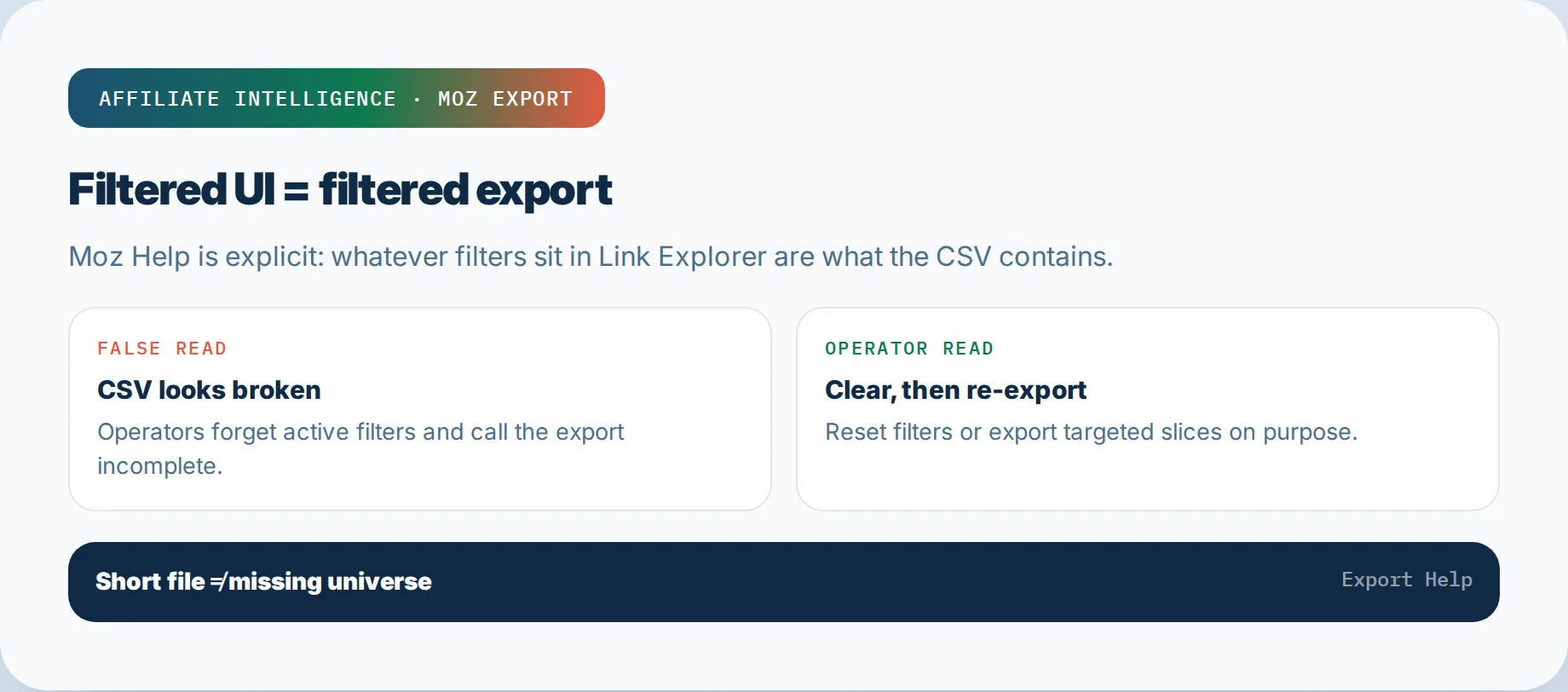
Moz’s export help page states it directly: "If you have filters applied, the tool will export the filtered results." That is the whole trap in one sentence. The CSV mirrors the rows you see on screen, not all inbound links Moz has stored.
Before I treat a short export as suspicious, I list every active filter: target page, link status, link type, follow/nofollow, one-link-per-domain, or any date range. Then I export again deliberately. If something was filtered, the missing rows are not missing data - they are hidden data.
Why this works: a filter is not a bug. Moz export links exactly what you asked it to export, not what you assumed it would.
✓ Checkpoint: You have a written list of every filter active at export time, or you have cleared all filters and re-exported.
Read the Live Plan Ceiling and Free Query Limit
Goal: know the hard numeric ceiling before you interpret row count.
This is the step where most operators skip the documentation and invent a reason. Do not. Read the live numbers.
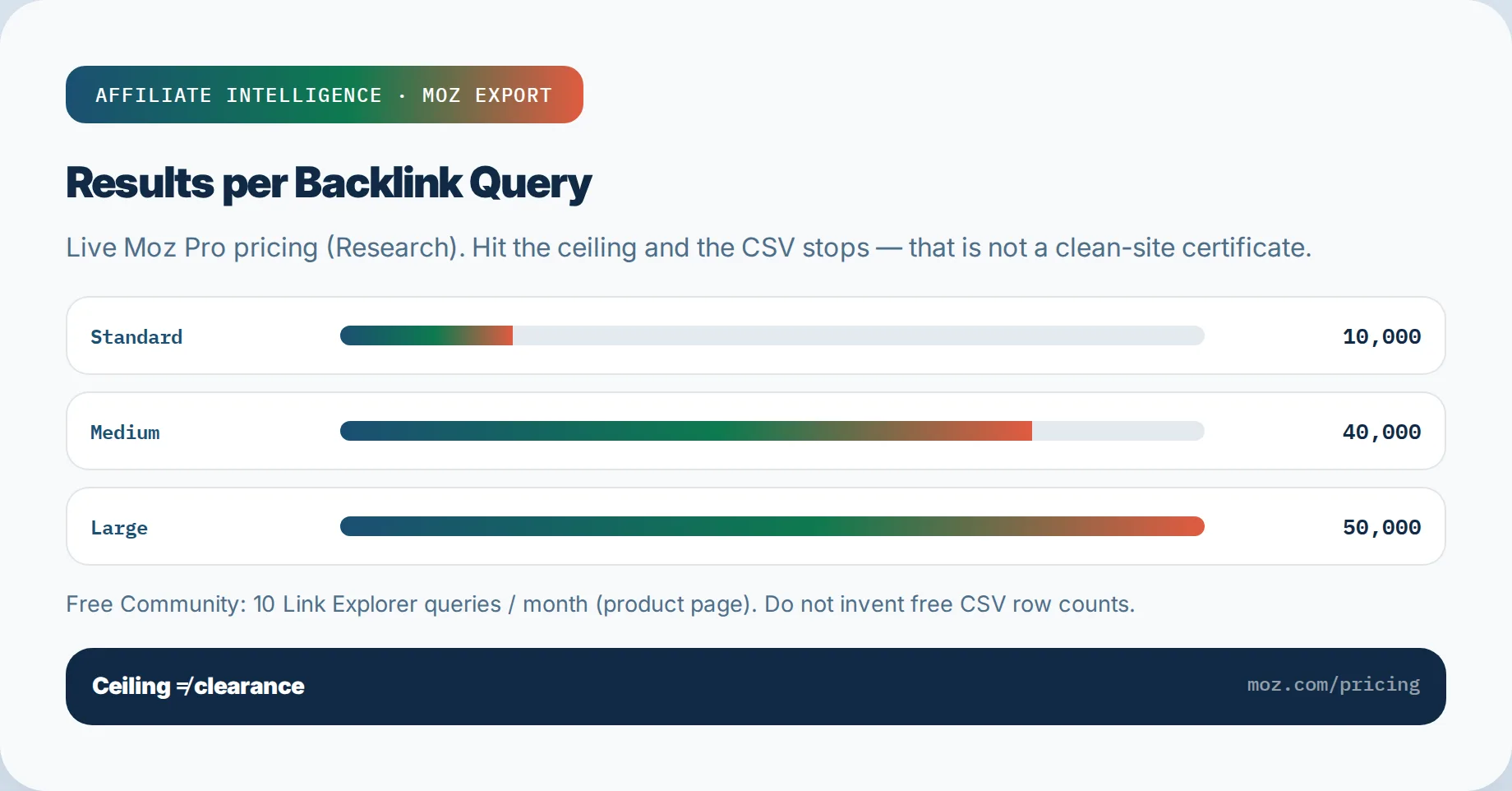
Moz’s pricing page lists Results per Backlink Query under the Research header: Standard 10,000, Medium 40,000, Large 50,000. The export help page calls the same concept "Rows per Backlink Query." Same ceiling, two names. If you are on Medium and your site has 58,000 inbound links, the CSV stops at 40,000 rows even when everything is working correctly.
Separately, the Link Explorer product page confirms a free Community account gets 10 queries per month. Moz does not publish a free-tier CSV row count on that page, so do not invent one. Treat the free account as a periodic scout, not a bulk export lane.
A realistic scenario: imagine a mid-size affiliate site on Medium plan with 52,000 inbound links and no filters. The export produces 40,000 rows. That is not proof the remaining 12,000 are clean or dirty - they are simply beyond the cap. The plan ceiling did the truncating.
Why this works: once you can name the cap, a row count exactly at the ceiling stops being evidence and becomes arithmetic.
✓ Checkpoint: You have written your plan’s row ceiling and your remaining query allowance.
Treat Incomplete Export as a Sample, Not a Clearance Certificate
Goal: label the file correctly so nobody mistakes a partial export for an audit.
Moz’s own help FAQ confirms the dynamic: if you have more inbound links than your allowance, you can either upgrade your plan or filter by status or type to make your export more specific. That remedy is sampling. The tool is telling you, in its own language, that it did not hand over everything.
Write "incomplete moz export = sample, not audit" at the top of the CSV. A scout report tells you something about the terrain. It does not certify that every outbound affiliate link is healthy, that no spam domain is pointing at you, or that your money pages resolve correctly. Those are the lanes Moz never covers, and we get to them directly.
Why this works: a sample is not a clearance certificate. Labeling prevents the downstream mistake of telling a partner or team the site is clean because a 40,000-row CSV showed no problems.
✓ Checkpoint: You have explicitly labeled the export "sample, not audit."
Diagnose Missing Rows in Order: Filters, Row Picker, Plan, Then Discovery
Goal: tag every missing row with one cause, in the cheapest possible order.
Do not jump to the index. Work left to right: filter trap, row picker, plan ceiling, then discovery. Stop at the first match and tag it.
5a. Clear the Filter Trap
Filtered UI equals filtered export, again. Clear every active filter first, or document the ones you keep as deliberate slices. If rows reappear after clearing, those rows were never missing.
✓ Checkpoint: You have zero active filters, or a documented deliberate filter list.
5b. Check the Export Row Picker
Moz’s export steps say "Select how many rows you want to export." If you picked 1,000 on a 10,000-row cap, you under-selected. The UI exports what you asked for, not the maximum available.
Why: under-selection is an operator artifact, not a data gap. Confirm the exact number you selected before assuming truncation.
✓ Checkpoint: You know exactly how many rows you selected and whether you under-selected.
5c. Confirm the Plan Ceiling
Read the live cap again: Standard 10,000, Medium 40,000, Large 50,000 Results per Backlink Query. If your row count equals the cap, that is the ceiling. A cap is not Moz being broken.
✓ Checkpoint: You have confirmed whether the row count hits the plan cap.
5d. Escalate Discovery Only After Local Checks
Only when filters are clear, the row picker is maxed, and the row count is below the plan cap should you consider discovery. That means Moz has not found the referring pages, Dotbot is blocked, or the link is not HTML - all covered by the incomplete index and not-showing ladder. Tag those rows "discovery" and queue that sibling guide. Do not rebuild it here.
✓ Checkpoint: You have tagged discovery rows and queued the sibling guide only after local checks cleared.
Re-Filter and Multi-Slice Sample Triage Workflow
Goal: replace one truncated giant export with three to five narrow slices that fit under your cap.
The move is not to buy Pro by default. It is to re-filter and leave Moz for the money lanes.
Imagine the Medium-plan site again: 52,000 inbound links and a 40,000-row cap. One big export loses 12,000 rows. Instead, slice it:
- By link status: follow vs nofollow.
- By target URL: homepage vs deep affiliate pages.
- By linking domain DA band: high DA vs mid DA vs low DA.
- By anchor text cluster: branded vs exact-match vs junk.
- By recency: discovered within the last 60 days vs older.
Each slice exports separately under the ceiling. Each slice is also more useful for triage than a mixed 40,000-row file sorted by nothing. This is how Moz Help itself suggests handling the overflow: filter by status or type to make your export more specific.
Why this works: a cap that truncates one giant export often does not truncate five narrow ones. You also get better prioritization. You discover, for example, that 3,000 junk-anchor links are in the low-DA nofollow slice and can be reviewed without opening every row.
✓ Checkpoint: You have 3 - 5 narrow filtered slices instead of one truncated giant.
Second Opinion + GSC + Affiliate Money Lanes
Goal: cross-check the partial sample and hand off to on-site outbound QA, where the real commission leaks live.
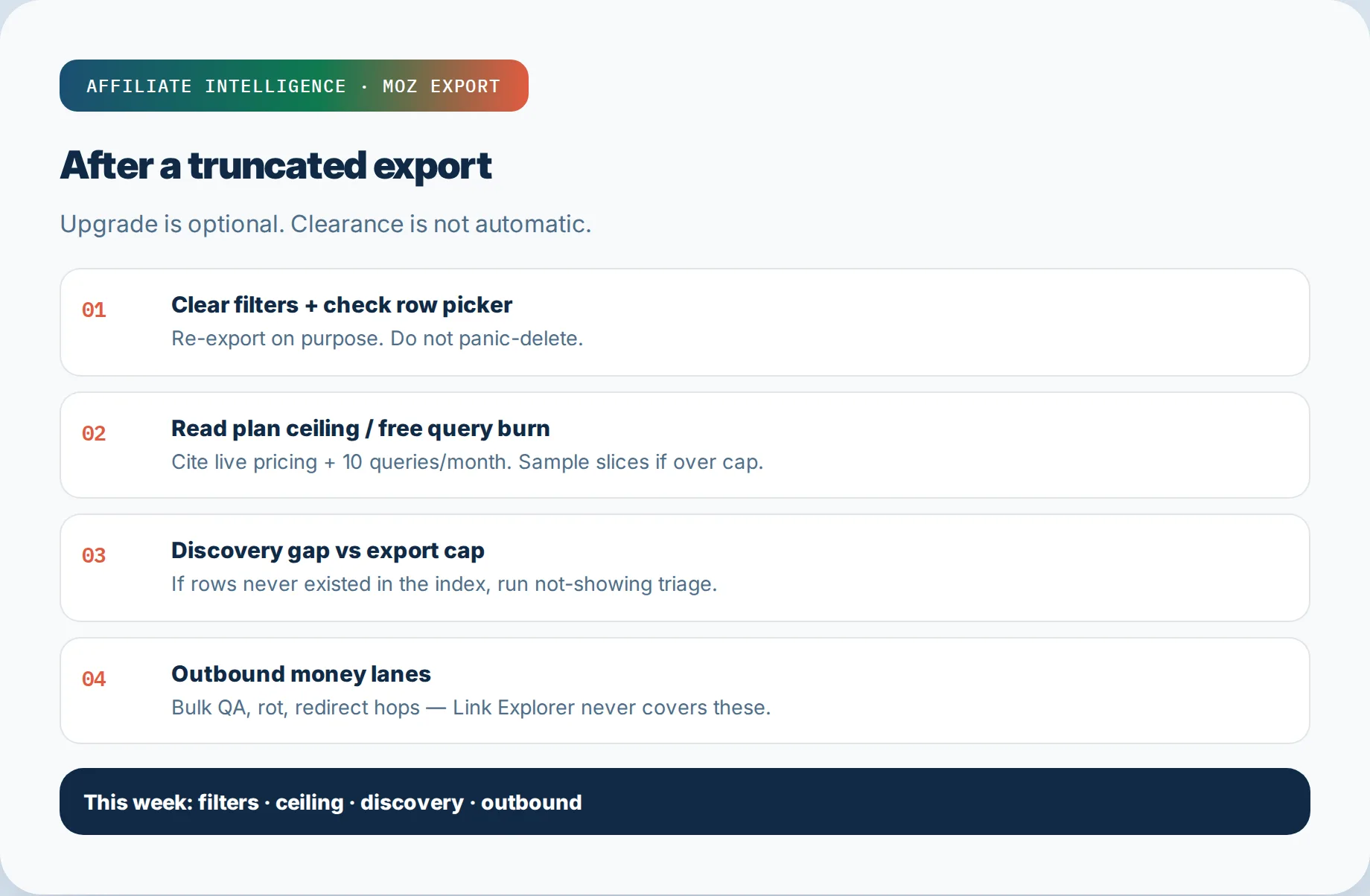
Pull your Google Search Console Links report sample. Export the top linking domains and top linked pages. Put them next to your Moz slices. GSC is itself a sample, but it routinely lists domains Moz misses entirely. The mismatches are your lead list - open them manually.
Then leave Moz. The failures that cost affiliate revenue are almost all on your own outgoing links, invisible to any backlink checker: soft 404s, out-of-stock variants, stripped tracking parameters, redirect chains, and dead deep links.
Hand off this week using the existing lanes:
- Free three-lane backlink and outbound audit checklist: 200 free audit tools 2026
- Bulk pre-launch affiliate link QA: bulk affiliate link validation checklist
- Link rot revenue loss diagnostics: affiliate link rot revenue loss
- Redirect chain detection: redirect chain detection tools
- Redirect commission leakage forensics: affiliate redirect chain commission leakage
Upgrade is optional, not default. A paid Moz seat adds rows and tracking lists; it does not certify clean outbound links.
✓ Checkpoint: You have a two-index comparison sheet and a handoff to outbound affiliate QA.
Troubleshooting Common Issues
Five common export truncation failure modes, in the order you should check them.
1. CSV shows fewer rows than the UI. Cause: active filters. Fix: clear all filters and re-export; the UI exports filtered results, per the Help page.
2. CSV stops at a round number like 10,000, 40,000, or 50,000. Cause: plan Results per Backlink Query ceiling. Fix: re-filter into narrower slices, or upgrade only if the extra rows are actually needed.
3. Export row picker seems small. Cause: you selected a low row count in the export dialog. Fix: select the maximum available rows or the exact slice count you need.
4. Free Community account has no bulk CSV or very thin output. Cause: free tier is a 10-query-per-month scout with no published free CSV row count. Fix: run one deliberate query, export what the UI allows, and cross-check GSC.
5. Rows are missing after filters, picker, and plan all check out. Cause: discovery or crawl access, not export truncation. Fix: hand off to the why Moz report not showing links ladder.
6. Export looks clean and still you suspect commission leaks. Cause: backlink index cannot see your outbound affiliate link health. Fix: run the free three-lane checklist or the bulk QA handoff in Step 7, then diagnose silent attribution breaks with labeled clicks from the SubIDs attribution guide. The CSV job ends; the payout job starts.