WooCommerce Affiliate Plugins (2026): Vet Tracking, Clawbacks & Fit Before You Install
Operators often open a “best WooCommerce affiliate plugin” roundup and leave with the wrong tool for the job. The list shows five plugins, shows star ratings, and makes the decision feel complete. It is not. The structural scenario plays out the same way across stores: a merchant installs a link-management plugin when they need a program plugin, or trusts a free tier until the first large referral fails to record, or discovers the cookie window was set beyond what WooCommerce can actually store. None of that shows up in a star-rated directory.
I recommend vetting tracking survival, clawback behavior, and plugin-class fit before you install anything at production revenue. Not after.
Here is the thesis once: pick the right job first, run five fit filters in staging, then recruit affiliates. Skip that sequence and you are shopping for features while the attribution ledger silently breaks.
Prerequisites
Before you install anything, gather four things.
First, you need a WooCommerce store with admin access. WooCommerce does not include built-in affiliate management, so a plugin is required for program tracking. Second, stand up a staging environment, not a subdirectory on production. Third, know your baseline conversion rate. If the store does not convert paid or organic traffic, affiliates will not fix that. Fourth, inventory every active plugin that touches caching, security, AJAX, and consent: WP Rocket, LiteSpeed Cache, Wordfence, CookieYes, iubenda, and similar.
Leave the two-jobs decision unresolved until Step 1. That is the point of the tutorial, not a thing to skip.
Checkpoint: You have a staging environment, a plugin inventory, and a known conversion baseline. No affiliate plugin installed yet.
Step 1: Name the Job: Program Plugin vs Link Plugin
The SERP conflates two different plugin classes. They solve different jobs.
Program plugins run your store’s affiliate program. They handle affiliate registration, referral tracking, commission calculation, and payouts. You recruit partners to promote your WooCommerce products, and the plugin credits commissions when referred customers buy.
Link plugins monetize outbound publisher links. They shorten, cloak, and organize affiliate links you use when promoting third-party products on your own content site. They do not run a merchant program.
That distinction exists because WordPress has two different affiliate marketing tool categories: one manages your affiliate links, the other creates an affiliate marketing platform. I will say it again: program plugin for merchants, link plugin for publishers.
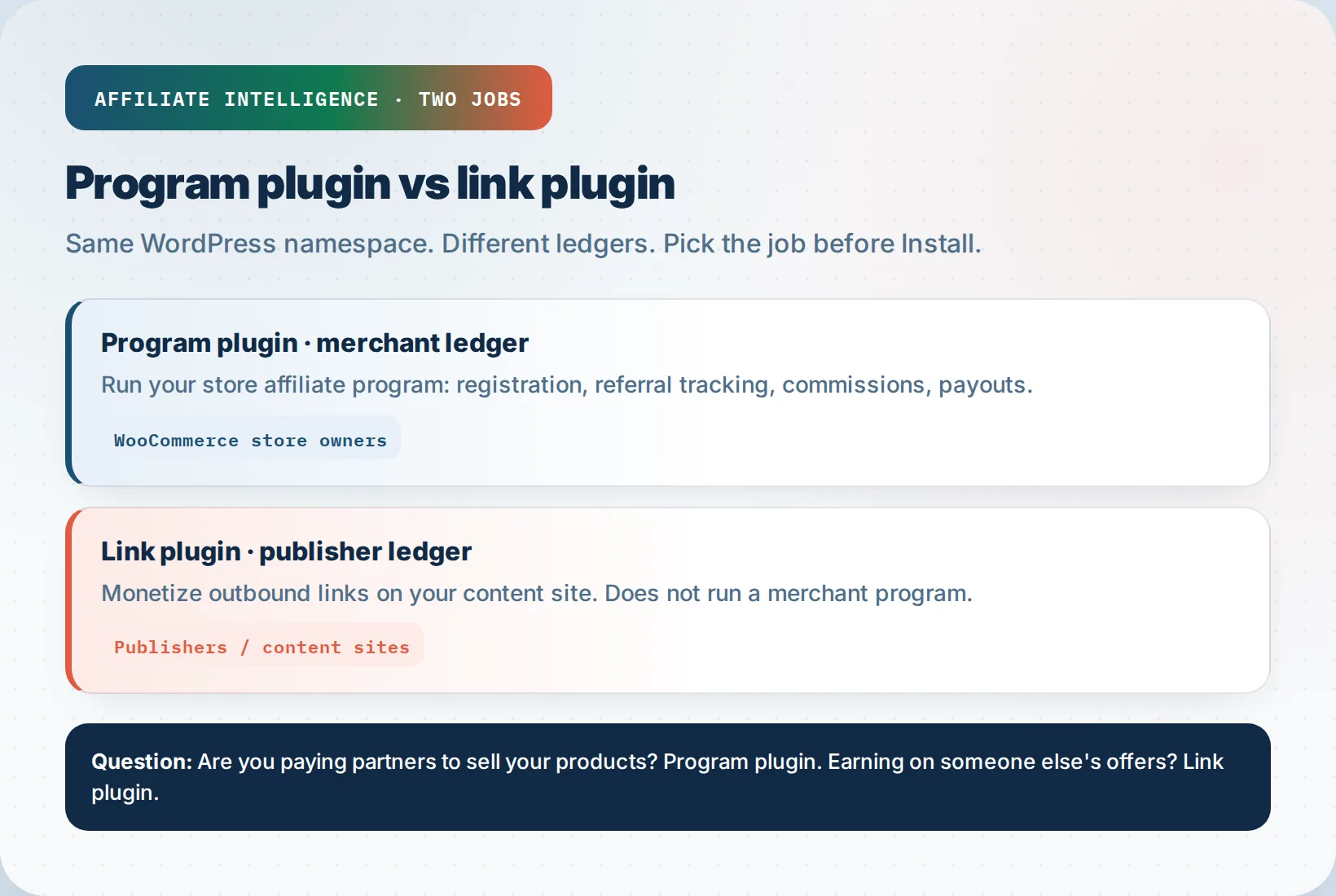
The test is one question. Are you paying partners to sell your products? Program plugin. Are you earning commissions promoting someone else’s products? Link plugin. If you need both, run both, but never let one substitute for the other.
Checkpoint: You have written down the job. “We run a store affiliate program” or “We monetize outbound affiliate links.” No ambiguity.
Step 2: Before You Install: Export Vet, Free Gate, and Conversion Proof
Three checks before the first click on Install.
Migration lock-in is real. You cannot switch affiliate plugins easily once partners have live referral links and commission history. Vet the export and import path first. Does the candidate plugin let you export affiliates, referral links, cookie durations, payout methods, and settings? AffiliateWP, for example, documents export and import tools under AffiliateWP > Tools > Export/Import. If a plugin offers no export path, treat it as a one-way door.
Run a staging query against your WordPress users and affiliate referral tables. The point is confirming you can enumerate affiliates, referrals, and payout methods before committing.
The free-until-failure gate. Free tiers have structural gaps. A free plugin may support basic coupon tracking but lack coupon-plus-link dual-path attribution or per-product rates. The annual license cost is trivial compared to one lost commission dispute. I would rather pay for a tracking path that survives production than lose a large referral and burn a partner relationship.
Conversion proof comes before recruiting. An affiliate program amplifies a conversion path that already works. If your organic or paid funnel does not convert, affiliates will not rescue it. Validate store conversion first. Recruit after.
Checkpoint: You have tested export/import on staging, priced annual cost against commission risk, and confirmed your store converts before recruiting.
Step 3: Run the Five Fit Filters
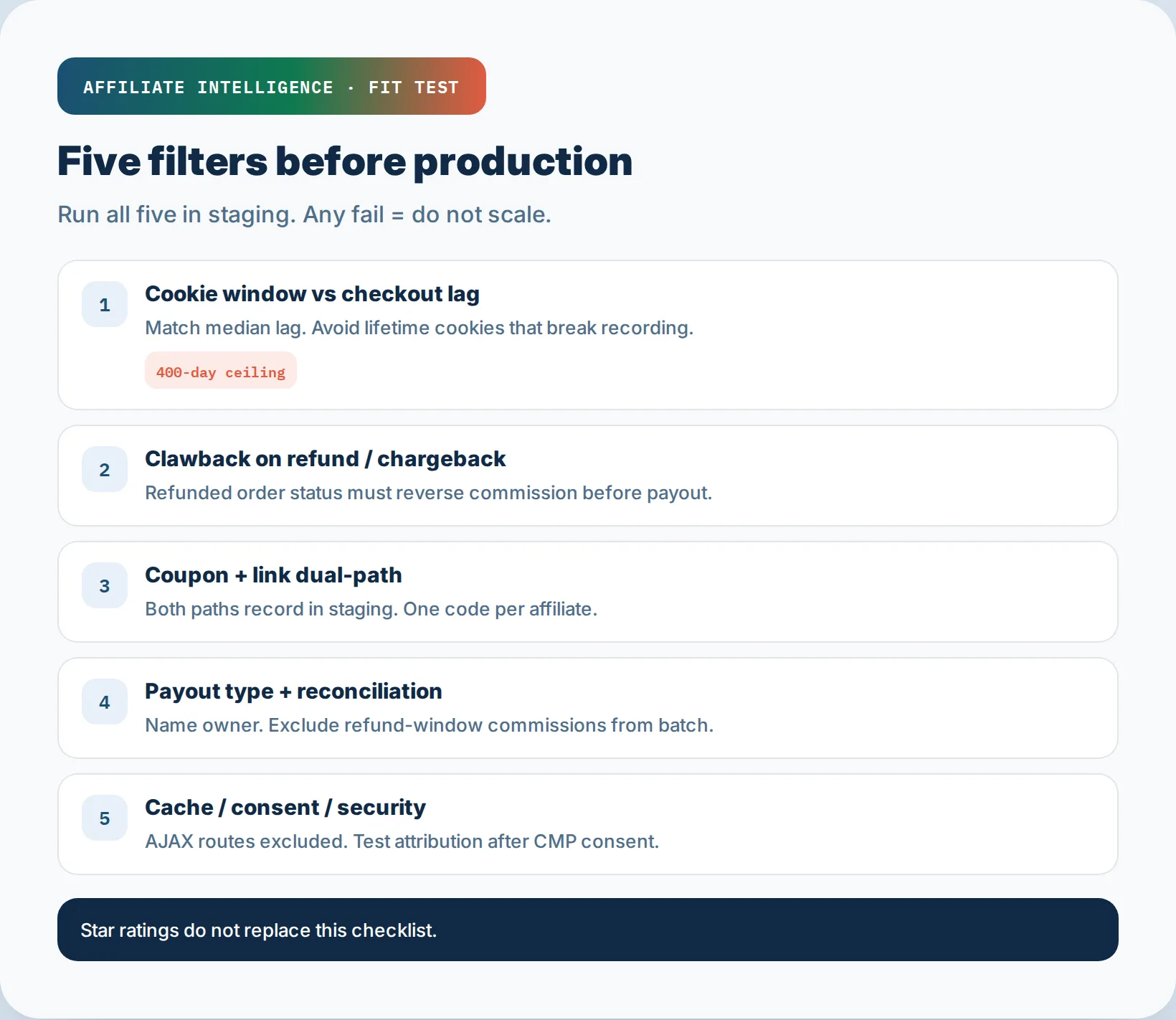
Cookie Window vs Checkout Lag + 400-Day Ceiling
Set cookie duration below the WooCommerce ceiling and matched to your median checkout lag. The structural trap: operators see a plugin offering 99999-day or lifetime cookies and assume longer is safer. It is not. Extreme durations can stop WooCommerce from recording referral cookies at all.
WooCommerce affiliate tracking is cookie-based. Common tools expose a cookie duration setting, often defaulting around 60 days, with 0 for session-only. Safari ITP complicates persistence further, deleting JavaScript-set persistent cookies after 7 days. A long cookie is not a safer cookie when the browser silently deletes it.
What matters is that the cookie remains alive long enough for your median checkout lag, not forever. If your median consideration-to-purchase window is five days, a 30-day cookie is enough. If it is 45 days, set 60 and verify. Anything beyond the platform max is a recording risk, not a benefit.
Checkpoint: Cookie duration is set below the ceiling and matched to your actual checkout lag, confirmed by a staged purchase.
Refund/Chargeback Clawback Wired to Order Status
A reversal rule that never fires is a commission leak. A well-designed hold period eliminates most common clawback situations. Chargebacks can outlive a short hold period, and per-transaction chargeback fees are non-trivial.
This is where the clawback prevention manual applies. Before scaling, confirm that order status changes drive commission reversal. Run a staged order through Processing, then refund it. Did the commission status shift from Unpaid to Rejected? If not, your plugin is not wired correctly.
Configure a refund period that sits inside your payout cycle. If your refund policy is 60 days, commissions should not become payable before day 60. Exclude refunded orders from auto-payout.
Checkpoint: Order status change to Refunded triggers commission reversal, and your payout cycle respects the refund window.
Coupon + Link Dual-Path Tracking and Public Code Devaluation
Influencer promos often use codes. Some free plugin tiers track one path but not the other. Vet both.
Test the link path: click affiliate link, checkout without a code, verify commission. Test the coupon path: apply an affiliate coupon at checkout, verify commission. Then test the conflict: click one affiliate’s link, apply another affiliate’s coupon. Which one wins? That decision should not be a mystery.
Public reusable coupon codes devalue product and muddy attribution. Shared codes create conflicts because more than one partner claims the same conversion. First-visit partner credit with durable association beats code-only promos when margin matters. The full treatment lives in the coupon cannibalization piece, but the fit decision is binary: if a candidate plugin cannot track coupon and link paths independently, it fails.
Checkpoint: Both coupon and link paths record attribution in staging, and you have defined code ownership rules.
Payout Type and Reconciliation
Name the payout method before recruiting. Manual CSV or PayPal versus in-plugin batch matters for admin load. Store credit versus cash payout is an admin and tax fork early, and I am not giving tax advice beyond this: confirm with your accountant.
Reconcile refunds before payout. Your staging test should confirm that refunded commissions are excluded from the payout batch, not reconciled by hand after the fact. If the plugin’s pending payouts screen includes commissions still inside the refund window, that is a fail.
Checkpoint: Payout method is named, reconciliation owner assigned, and refund-period commissions are excluded from payouts.
Cache, Consent, and Security Conflicts
Blank affiliate dashboards often trace to cache or security plugins blocking AJAX registration routes, not dead plugin core. Wordfence blocking AJAX requests is a common cause. Caching plugins can prevent referral cookies from being set when a page is served from cache before PHP runs.
The consent collision is equally structural. EU/EEA cookie rules mean affiliate cookies may require consent under the ePrivacy Directive and GDPR. If your CMP blocks affiliate cookies until consent, test attribution after the consent flow, not only in incognito with CMP disabled. If you only test without consent, you are testing a path real EU visitors never see.
Conflict isolation procedure: enable WP_DEBUG and a debug log, deactivate affiliate add-ons, then reactivate one-by-one. Deactivate and reactivate the core affiliate plugin when tables look corrupt - many stacks recreate their wp_{plugin}_* tables on reactivation. Flush Redis or LiteSpeed object cache. Reduce to the affiliate plugin alone, then re-enable cache, security, and consent plugins one at a time while testing registration and cookie set. Document the addon or core version that broke the path.
Your staging cache exclusion list should include affiliate registration pages, referral URLs containing ?ref= or ?coupon=, and affiliate dashboard pages. When cache ignores those routes, tracking logic executes.
Checkpoint: You have a cache exclusion list, a CMP consent test plan, and a conflict isolation procedure documented for production triage.
Step 4: Run the Attribution Debug in Staging
The full attribution checklist is covered in the affiliate link tracking best practices and the SubID definitive guide. For this fit test, run six probes in order:
- Link-path click: click an affiliate link, complete a guest order, and confirm the commission records.
- Coupon-path application: apply an affiliate coupon at checkout with no prior link click, then confirm commission records.
- Conflicting link/coupon path: click affiliate A’s link, apply affiliate B’s coupon, and document which affiliate receives credit.
- Guest checkout: confirm tracking works for logged-out buyers, because many programs fail only in guest flows.
- Server-side tracking check: verify the affiliate ID is captured on first landing into a cookie, session, or database, not read from the checkout URL.
- Backend/manual order assignment: assign an order to an affiliate from the WordPress admin and confirm the commission appears without a referral link.
Do not chase UTM parameters disappearing at checkout. That is normal. WooCommerce checkout is a separate URL from the product page, and GA4 carries session attribution downstream automatically. The real bug is when the affiliate plugin fails to capture the affiliate ID on the landing page. Confirm UTM parameters survive redirect and strip plugins before declaring affiliate tracking broken, but keep the payout ledger on first-landing capture, not checkout URL visibility.
Checkpoint: All six probes pass in staging, and you have stopped chasing checkout UTM loss.
Cross-Channel Double-Count Trap
Affiliate cookies fire on click, but the same order can also appear in SEM or email channel reporting. Without exclusion rules, stores overpay affiliates or fight attribution disputes. Name which ledger wins for payout before you scale partner count. Typical pattern: pay affiliates from the affiliate plugin ledger, then exclude affiliate-tagged orders from paid-media last-click credit in Ads or GA4 so the same sale is not claimed twice. Soft-link the tracking best practices for join logic; the fit gate here is simpler - write the exclusion rule before the first payout batch.
Checkpoint: Payout ledger and paid-media reporting each have a named exclusion rule so one sale is not paid twice.
Step 5: Minimal Patterns That Keep the Affiliate Ledger Honest
This section is a hold-the-line list, not a deep dive. Each rule cross-references the step where it already lives.
- 400-day cookie ceiling: covered in Step 3. Do not set lifetime cookies as a trust signal.
- UTM-strip misdiagnosis: covered in Step 4. Confirm first-landing capture before blaming UTM loss.
- AJAX/cache blank dashboard: covered in Step 3. Deactivate and reactivate one plugin at a time.
- CMP collision: covered in Step 3. Test after consent, not only with consent disabled.
- Backend B2B assignment: assign customers to affiliates manually for rep or B2B programs. No referral link, no cookie, no consent collision.
- Public code devaluation: covered in Step 3. One code per affiliate. No shared public codes.
- Export lock-in: covered in Step 2. Vet export paths before install, not after migration pressure.
- Free-until-failure gate: covered in Step 2. If a free tier cannot track both link and coupon paths in staging, it is not free at production revenue.
Backend customer assignment for rep/B2B programs: a rep brings a B2B client. You assign the resulting customer account to that rep in admin. Future purchases credit the rep. The customer never sees an affiliate link.
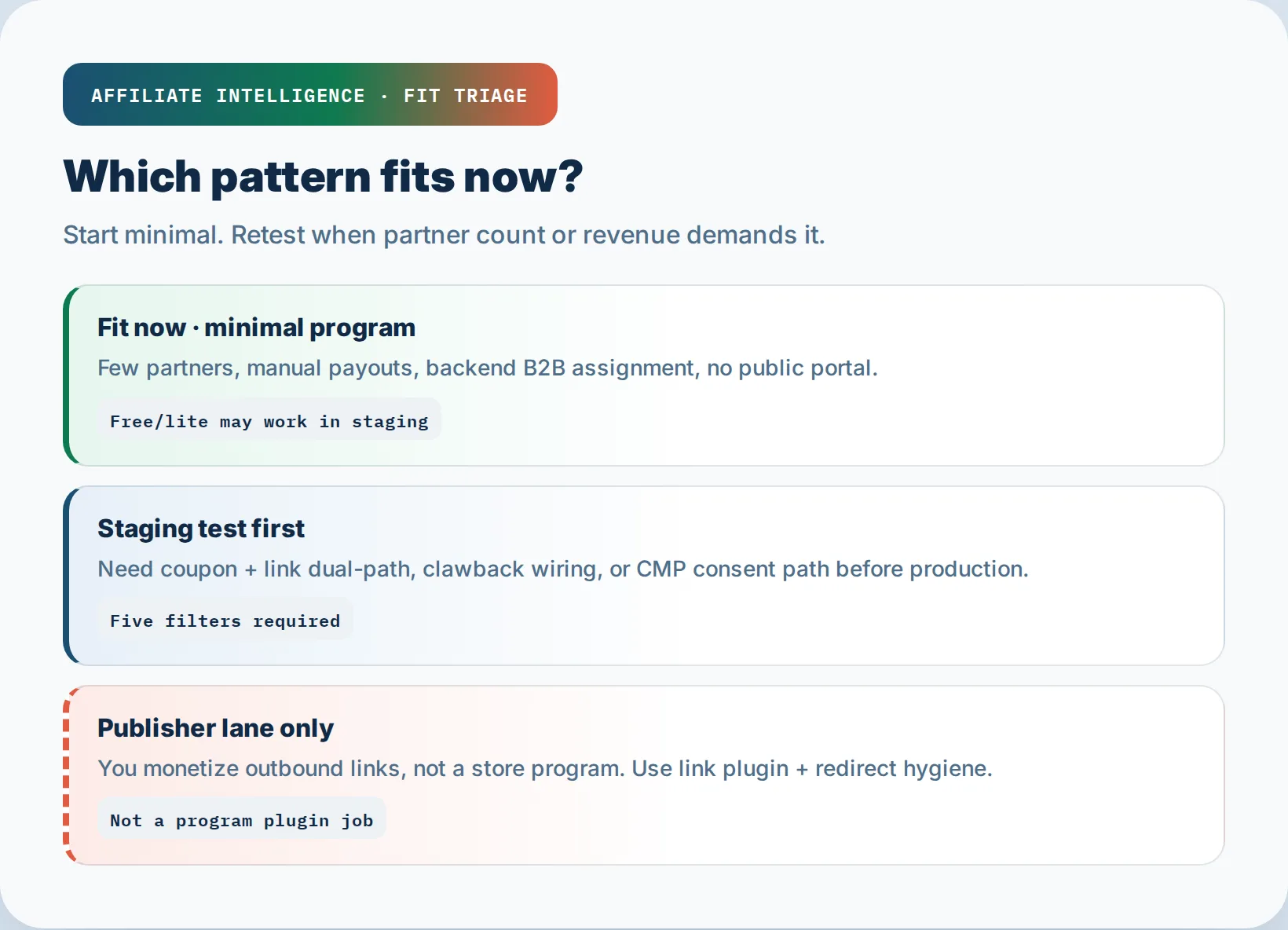
Minimal partner fit: a few partners, no portal, manual payouts. A free plugin covering a single global commission rate and manual payouts can fit. Retest when the partner count demands more.
Checkpoint: You have chosen the minimal pattern that fits your partner count, and you know the trigger for revisiting.
Step 6: Publisher Lane: Cloaked Links and Redirect Hygiene
If you landed on a “best affiliate plugin” roundup and only need to monetize outbound links, this is your section.
Outbound param stripping is silent commission loss. A redirect that quietly drops SubIDs or UTMs destroys the reporting affiliates rely on. Two cloaking types matter for publishers: (1) simple redirect or slug masking from a WordPress link plugin - clean URL in content, full tracking URL on hop; (2) advanced traffic-filtering ad cloakers for paid ads - out of scope here and not default affiliate hygiene. Email ESPs often cloak links already for click analytics, so stack another cloaker only when you understand the hop. The hard line is simple: if the hop hides the destination from a reviewer, it is cloaking, and Google’s circumventing systems policy applies. If it keeps the same honest offer trackable, it is hygiene.
The full redirect hygiene audit lives in the outbound redirect piece and the tracking best practices. The one-line rule: verify the affiliate ID, SubID, and UTM values survive the redirect chain. If they do not, fix the redirect before scaling publisher traffic.
Checkpoint: Outbound link library preserves tracking parameters end-to-end, verified by curl or server logs on staging.
Step 7: Activation: Recruit Only After the Staging Ledger Holds
After all five fit filters pass, export a clean staging configuration, move to production, enable cache exclusions and CMP consent settings, then recruit affiliates. Do not reverse the order.
Onboarding pack beats feature shopping. Write one page: program terms, commission rate, cookie window, payout schedule, and how to get links. Write a second page: three swipe examples, two social captions, and a product shot. That is the pack.
Launch sequence: validate production conversion before recruiting affiliates. Recruit the first few partners manually. Treat the first week as post-launch QA for the pack, not a growth sprint.
Go/no-go activation checklist:
- Five fit filters passed in staging.
- Staging configuration exported.
- Production cache exclusions enabled.
- CMP consent settings configured for affiliate cookies.
- First partner onboarding pack written.
Checkpoint: Production ledger holds under real orders, and the first partners have the onboarding pack before scaling.
Step 8: Troubleshooting the Silent Attribution Breaks
Six silent failures, six staging tests.
Blank affiliate dashboard after cache plugin update. This is AJAX blocking, not dead plugin core. Deactivate cache/security plugins one at a time, flush object cache, and test registration. When the dashboard returns, add the exclusion rules from Step 3.
Referral cookie not set when cache serves page before PHP. Exclude affiliate landing pages and referral URLs from cache. Test with cache disabled, then enabled.
CMP blocking affiliate cookies until consent. Configure the CMP to load affiliate tracking only after consent events fire. Test the full consent flow in staging.
UTM-strip misdiagnosis. Confirm UTM parameters survive redirect and strip plugins before declaring affiliate tracking broken. The capture point is first landing, not checkout.
Missing backend B2B assignment. Check the manual assign/unassign workflow in admin. Confirm future purchases credit the assigned affiliate.
Clawback reversal not firing on refund. Check that Refunded status is wired to commission status in plugin settings, and that custom order statuses are registered on the right hooks. Cross-check with the clawback guide.
Checkpoint: Each silent break has a documented staging test and a named owner for production triage.
Closing
Context that stays short: physical-product stores can run affiliate programs too; word-of-mouth purchases without a referral link earn zero under standard cookies, so set partner expectations or add a coupon fallback; a UTM-plus-spreadsheet tracker can work for a handful of influencers and breaks when payouts and portals become the bottleneck; self-hosted plugins suit owner-led programs, while larger networks are a scale conversation - not a shopping list here.
Pick the right job first, run five filters in staging, then recruit. Plugin shopping without fit tests is how stores lose the first large referral.