Why Moz Is Not Showing Your Links (Incomplete Reports Are Normal)
Stop assuming Moz is broken. A thin or empty Link Explorer report usually means incomplete discovery or crawl access - not proof your links vanished. Moz’s index is large but partial by design. The fix is not to wait longer. It is to run the Help failure-mode ladder, cross-check Google Search Console, separate site-crawl counts from inbound index counts, and then escalate to the affiliate outbound QA Moz never covers. That is the whole triage. By the end of this piece, you will have a tagged reason for every missing link sample.
Prerequisites
Before I trust a panic, I build the workbench. You need five things.
- The target URL in Link Explorer - root domain plus your top revenue pages. Run each separately.
- A GSC Links export sample - your top linking domains and top linked pages. This is the cross-check.
- Robots.txt access - for the domains supposedly linking to you. You’ll check Dotbot directives directly.
- One site-crawl export if available - Screaming Frog or any crawler that counts outbound and internal links. This is the comparison tool.
- A list of recent placements - the specific pages where you or a partner placed links within the last 90 days.
If this is your first time using Moz’s scout view, read the pillar first: Moz Link Explorer affiliate audits (what it catches and misses) . That piece covers what Link Explorer catches and misses for affiliate audits. Do not rebuild it here.
✓ Checkpoint: You have a sheet with the target URL, GSC sample, robots.txt, one crawl export, and recent placements.
Reject the Failed Assumption - Missing Moz Rows Mean Links Vanished
The failed assumption is that a missing row in Link Explorer means the link is gone. It doesn’t. Moz’s index is not a mirror of the live web. It is a partial index built by Dotbot, which starts from high-value pages and follows links. When a link doesn’t show, three structural explanations apply before you consider deletion:
- Discovery lag - the referring page hasn’t been found yet.
- Crawl access - Dotbot is blocked or can’t parse the page.
- Non-indexing conditions - the page is non-HTML, canonicalized elsewhere, noindex, or returns a server error.
Deletion is not the default explanation. Panic framing makes you chase ghosts. Reject it.
Before I trust an empty report, I check whether the page containing the expected link is indexed by Moz. Enter the referring URL into Link Explorer. If Moz has no data for that page, the link can’t appear - because the page itself isn’t in the index. That’s a discovery problem, not a link loss problem.
I’ll say it again: do not conclude a backlink vanished because a third-party index doesn’t list it. Cross-check before you rewrite anything.
✓ Checkpoint: You’ve written "discovery/crawl/access" next to the missing link, not "vanished."
Incomplete Index Is Normal - Cross-Check GSC Without Crowning Either
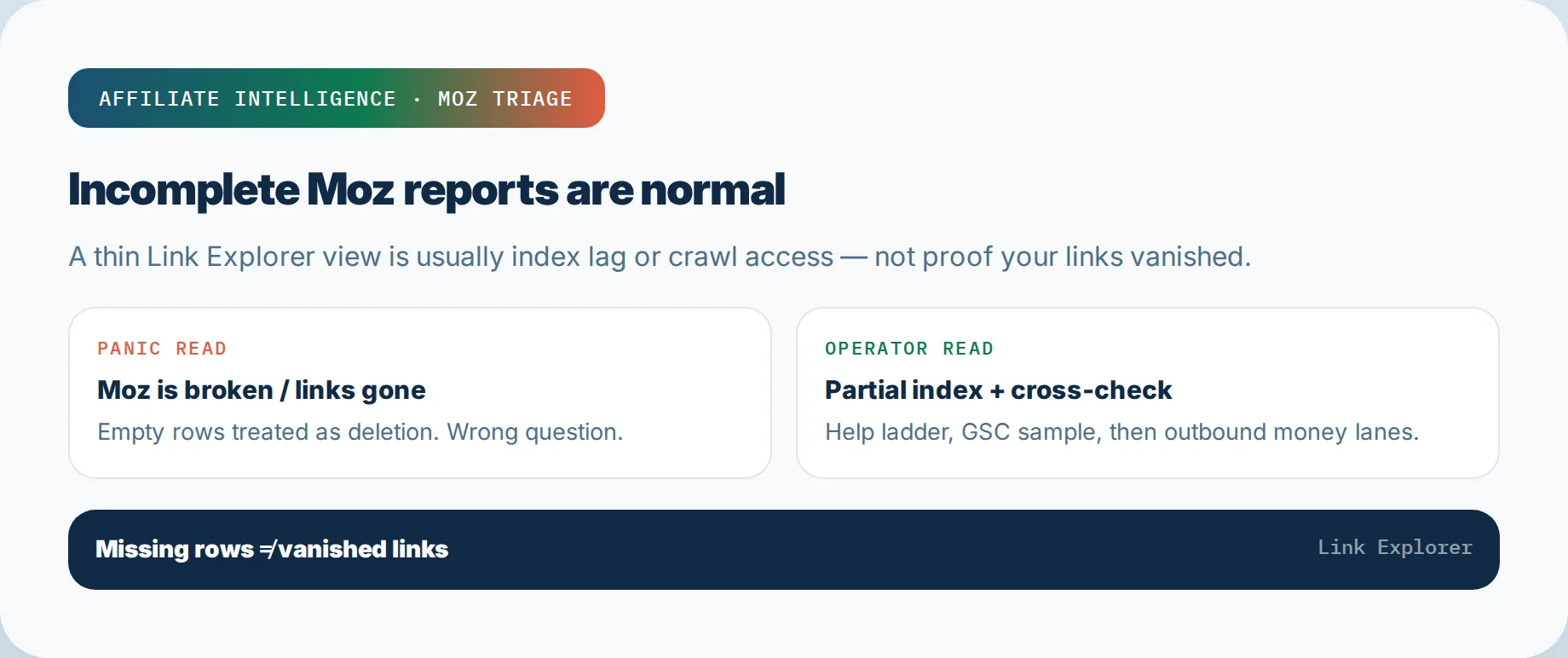
Moz says it plainly: "Our index is large but it doesn’t cover the whole web." That’s from the How We Index page: https://moz.com/help/link-explorer/getting-started/how-we-index . That sentence should end the "Moz is broken" theory for most cases.
Moz references its link index size as 45.5 trillion links and 8.7 trillion URLs on its Link Explorer page. That’s huge. It is still not the web.
Google Search Console is not the web either. GSC’s Links report is itself a sample. But it usually shows linking domains that Moz misses. The task is paired sampling, not crowning one tool as truth.
Run this three-way check:
- Export top linking domains from GSC.
- Export what Moz shows for the same domain.
- Put both in one sheet, side by side.
The duplicates matter less than the gaps. If GSC lists 40 domains Moz doesn’t, you now have 40 URLs to open and evaluate manually. If Moz lists 10 GSC doesn’t, same thing.
GSC shows links Moz misses because Googlebot and Dotbot start from different corners, have different discovery schedules, and treat some pages differently. Neither is complete.
What do you do with disagreement? Sample. Open the mismatch URLs. Check whether the linking page is live and relevant. That’s the actual audit. The backlink index is just a lead list.
Do not crown GSC either. Its export is capped, and Google’s sample skews toward what Googlebot has reason to crawl. The point is disagreement, not superiority.
✓ Checkpoint: You have a two-column sheet (Moz vs GSC) for your top linking domains, and you’ve opened at least three mismatches by hand.
Site Crawl Is Not Link Explorer
A common confusion: you open Screaming Frog or Moz Site Crawl and see zero internal links. Then you assume Link Explorer is broken. It isn’t. A site crawl and an inbound link index are different tools answering different questions.
Site crawl (Screaming Frog or Moz Pro Site Crawl):
- Crawls your own site from a start URL.
- Counts outbound affiliate links, internal links, redirects, status codes.
- Workhorse for outbound affiliate QA.
Link Explorer inbound index:
- Sample of backlinks from across the web pointing to your domain.
- Built by Dotbot crawling third-party pages.
A zero internal count in Link Explorer often means access problems, not an empty site. Moz’s own Help page states this: "If you are seeing an internal link count of 0, it could mean that we haven’t attempted to index your site yet or that our crawler, dotbot, is being blocked from crawling your site." That’s from https://moz.com/help/link-explorer/link-building/moz-isnt-finding-your-links .
So before you decide your internal linking strategy is invisible, check robots.txt and server whitelisting.
Why does this distinction matter for affiliate money? Your own site’s outbound links - the /go/ and /refer/ redirects - are invisible to an inbound backlink index. A backlink checker cannot see stripped SubIDs, dead ASINs, or redirect chains on your own pages. Those live in the crawl export. If you want to know whether your affiliate links are healthy, crawl your own site. Link Explorer won’t answer that.
Name which tool answers which question before opening any report. Run the crawl for outbound health. Use Link Explorer only for off-page scouting.
✓ Checkpoint: You can state in one sentence: "Site crawl = outbound health; Link Explorer = inbound scout sample."
Run the Moz Help Failure-Mode Ladder
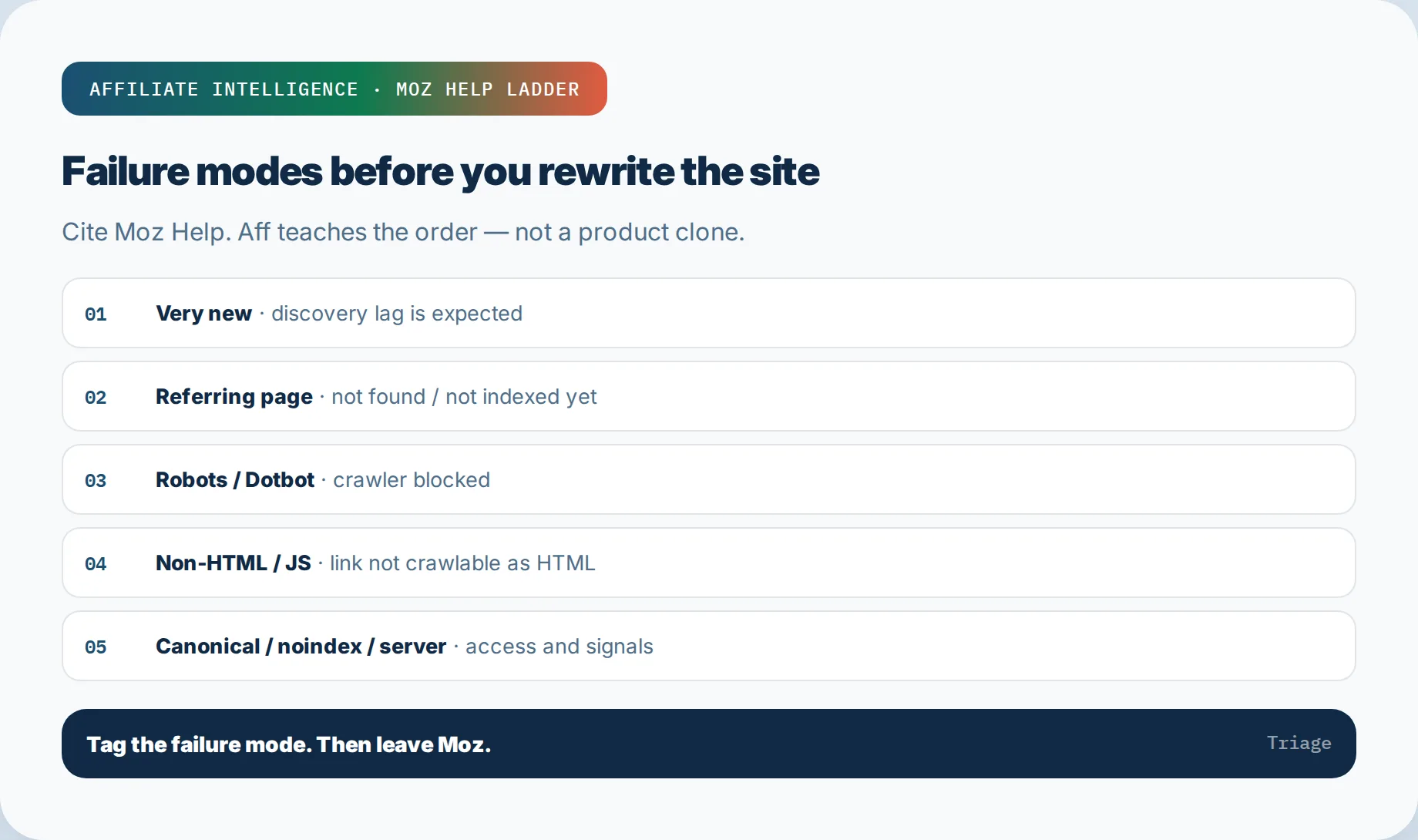
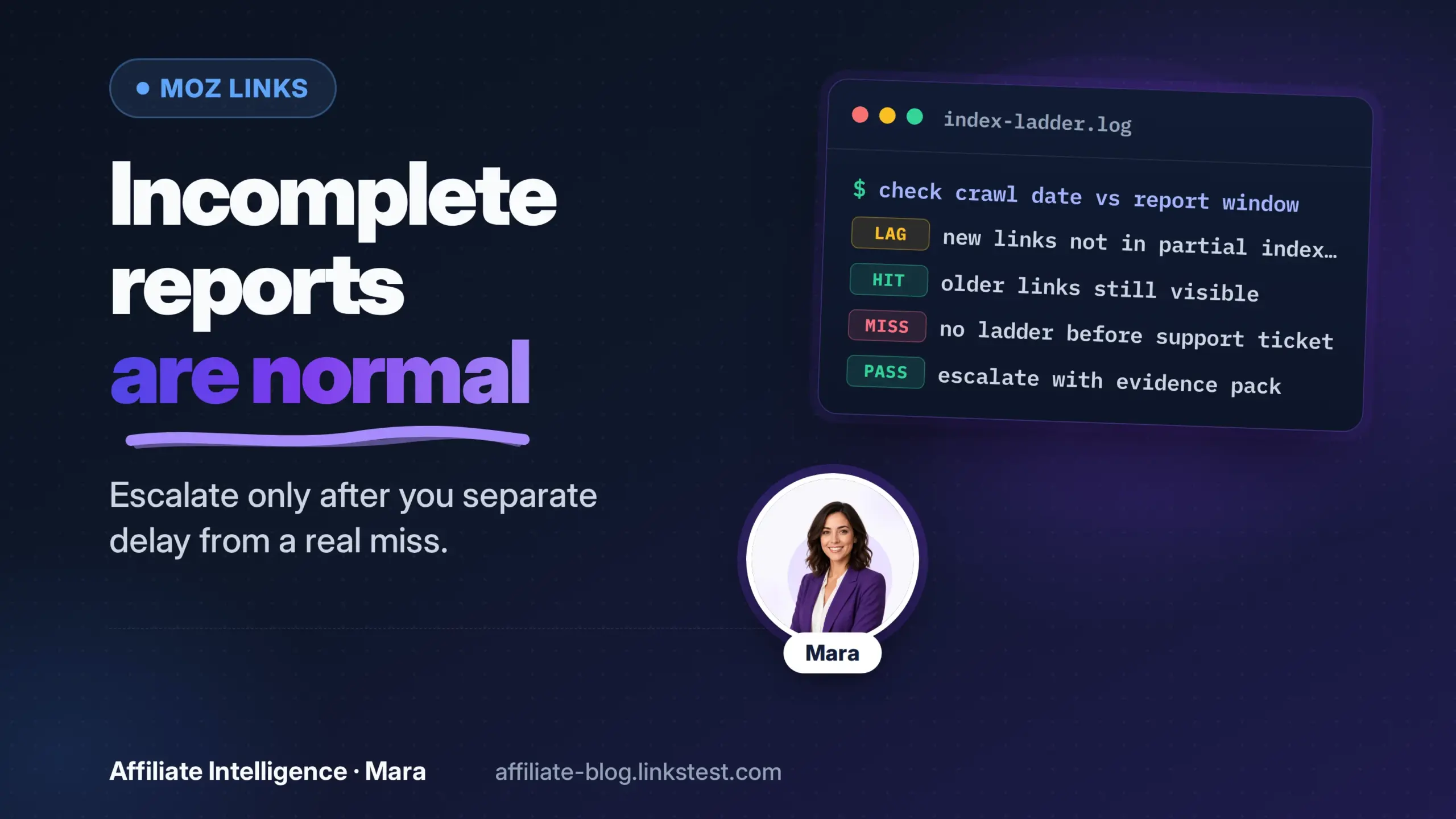
This is the core. Moz’s own Help page lists the failure modes for missing links: https://moz.com/help/link-explorer/link-building/moz-isnt-finding-your-links . Run these in order. Stop at the first one that matches your missing link, and tag it.
Step 1: The link is very new.
Moz Help says newly discovered links have the ability to be populated into the index in about 3 days after discovery, but discovery date is not the same as creation date. If the placement is under 30 days old, tag it "new/lag" and move on. Do not wait longer before checking the next modes.
Step 2: We haven’t found the page.
The web is large; Dotbot starts from high-value pages. A backlink on a small blog that no high-authority page links to may sit undiscovered for months. Check whether Moz has indexed the referring page. If not, tag "referring page not found."
Step 3: Robots/Dotbot blocked.
Check the referring domain’s robots.txt. Type:
https://example-referrer.com/robots.txt
Look for:
User-agent: *
Disallow: /
or:
User-agent: dotbot
Disallow: /
Either one blocks the crawl. Moz won’t index the page. Fix by asking the referring site to whitelist Dotbot.
Step 4: The link is not HTML.
Moz crawlers find and follow HTML <a href> links. JavaScript-rendered links or browser-only views won’t be parsed. Right-click the page, click View Source, and search for your URL. If it’s not in the source as an href, tag "non-HTML/JS-only."
Step 5: Canonicalization.
Moz requires a self-referential canonical URL - character for character, protocol and case sensitive - to crawl a page for links. If the page the link sits on has a canonical pointing to a different URL, or no canonical, Moz may index the page but not crawl it for content. Check the source for:
<link rel="canonical" href="...">
If it doesn’t match the exact page URL, tag "canonical mismatch."
Step 6: Noindex.
If the page has a noindex meta tag or X-Robots-Tag, Moz won’t display link data. Check the source for:
<meta name="robots" content="noindex">
or check HTTP headers. Tag "noindex."
Step 7: Server block.
Even if robots.txt allows Dotbot, the server can block it via WAF, Cloudflare rules, or aggressive bot protection. Moz may receive a 403 or a challenge page. Check your server logs for Dotbot requests and 4xx/5xx responses. Tag "server block."
After you’ve tagged each missing link sample with one of these modes, you can decide the next move. If it’s new or undiscovered, queue it. If it’s robots/Dotbot, noindex, or server block, that’s an access fix, not a Moz bug. If it’s canonical or non-HTML, fix the referring page.
Run the ladder, then leave Moz. Do not sit in the tool waiting for the row to appear. The ladder tells you whether the problem is yours, the referrer’s, or just time.
✓ Checkpoint: Each missing link in your sample has a failure-mode tag: new, not found, robots/Dotbot, non-HTML, canonical, noindex, or server.
Optional Queues and Migration Sanity Checks
Two optional checks before you rewrite anything. First, Link Tracking Lists. Moz lets you add specific URLs to a queue so Dotbot crawls them. Moz Help for the ladder mentions this: "We recommend adding the URL containing the link to your site to a Link Tracking List to help monitor the discovery of your backlinks." Add the exact referring-page URL, not the domain home page. If the page is accessible and parseable, it should appear in the index within about 3 days of discovery, according to Moz Help.
The tracking list is a queue, not a guarantee. If the page has a robots block or non-HTML link, the queue won’t fix it. Use it only after the ladder says "new" or "not found."
Second, migration and 301 sanity checks. If you recently moved domains, changed from HTTP to HTTPS, or added/removed www, check whether the 301 redirect is properly mapped. Moz’s redirect guidance says a proper 301 passes 90 to 99 percent of original link equity, but irrelevant bulk redirects may be treated as 404s. The source: https://moz.com/blog/save-your-website-with-redirects .
Use a hop trace to confirm the old referring URL resolves to the new page without loops:
curl -s -o /dev/null -w "%{http_code} %{url_effective}n" -L --max-redirs 5 "https://old-referrer.example/old-page"
Why this works: a blind follow hides a redirect hop that drops the path or strips query parameters. Manual logging shows the chain and final URL. If the old page 301s to the homepage, tag "wrong migration 301." That’s a real issue, but it’s not a Moz failure.
Do these before rewriting the site. A tracking list queues discovery. A 301 check confirms migration hygiene. Neither requires buying a new tool.
✓ Checkpoint: You’ve queued new/undiscovered referring URLs in Link Tracking Lists and verified 301 final destinations for any moved pages.
Escalate to Affiliate Money Lanes Moz Never Covers
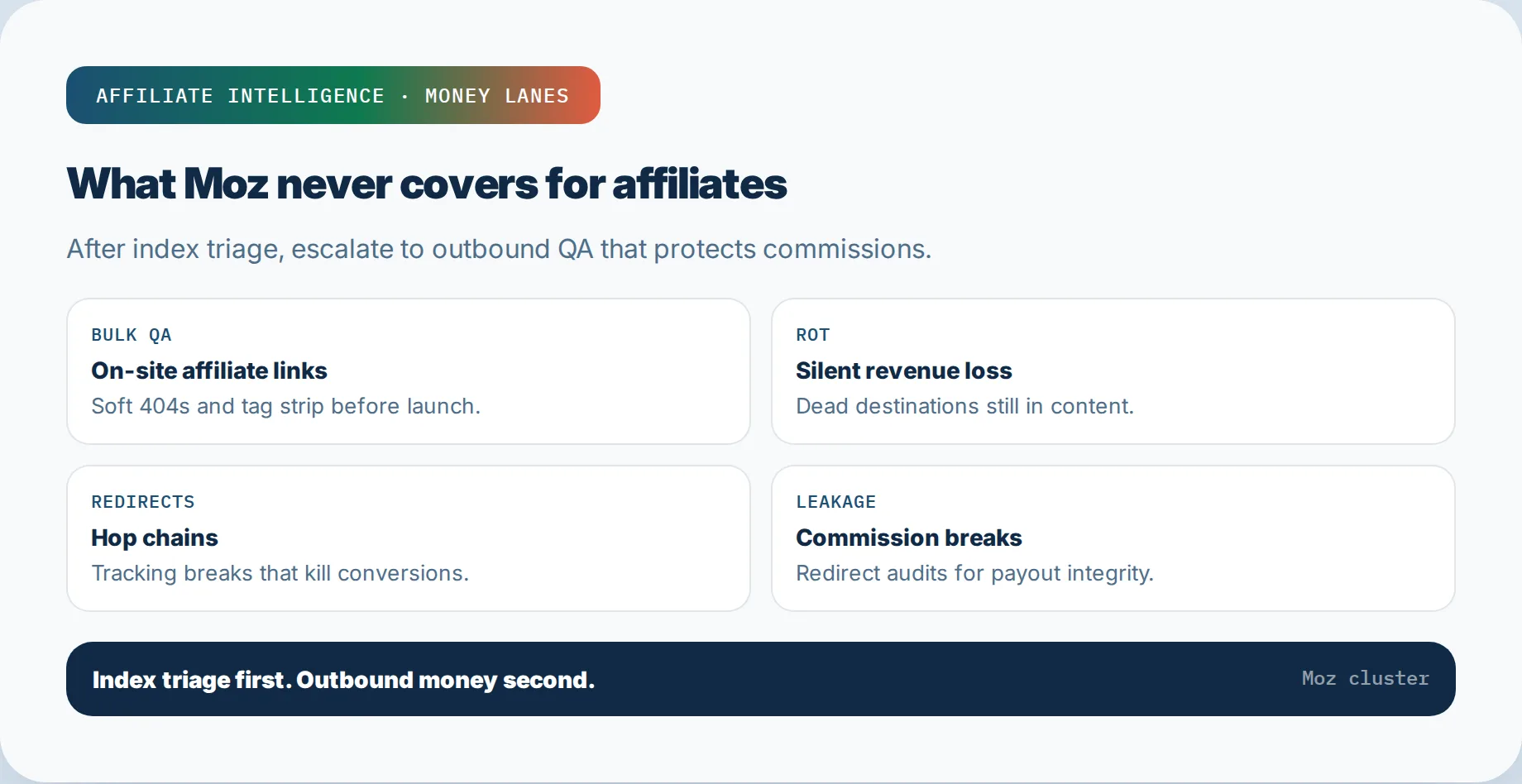
Here’s the hard part. Moz was never designed to catch on-site affiliate failure modes. Once you’ve ruled out inbound index gaps, the real money question shifts to your own outbound links.
Moz won’t see:
- Soft 404s (empty product shells returning 200)
- Out-of-stock variants
- Redirect chains stripping your SubID
- Dead deep links after merchant URL changes
- Tracking parameters stripped mid-chain
Those live in your own site’s link health. The right next stops:
- Bulk pre-launch QA - for 500+ links before a campaign. This is the methodology: bulk affiliate link validation checklist
- Link rot revenue loss - the silent failures that cost commissions: affiliate link rot revenue loss
- Redirect chain detection tools - trace hops that kill conversions: redirect chain detection tools
- Redirect commission leakage audit - find tracking breaks after the chain: redirect chain commission leakage audit
- 200-tool free checklist - the three-lane scout, validate, monitor workflow: free backlink audit tools checklist
Use Moz for the inbound scout. Use your own crawl for the money lanes. Do not expect one tool to cover both. That expectation is what quietly leaks commissions.
✓ Checkpoint: You’ve identified which missing-link issues are inbound (Moz ladder) and which are outbound (crawl/QA), and routed each to the correct lane.
This-Week Triage Proof Pack
Close with a one-sheet. This is what you produce this week, without buying anything.
MISSING LINK TRIAGE - [DATE]
Target: [domain]
Sample size: [n missing links]

Failure-mode tags:
[ ] new/lag
[ ] referring page not found
[ ] robots/Dotbot blocked
[ ] non-HTML/JS-only
[ ] canonical mismatch
[ ] noindex
[ ] server block

Moz vs GSC gaps: [count]
Site crawl vs Link Explorer confusion: resolved? y/n

Outbound QA escalation:
[ ] bulk validation needed
[ ] rot check needed
[ ] redirect trace needed
That’s the proof pack. It shows you ran the ladder, cross-checked GSC, separated crawl from index, and routed the money lanes. If someone asks why the report looks incomplete, you have a tagged answer, not a shrug.
For deeper Moz scout interpretation - catches, misses, DA/Spam, free-vs-paid - use the pillar: Moz Link Explorer affiliate audits (what it catches and misses) . This piece is the not-showing triage; the pillar is the what-to-expect guide.
Next-week questions: Did queueing the URL change anything? Did whitelisting Dotbot fix the access failures? Are the outbound failures in the money lanes bigger than your inbound gaps?
If the index has rows but the CSV stops short, that is usually filters or plan ceilings - not clearance: Moz export incomplete - truncated CSV is not a clean-site certificate.
Troubleshooting Common Issues
Here are five common errors and their exact fixes when a Moz report looks incomplete.
Error 1: "I see 403 status codes in Top Pages."
Fix: Whitelist Dotbot fully on your server. A 403 means the server forbids the crawler. Check WAF rules and host-level bot blocking.
Error 2: "Moz shows fewer backlinks than Ahrefs."
Fix: This is expected. Every index uses its own crawler and builds a slightly different picture, as Moz Help states. Don’t treat count fights as malfunctions. Dedupe the lists manually.
Error 3: "Internal link count is zero but my site has hundreds of pages."
Fix: Check robots.txt and server access first. Then check that each page has a self-referential canonical. Zero usually means access, not absence.
Error 4: "Export is truncated."
Fix: Free-tier exports are narrow. If you need larger exports, you’ll need a paid tier or another tool. Structurally, a 10-query monthly free limit means you’re sampling, not auditing.
Error 5: "Spam Score jumped on a new domain."
Fix: Don’t panic. Spam Score is a triage hint based on on-site features, not a Google penalty. Check whether the score reflects actual spam or just newly registered domains. Manual inspection first.
Close with the triage questions, then hand off to the Moz Link Explorer affiliate audit guide for scout vs clearance. If the index gap is not the revenue story, switch lanes to silent affiliate tracking failure diagnosis - same operator, different instrument.