How to Detect Affiliate Brand Bidding (When They Say It Was Accidental)
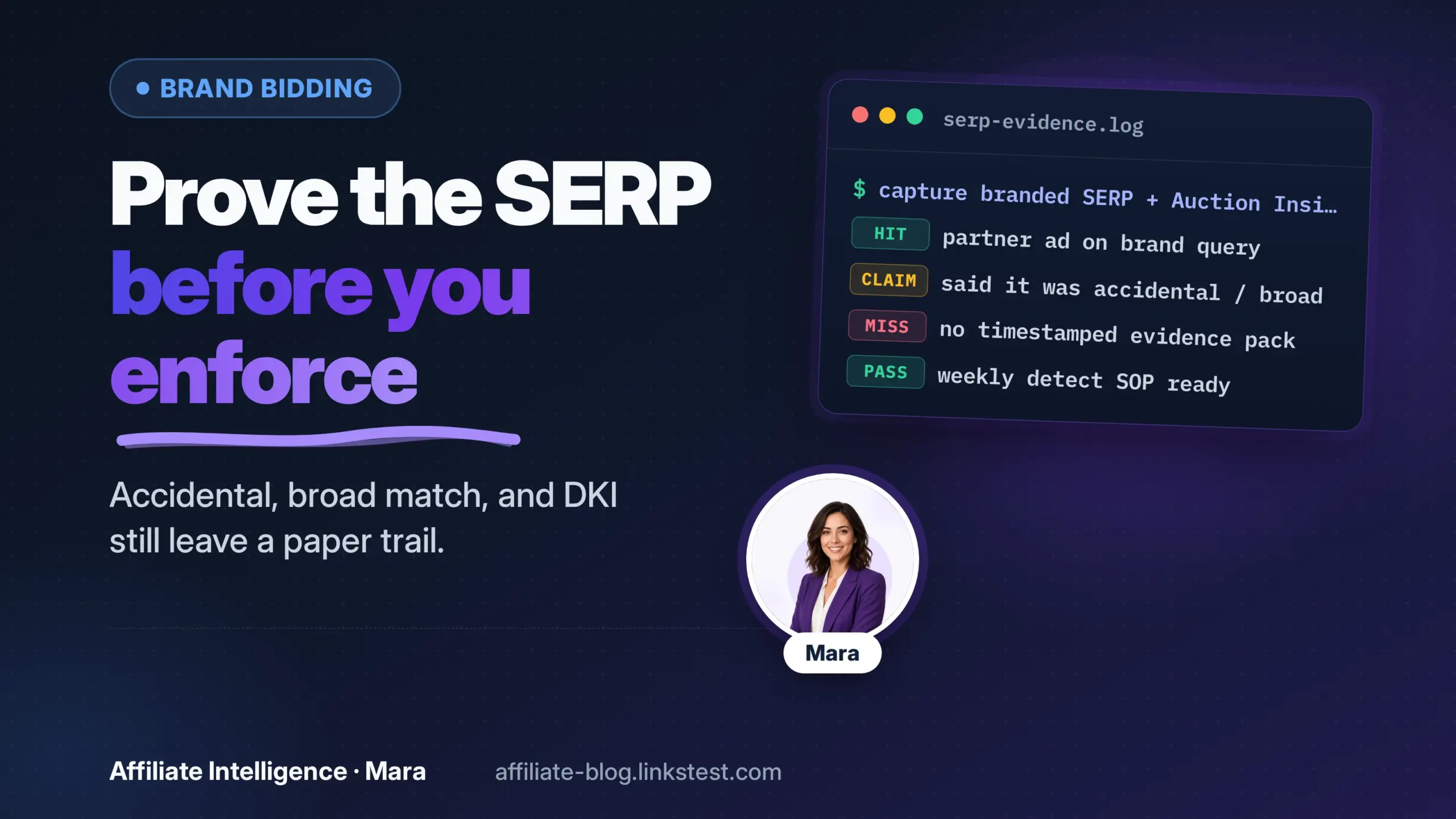
The short version: an affiliate ad on your brand SERP with a tracking path attached is a policy event. Motive is a second question. Broad match, dynamic keyword insertion, Smart Bidding and Performance Max can all produce that event without an intentional brand bid in the account. That does not make it harmless. You prove the SERP this week, then decide enforcement based on the clause you already have, not on whether the partner sounds honest.
Prerequisites: What to Have Before the First Search
Before I trust any accident excuse, I want the raw inputs, not a dashboard story. Have these ready.
- Program terms with the PPC or trademark clause and version date saved.
- Brand term list: root brand, misspellings, prefix variants, “brand review,” “brand signup,” “brand coupon.”
- Affiliate network reporting access so you can tie a SubID to a partner.
- Google Ads access or the Ads Transparency Center access.
- A timestamped screenshot system with location, device, and query captured.
- A this-week detection calendar, not an ad hoc check.
The Ad Preview and Diagnosis tool helps you preview brand SERPs without accumulating impression data, and it supports location and language settings. Auction Insights has a minimum activity threshold, so do not expect it to open with zero volume on a small account. The raw inputs come first, especially the clause and the brand variant list.
✓ Checkpoint: you have the program TOS, brand variants, network reporting, and a capture method open before running detection.
Step 1: Separate the Excuse from the Policy Event
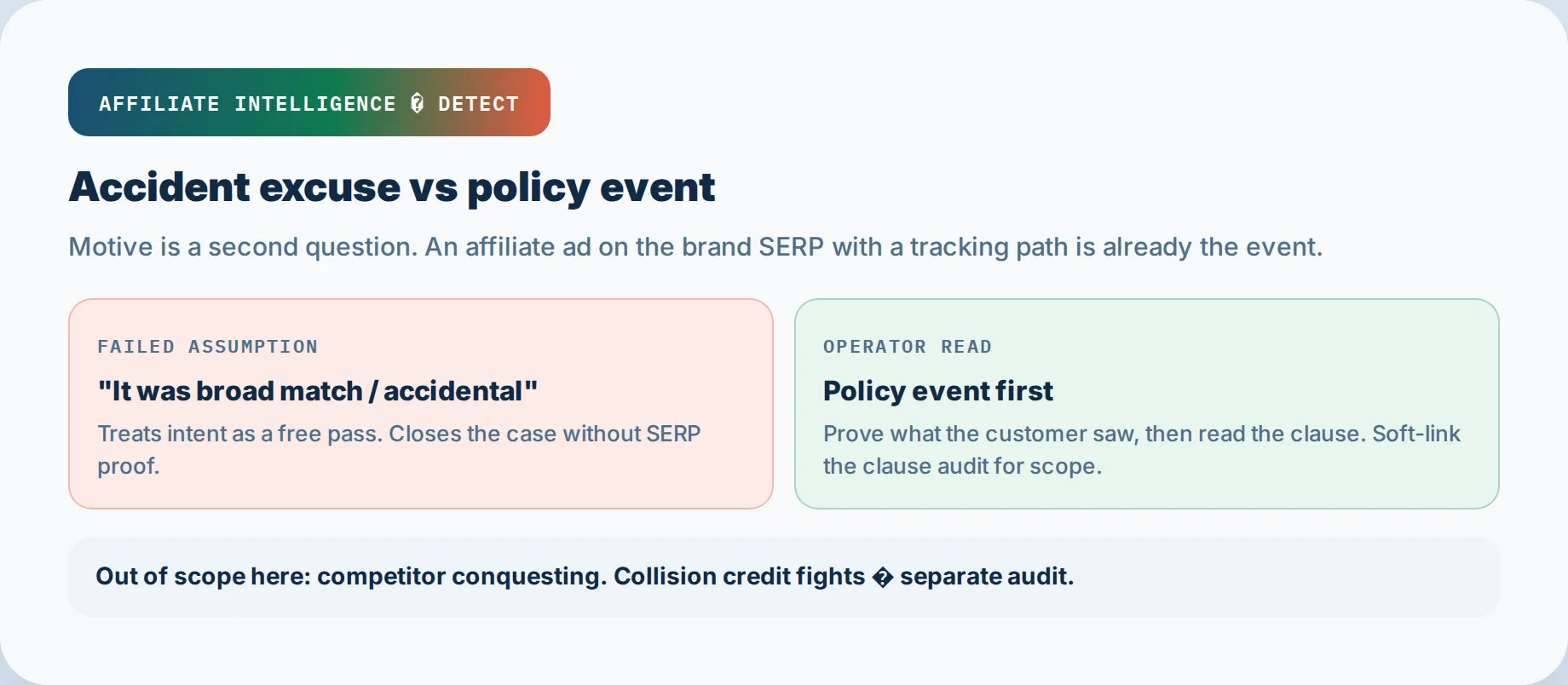
The failed assumption is, “They said it was accidental, so it is not brand bidding.”
That collapses motive into outcome. The problem is not whether they meant it. An ad on the brand SERP with an affiliate path is already a policy event. Accident is still a policy event, not a free pass. I’ll say it again: prove the SERP, then enforce.
What you are detecting is affiliate brand SERP interception: a partner, subnetwork, or their search campaign taking a brand or brand-adjacent query to a commissionable click. This is not competitor conquesting; that is a different program-level problem and out of scope here. It is also not internal attribution collision, which is a last-click math fight between your own brand SEM and an affiliate assist. If both dashboards look true and the issue is credit overlap, not keyword bids, hand it to the PPC attribution collision audit.
Broad match can match searches that do not contain the keyword terms, so the account owner may truthfully say “I did not add your brand.” That fact does not remove the SERP. Google Ads Help documents broad match matching related searches that may not include the original word. The policy question stays: what did your customer see?
✓ Checkpoint: you can state the policy event, separate it from attribution collision, and avoid treating the accident claim as a legal verdict.
Step 2: Run Auction Insights Without Mistaking It for a Closed Case
Auction Insights is a lead, not a verdict. Prove the SERP, not the partner’s intent.
Log Auction Insights advertisers and respect the 10 percent gap
Open Auction Insights on branded campaigns and keywords. Segment by time and device. Log unfamiliar advertisers. The report only shows advertisers competing in auctions where you also participated, and Google says it does not show insights when impression share is less than 10 percent. A clean report is not a clean SERP. You have a suspect list, not proof.
Add Ads Transparency Center and partner cross-check
Do not buy a brand-bidding monitor before you use the free layer. The Ads Transparency Center shows advertiser data and active ad creative by advertiser. Cross-check unfamiliar domains or advertiser names against your affiliate partner records and subnetwork agreements. That shortens the list from “unknown bidder” to “named partner.”
Schedule geo and time-block SERP checks
A single office search under-samples geofencing and dayparting. Schedule brand searches by target geo, device, and daypart: two geos, two devices, at least two time blocks. Use Ad Preview where possible so you do not pollute impression data.
If the next move is to analyze search-term overlap in your own account, the PPC-affiliate overlap detection method covers the export join. Do not rebuild that essay here.
✓ Checkpoint: you have a suspect list from Auction Insights, a Transparency Center cross-check, and a scheduled SERP sampling plan.
Step 3: Build an Evidence Pack That Survives the Excuse
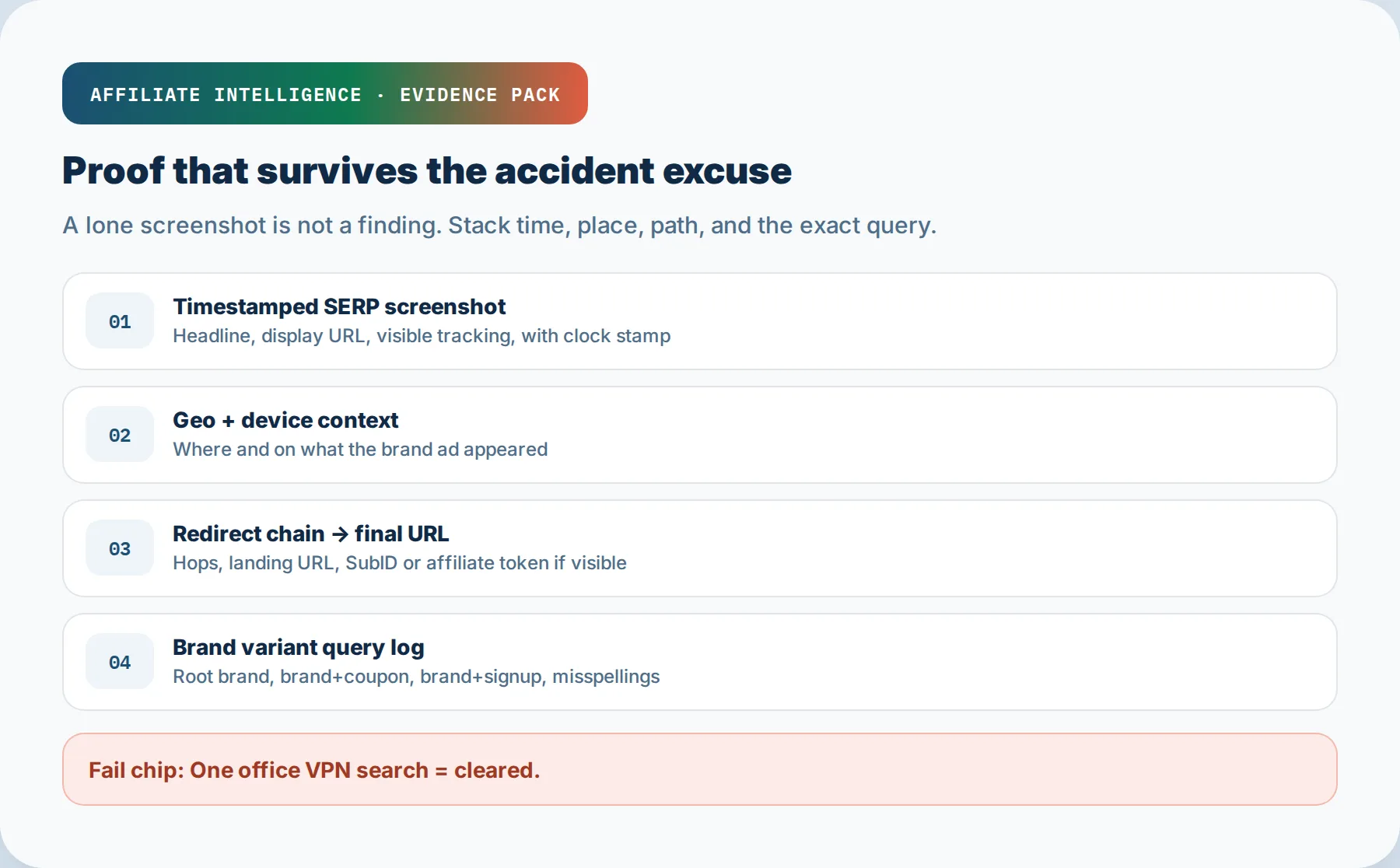
Proof is not a screenshot. It is a stack.
Timestamped screenshots with geo and device context
Capture the SERP ad, headline, display URL, and visible affiliate parameter with time, location, and device recorded in the image or in the filename. Weak evidence fails because it cannot show what appeared, where, and when. A screenshot without geo and timestamp is not a finding.
Redirect chain and final URL with visible tracking
Follow the click through each hop. Record the display URL, any intermediate redirects, the final landing URL, and any affiliate parameter, SubID, or campaign token. Google separates the final URL from tracking templates, and cross-domain redirects often sit in the tracking template. The click path either exposes or hides the affiliate ID. If you land on a page that does not appear to match the ad, that is a separate landing-deception flag.
Brand variant query log
Include brand+coupon and brand+signup variants. Log the exact query that triggered the ad for root brand, brand+coupon, brand+signup, misspellings, and plural forms. A partner can be clean on the root brand and intercept the high-intent deal query.
If the evidence pack shows landing deception, not just a keyword bid, hand it to the cloaked landing pages and redirect hygiene piece rather than treating it as a search bid problem.
✓ Checkpoint: the evidence pack has timestamped SERP screenshots, redirect chain, final URL, tracking parameter, and the exact brand variant query.
Step 4: Why One VPN Search Lies: Geofencing, Dayparting, and Variants
One clean spot check cannot close a case.
Geofencing and dayparting under-sampling
A manual search only shows what is appearing at that moment, in that location. Affiliates can geofence to a region you are not checking and daypart ads to hours you are not sampling. Before I trust a single clean search, I ask which geo and hour I did not test.
Brand+coupon and brand+signup variant searches
Root brand is not the full detection surface. Run brand+coupon and brand+signup queries as separate checks. These deal-intent variants are often high-converting and often explicitly listed as banned. A partner can be invisible on the root brand and present on “brand coupon code.”
Multi-geo and multi-time search pass
Use Ad Preview or scheduled captures across at least two geos and two dayparts. The Ad Preview and Diagnosis tool allows location and language settings without accumulating impressions, so you can sample more cleanly than a VPN one-off. A clean office search at 2pm proves nothing by itself.
✓ Checkpoint: you have tested multiple geos, multiple times, and brand-adjacent deal queries before accepting any “not showing” claim.
Step 5: Audit DKI, Broad Match, Smart Bidding, and PMax Expansion into Brand
These are detectable production leaks, not innocence proof.
DKI and dynamic headlines inserting the trademark
Dynamic keyword insertion replaces ad text with the keyword that triggered the ad. If that ad group has broad or phrase keywords, DKI can write the trademark into the headline while the keyword field stays generic. Check the ad creative and whether DKI was enabled in ad groups containing broad or phrase keywords. Google’s own documentation says keywords that trigger the ad replace the insertion text, and some trademark restrictions apply, but the outcome is still visible.
Broad match and Smart Bidding expansion into brand
Broad match is the default match type and uses signals including landing page content, recent search activity, and other ad group keywords. It can match a brand query the partner never typed. Smart Bidding then bids at auction time on whatever broad match produces. Review the partner’s search terms and change history for broad match expansion and auto-applied recommendations. The search-term overlap method is the PPC-affiliate overlap detection method if you need the export join detail rather than this high-level pointer.
PMax and AI Max expansion into brand
Performance Max can serve on brand searches and in Display or YouTube inventory outside the search terms report. Google confirms exact-match Search keywords take priority over PMax only when the Search campaign can serve; a budget-limited Search campaign can let PMax appear on exact brand terms. Google also says negative keywords do not cover all PMax inventory. So the absence of a brand term in a search terms report is not proof. Starting in September 2026, Google is also upgrading campaigns using the broad match campaign setting to AI Max, which changes the label and preserves the same automation risk.
✓ Checkpoint: you have checked DKI, broad match, Smart Bidding, PMax, and AI Max expansion paths, not just the keyword list.
Step 6: Read the “No PPC” Clause for What It Actually Prohibits
Do not rebuild the clause taxonomy here. Read it against this specific partner’s activity.
“No PPC” clause scope misreads
The most common misread is that “no PPC” only bans direct exact brand bids. A clause may prohibit outcomes: your ad appearing on a brand search, your affiliate ID in the click path, misspellings, brand-plus variants, or paid traffic altogether. The clause does not care whether you meant to. It cares what the merchant sees. The pillar Brand Bidding Audit covers what trademark PPC clauses actually prohibit.
Soft-link to the clause audit before enforcement
When a partner says “the clause does not ban broad match,” send them to the Brand Bidding Audit for the clause language and the production leak modes. That hard reference becomes the policy anchor in your enforcement email.
Pre-approve PPC vet questions
Before approving any paid traffic partner, ask:
- Do you run broad match or PMax on any campaign?
- Do you use dynamic keyword insertion?
- Have you added our brand, plural, misspellings, and brand+coupon as negatives?
- Are auto-apply recommendations enabled?
- Will you provide search term exports on request?
I recommend vetting the automation settings before the first spend, not after the excuse. This pre-approval screen reduces future accident claims.
✓ Checkpoint: you have a clause-scope read tied to this partner and a pre-approval screening question set.
Step 7: Run the Weekly Detect SOP and Escalate Without Scorched Earth
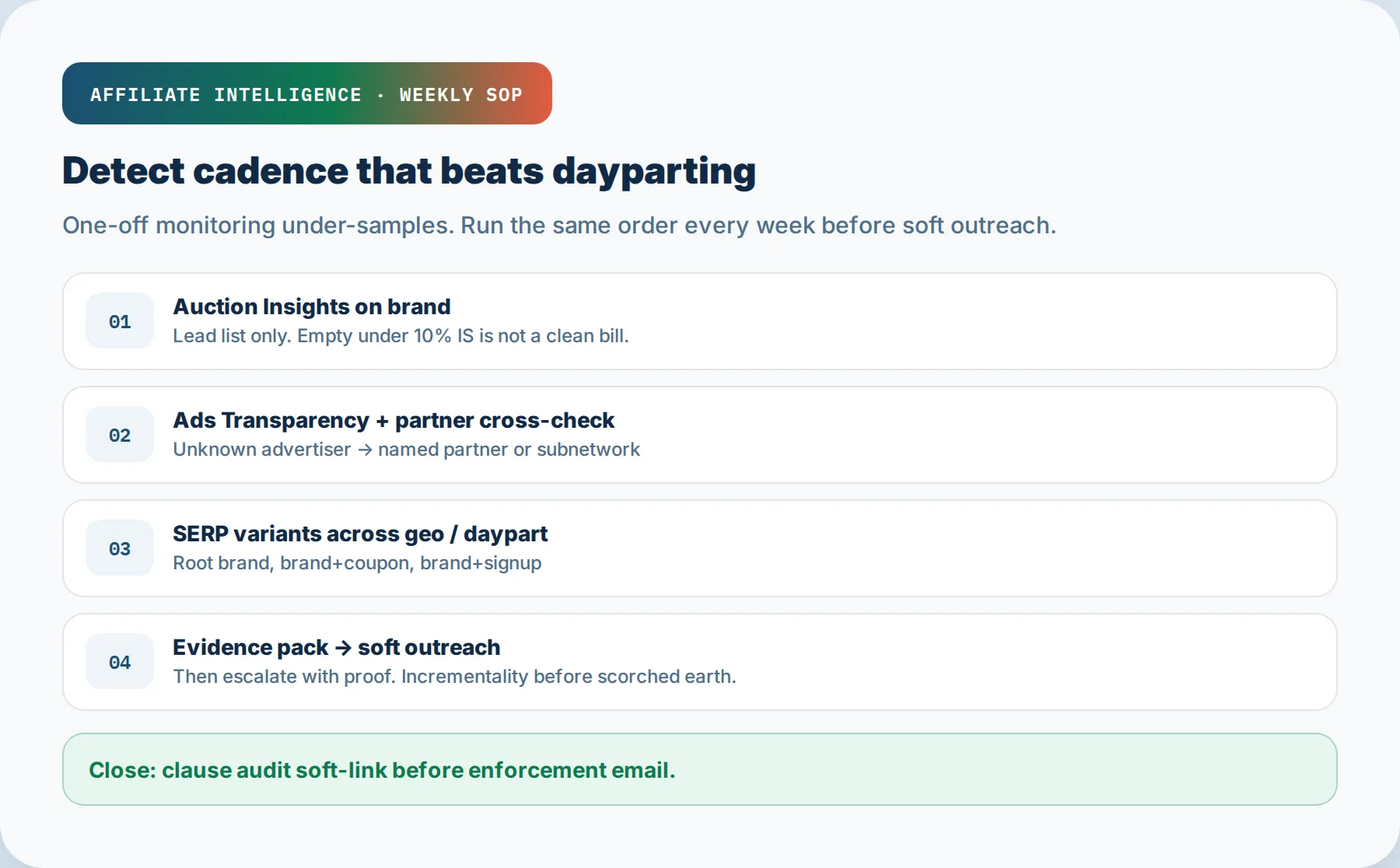
Detection is a recurring cadence, not a one-time investigation.
Weekly detect SOP
Run this order every week:
1. Auction Insights look on brand campaigns, segment by time.
2. Ads Transparency Center check for unfamiliar advertisers.
3. SERP variant captures: root brand, brand+coupon, brand+signup, misspelling.
4. Evidence pack update with timestamp, geo, device, redirect chain, SubID.
A weekly rhythm catches dayparted and geofenced ads that a one-off scan misses.
Soft outreach script: what the first email must include
Send the evidence pack, not a vague accusation. The first email should include:
- Exact query that triggered the ad.
- Timestamp and geo of the capture.
- Device used for the check.
- SERP screenshot showing the ad and visible display URL.
- Redirect hops and final URL.
- Visible SubID or affiliate parameter.
- The requested fix: add negatives, disable DKI or PMax expansion, provide search term export.
- A deadline, usually 24 to 48 hours.
Soft outreach first. Request negative keyword additions and DKI or PMax changes. Enforcement needs evidence, not accusation. The soft step preserves the relationship until the follow-up shows they will not fix it.
Escalate with evidence and keep incrementality structural
If the partner disputes the finding, resend the same evidence pack, copy the affiliate network contact, and set a shorter deadline. Keep the tone evidence-forward, not legal. The evidence is the pressure.
Before I cut all branded affiliate bids, I ask whether the commission economics fund aggressive brand bids or the partner is simply taxing demand I already own. Use your own conversion data, not a vendor’s estimate. If the branded affiliate bid is incremental and the partner is paying real search cost, removing it may reduce net new customers. If the bid only intercepts demand you were already winning through organic or your own brand ads, that is a commission leak. This is a structural decision, not a reflex. A full cut can remove non-incremental last-click credit as well as true incrementality and requires a controlled test. If the fight is really about who gets last-click credit after both channels touched the same order, that is collision, not a keyword bid, and the PPC attribution collision audit is the correct next step.
✓ Checkpoint: you have a weekly detection rhythm, a soft outreach sequence, and an incrementality-aware enforcement position before pulling partner spend.
Troubleshooting Common Issues
Partner claims broad match but SERP proof is thin
Do not assume bad faith. Tighten the geo and daypart sample. Ask for the partner’s search term export or change history. Broad match brand strings can be checked in the search terms report, so request it. If they refuse, treat that as an enforcement signal, not a proof failure.
Auction Insights empty or under 10 percent
An empty report is not a clean report. Use Ads Transparency Center and scheduled SERP captures instead. Google confirms the 10 percent impression share threshold.
Evidence shows landing deception, not just keyword bid
If the click path hides the final URL or the landing page material differs from the ad, hand off to cloaked landing pages and redirect hygiene. That is a separate account-suspension risk.
Looked like brand bidding but is internal PPC vs affiliate collision
If the real issue is your own brand SEM claiming final click after an affiliate first touch, this is not keyword bidding. Use PPC attribution collision audit to reconcile the books before accusing a partner.
Partner paid traffic looks approved but still dies
When the issue is channel approval risk rather than brand SERP detection, the light handoff is affiliate paid traffic ban risk. Do not expand ban-risk control here.
This-week detect checklist
[ ] Pull Auction Insights on brand campaigns by time segment.
[ ] Cross-check unfamiliar advertisers in Ads Transparency Center against partner records.
[ ] Capture root brand SERP in two geos and two dayparts.
[ ] Capture brand+coupon and brand+signup variants.
[ ] Record timestamp, device, geo, redirect chain, final URL, SubID.
[ ] Check DKI, broad match, PMax, and Smart Bidding settings where visible.
[ ] Update the evidence pack and decide soft outreach or escalation.
[ ] If needed, open the Brand Bidding Audit clause reference before enforcement.
Then hard-link the clause reference: Brand Bidding Audit. When the checklist says "record SubID," treat that as a real labeling job - see SubIDs for attribution labeling, not a blank cell in the evidence pack.