SubID vs SharedID: Which Label the Brand Can See
Two query parameters sit on an affiliate link. One feeds your private optimization sheet. The other, on some networks, becomes visible to the brand you’re promoting. Confusing the two costs you either leverage or privacy before the first conversion fires.
This guide is the decision layer: determine which label you are writing, who can see it, and whether the network actually stored it after one test click. If you need the full naming architecture, use the SubID naming system guide. If your column is already blank, go to the blank-column diagnostic walkthrough. This page covers the visibility job and the verify protocol.
Prerequisites
Before you touch live volume, assemble the kit.
Open the network report UI, open the program’s live help docs, create a timestamped notes file, and choose one low-risk placement. That last item matters. You are going to send one real test click through a live program and read the report back. Do it somewhere cheap.
Pick an ASCII label now. Use only A–Z, a–z, 0–9, hyphens, and underscores. Do not use spaces, symbols, or URL-reserved characters. A URL-encoded label can survive incorrectly on one network and break on another, so use plain ASCII for every test. Save that label in the notes file next to the timestamp. A control label like subid-vs-shared-test works.
One warning before the test: a blank column on a fresh click is not a verdict. analytics and some affiliate platforms can lag hours after a click, and some affiliate platforms run their own reporting windows. Wait the program’s documented delay before concluding anything failed.
☐ Checkpoint: materials ready, one low-risk placement chosen, one ASCII label saved, notes file open with a timestamped entry.
Step 1: Kill the Two Default Assumptions
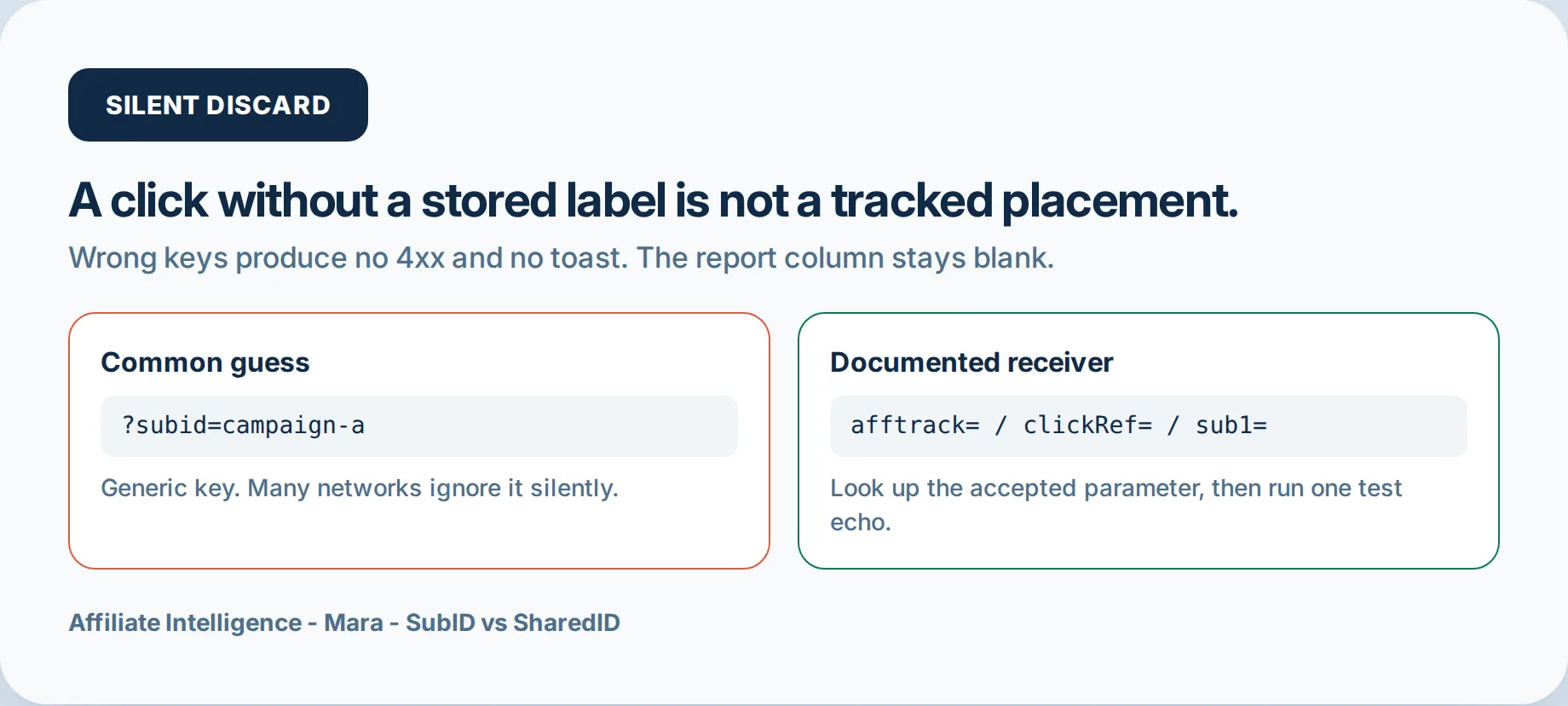
Two beliefs sit under most SubID failures. The first is that &subid= works anywhere. The second is that SharedID is just another synonym for SubID.
Both are wrong in ways that silently eat attribution.
The universal key fallacy is the most expensive assumption in affiliate tracking. Affiliate networks silently discard unknown parameters: no 4xx error, no warning, no error toast, and the report column stays blank. The click still fires, but the label never lands. For example, appending ?subid= to a ShareASale link when the network expects afftrack produces a click with no stored SubID.
# Wrong if the program expects afftrack:
https://track.example.net/click?aff_id=123&subid=subid-vs-shared-test

# Correct:
https://track.example.net/click?aff_id=123&afftrack=subid-vs-shared-test
The first URL fires a click. The second stores a label. Those are not the same event.
The SharedID synonym assumption is worse because it crosses domains. On Impact-class programs, Shared ID is an affiliate link parameter with its own visibility rules. That has zero relation to Prebid’s SharedId, which is an ad-tech identity cookie for header bidding. Prebid’s version sets a first-party cookie so programmatic buyers can recognize a user without third-party cookies. Do not append it to an affiliate link. As of Prebid.js 5.0, PubCommon ID merged into SharedId, which only deepened the naming collision (Prebid docs). If you run display ads, that SharedId is real but irrelevant here. This article is about the affiliate parameter.
| Domain | Scope | Visibility | Should you append it to an affiliate link? | Cookie / browser behavior |
|---|---|---|---|---|
| Affiliate SharedID | Impact / Shopify Collabs link parameter | Shared between partner and brand | Yes, on programs that document it | Stored server-side by the network when the tracking link is clicked |
| Prebid SharedId | Ad-tech identity cookie for header bidding | Programmatic buyer / publisher identity layer | No; it is not an affiliate link parameter | Set as a first-party cookie by the Prebid.js UserID Module |
If labels need a naming architecture, use the SubID naming system guide. If the column comes back blank, hand off to the blank-column diagnostic walkthrough.
☐ Checkpoint: you have stopped assuming subid= is universal and stopped treating affiliate SharedID as a SubID synonym.
Step 2: Define SubID vs SharedID by Who Can See It
The clean split is not technical. It is visibility — and it is scoped to Impact-class programs.
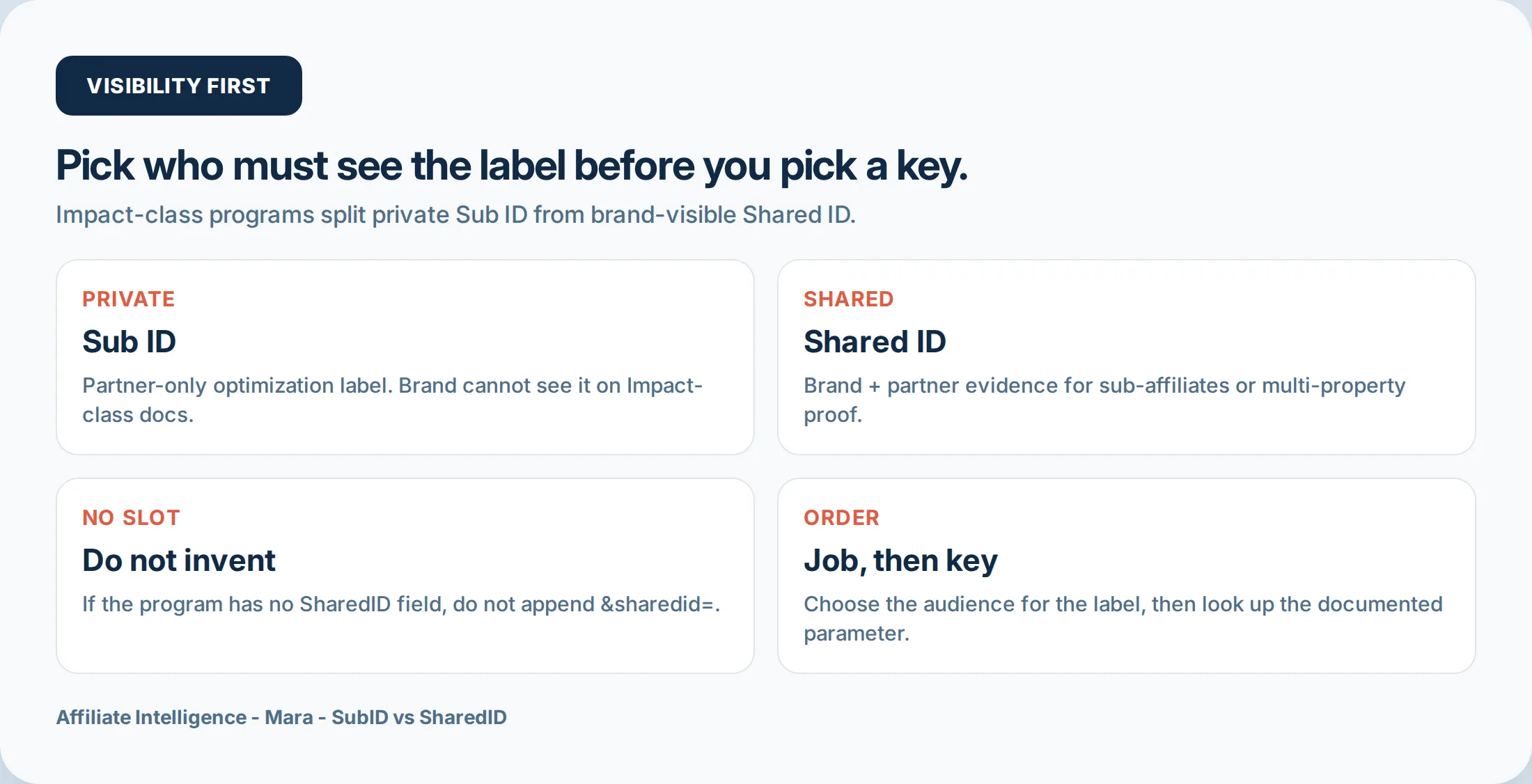
On Impact or Impact-based programs like Shopify Collabs, Impact Help documents Sub IDs as visible only to the partner and Shared ID as visible to both partner and brand. The exact rule from Impact documentation: “Sub IDs are only visible to you as the partner. Shared IDs are visible to both you and the brand.” Shopify Collabs runs on Impact infrastructure and inherits the same pattern (Shopify Collabs).
This rule is specific to Impact-class tracking infrastructure. Other networks may use different names or may not offer a brand-visible slot at all. Do not project Impact semantics onto a network that uses different terms. Confirm the network actually documents the field in its own help docs before relying on it.
Exception - Impact Amazon Seller partnerships: the same vendor’s Seller docs flip the job from visibility to survival. Impact states that in Amazon Seller partnerships you should avoid SubID parameters on tracking links, because doing so may prevent conversion credit, and that only the SharedID parameter is supported (Impact Help: Track Your Sub-Affiliate Traffic as an Amazon Seller Partner). That is not “SubID stays private.” It is “SubID can break attribution on this program class.” Do not treat this as the universal Impact rule from the partner Sub ID / Shared ID explainer above. Confirm which program type you joined before copying a SubID pattern from a Collabs or standard Impact brand contract. This is also not Amazon Associates: Associates has no SubID field at all; Seller partnerships on Impact are a different product with SharedID-only support.
The simplest working definitions:
- SubID = private optimization label. You see it. The brand does not.
- SharedID = shared evidence label. You and the brand both see it, on networks that support it.
| Label class | Who can see it | Typical use |
|---|---|---|
| SubID | Only you | Placement, creative, device, campaign optimization |
| SharedID | You and the brand, on networks that support it | Sub-affiliate attribution, multi-property proof, cash-back member segments |
| No SharedID slot | N/A — do not invent one | Use only documented fields; otherwise use the workaround section |
☐ Checkpoint: one working definition per label, scoped to networks that document them.
Step 3: Pick the Visibility Job Before You Pick a Key
Choose the visibility job first, then choose the label class that matches it.
| Job | Who needs it | Label class | When |
|---|---|---|---|
| Private placement optimization | Only you | Sub ID | Splitting hero vs footer, creative vs creative, device vs device |
| Brand-shared evidence | You and the brand | Shared ID | Sub-affiliate attribution, multi-property proof, cash-back member segments |
| Only SubID slots exist | Only you | Sub ID, first slot | Program has no SharedID field. Do not invent one. |
| No SubID or SharedID slot exists | Depends on the available field | Other documented field, unique campaign link ID, or manual join | Program has no custom tracking slots; see the workaround section |
If a program documents SubId1, SubId2, and SubId3 but no SharedID, treat the first slot as your private label and stop. Creating a &sharedid= key the network never reads is the silent discard problem from Step 1 wearing a new coat.
On Impact-class programs, all four fields accept 255 alphanumeric characters each: SubId1, SubId2, SubId3, and SharedId (Impact Help). That limit is generous, but it is not the same across platforms. Confirm the current limit in the live help doc for the exact program before concatenating.
☐ Checkpoint: one chosen job per program, one label class to write, zero invented SharedID keys.
Step 4: Get the Documented Key, Not a Scoreboard
The parameter name is not yours to choose. The value is. Use a documentation discipline protocol, not a memorized scoreboard.
Use this parameter-pattern list as non-exhaustive orientation only: afftrack (ShareASale), clickRef (Awin), sid (CJ), the s1 class (CAKE), aff_sub (ClickBank), u1 (Rakuten). These examples are not a substitute for live documentation. Program owners rename fields, change character limits, and move slots between plan tiers.
Open the live help page for the exact program you are running. Capture the exact spelling, capitalization, and character limit for the slot you intend to use. Save the help page URL and a dated screenshot. If the field later changes, your evidence shows what the docs said on the day you tested. For Awin clickRef and CJ sid, confirm the current limit in the live help doc rather than relying on a remembered number. For cross-network comparisons, use the tool-fit and parameter matrix guide.
| Program name | Documented parameter name | Exact spelling | Max character count | Help page URL | Date screenshot taken | Date tested |
|---|---|---|---|---|---|---|
☐ Checkpoint: exact documented key and character limit copied into the notes file, help page URL saved.
Step 5: Append, Concatenate, or Use the Link Builder
Now form the URL. Two failure modes hide here.
First, the one-slot discipline. When a program gives you one custom field and you need three dimensions, concatenate deliberately or you lose information. A value like google-summerpromo-topbanner-v2-mobile carries source, campaign, placement, creative, and device in one slot. That is fine only if the network limit allows it. Confirm the exact character limit before concatenating.
Second, macros vs hardcoded values. Dynamic values should use network or link-builder macros/tokens where available. Hardcoding is only for static test or control labels. A dynamic placeholder like {placement} or {campaign_name} expands at runtime. If you accidentally hardcode the literal string into 50 links, every click reports the same useless value. Check the source platform’s macro reference before pasting.
# Macro placeholder for a dynamic dimension:
https://track.example.net/click?offer_id=123&aff_id=456&clickRef={placement}

# Hardcoded ASCII control label for the one test echo:
https://track.example.net/click?offer_id=123&aff_id=456&clickRef=subid-vs-shared-test
Third, the builder requirement. Some programs only honor SubIDs created inside their link builder or deeplink tool. A manual append can keep the click alive and still blank the report. Run two URLs side by side:
# Builder-produced URL:
https://track.example.net/click?offer_id=123&aff_id=456&clickRef=subid-vs-shared-builder

# Hand-appended URL, same documented key:
https://track.example.net/click?offer_id=123&aff_id=456&clickRef=subid-vs-shared-hand
Same key, same label class, different path into the link. If the builder URL returns a SubID and the hand-append stays blank, the program requires the builder.
| Method | What it proves | Expected result | If blank |
|---|---|---|---|
| Builder-produced URL | The network stores a label created inside its own tooling | Report fills with the label | Check macro syntax, label spelling, or reporting delay |
| Hand-appended URL | Manual append is honored by the program | Report fills with the label | Use the builder for all volume |
For link-builder or macro checks, use the link-builder macro check and macro source guide.
No SubID or SharedID Slot: Workarounds and Honest Limits
When the program has no SubID or SharedID slot, do not invent parameters. Use only the fields the program documents. Workarounds have honest limits.
- Use another documented tracking field if the program offers one. Confirm it can store the value and return it in reporting.
- Create unique campaign-specific link IDs inside the network link builder. This gives you a network-native label without a custom SubID field.
- Append unique tokens only if the network’s click log can store them. If the network strips unknown query parameters, this does not work.
- Use external analytics and match manually. This sits outside network reporting and can break. State that boundary clearly in your notes and do not treat it as network attribution proof.
Do not rely solely on UTM parameters when the network discards them. A UTM that never reaches your analytics call is just a string that did not matter. If columns come back blank after a test echo, hand off to the blank-column diagnostic walkthrough.
Step 6: Keep the Label Alive and Run One Test Echo
The URL is correct. Now the label has to survive the trip from your server to the network’s storage. Three quiet killers live in this leg.
First, over-stripping. Pretty URLs and cloaking setups sometimes remove every query parameter in the name of cleanliness. That kills the echo silently. The click lands, the network records the hit, and the SubID column stays empty because the value never arrived. If you run cloaking for display purposes, test parameter survival explicitly before bulk editing. The cloaking and parameter-strip guide covers the rules, but the tracking consequence is this: a clean URL that drops clickRef= is clean in appearance only.
Second, the no-native-SubID case. Amazon Associates does not support SubIDs. That is a missing-field problem, not the Impact Amazon Seller partnership rule above (SharedID only; SubID can block credit). Some smaller programs record clicks but never return your label. For those, the workaround is a redirect or first-party click log you own. A minimal ten-line pattern captures the timestamp, campaign label, and SubID value before forwarding via 302. That log preserves your segmentation even when the network report stays blank. The honest limit: this log shows what you sent. It cannot force the network report to include a SubID. For the infrastructure decision between DIY and paid tooling, see the custom click tracking vs paid tracker guide.
Third, macros vs hardcoded values. A dynamic placeholder like {click_id} or {campaign_name} expands at runtime. If you accidentally hardcode the literal string into 50 links, every click reports the same useless value. Wrong macro syntax blanks the column quietly. Check the source platform’s macro reference before pasting.
Then run the one test-echo protocol:
- Send exactly one live test click from a low-risk placement.
- Use the ASCII control label unchanged.
- Log the timestamp and the exact URL.
- Wait the program’s documented reporting delay.
- Verify the label appears exactly once and unchanged in the report.
- Compare builder-produced vs hand-appended side by side.
- If blank, check for pretty-URL or cloaking parameter stripping before declaring failure.
A redirect or HTTP 200 is a delivery receipt, not an attribution receipt. The network accepted the click. That does not prove it stored the label. Only the filled column proves storage.
| ☐ Low-risk placement selected |
| ☐ ASCII label saved |
| ☐ Timestamp logged |
| ☐ Exact URL captured |
| ☐ One live test click sent |
| ☐ Documented delay waited |
| ☐ Label found unchanged in report |
☐ Checkpoint: a filled network column for the test label, or a documented failure branch to chase.
Troubleshooting Common Issues
Run these in order. Each error has one exact fix.
Error 1: Wrong key, silent discard. You appended subid= and the network expected clickRef or afftrack. Fix: copy the documented key from the live help page, rebuild the test URL, click again.
Error 2: Stripped query string mid-chain. The ? and all parameters disappear at hop two. Fix: trace the chain with curl -sIL and find the first hop dropping the query string. Move your redirect upstream or pass the value in the path when the platform allows it.
Error 3: Builder-only flow. Hand-append fires but the report stays blank. Fix: generate the same label inside the program’s link builder and send one click. If only the builder fills, use the builder for all volume.
Error 4: No SubID echo at all. The program records clicks but never returns your label. Fix: log the click first-party and accept the boundary. Your log proves what you sent. The network report will not change. For deeper diagnosis, follow the blank-column protocol.
Error 5: Reporting lag masked as failure. The column is empty an hour later. Fix: check the program’s documented reporting window. GA4 can lag up to 24 hours. Some networks hold conversions longer. Wait the full window before calling it broken.
Error 6: Token mismatch. The URL key, postback macro, and report column point at three different names. Fix: align all three. The URL uses clickRef=. The postback expects {clickRef}. The report column must read clickRef, not SubID1. This is the same class of failure as the S2S green tick illusion: the endpoint answered, not that tokens matched.
Error 7: Truncated concatenated value. Your long string hit a shorter character field. Fix: shorten the value or split it across available slots. Check the live character limit before moving dimension data.
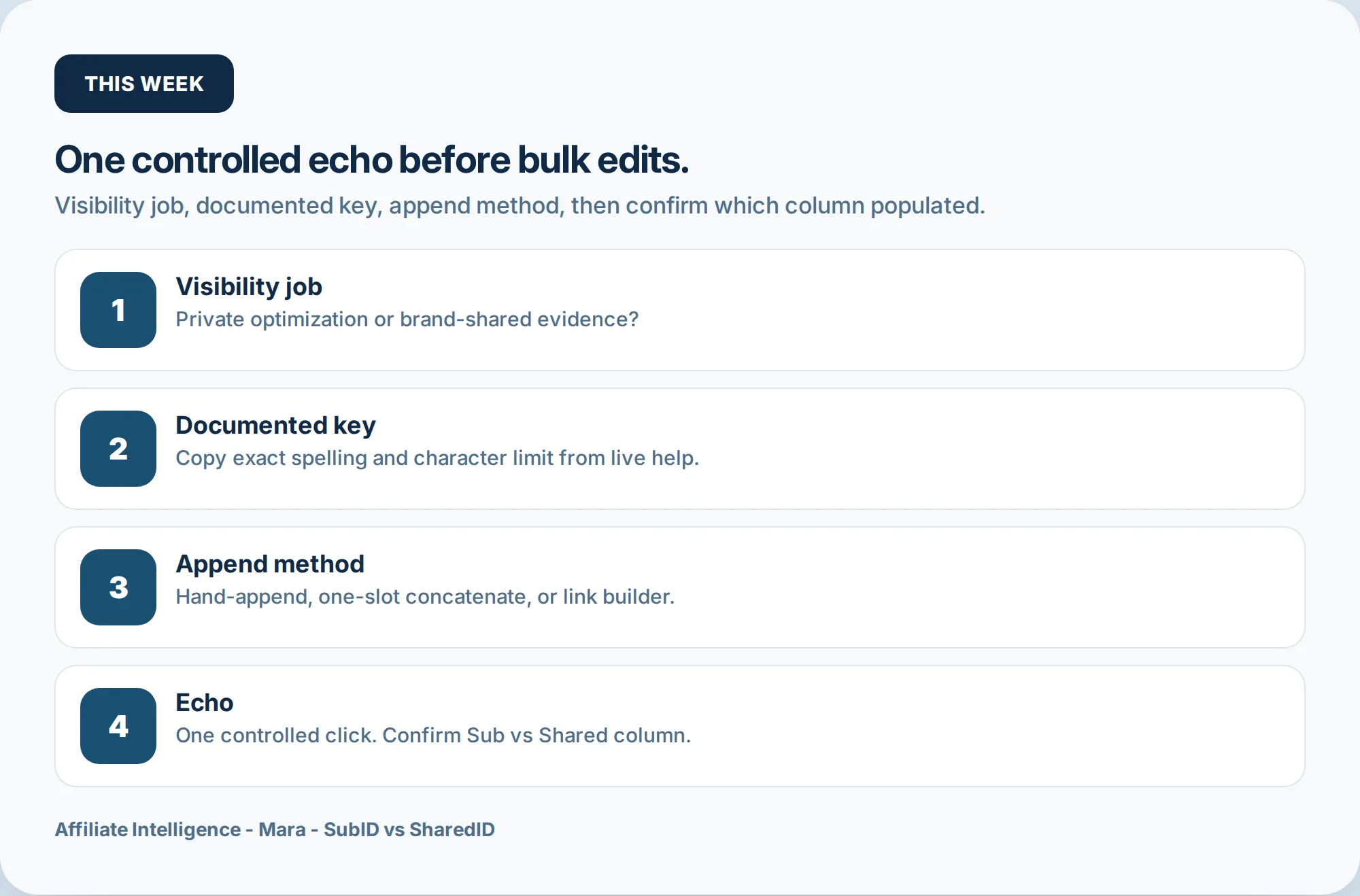
The pick-and-verify checklist is not motivational. It is four steps: visibility job, documented key, one test echo, only then bulk. If the column is blank after the echo test, hand off to the blank-column diagnostic. If labels need a naming system, use the SubID naming hub. For the broader UTM vs SubID vs server-side decision, the tracking spine guide covers that architecture without rebuilding it here.
A blank column is a sequence, not a verdict. Stop where the evidence stops. Fix one branch, retest, then scale.
Related protocol handoffs: SubID naming system guide, blank-column diagnostic, tool-fit and parameter matrix, cloaking and parameter-strip guide, S2S postback first-verify guide, and macro/link-builder checks (tracking spine guide, custom click tracking vs paid tracker guide).