TikTok Shop Affiliate vs Classic Affiliate Links
Prerequisites
Before you touch a single link, assemble four things:
- Access to TikTok Shop Seller Center or Creator, with the correct market selected for your account.
- One classic affiliate account, ideally Amazon Associates, with a confirmed tracking tag.
- A second TikTok account you do not own, for link tests.
- A tracking wrapper or redirect you control, plus a browser with developer tools.
TikTok Shop availability and account-type thresholds move often. Do not paste a static rule from memory. The core mistake is treating “TikTok affiliate” as one product. It is at least three separate pipes. Pick your rail before you publish.
Step 1: Kill the Failed Assumption: “TikTok affiliate” is Not One Product
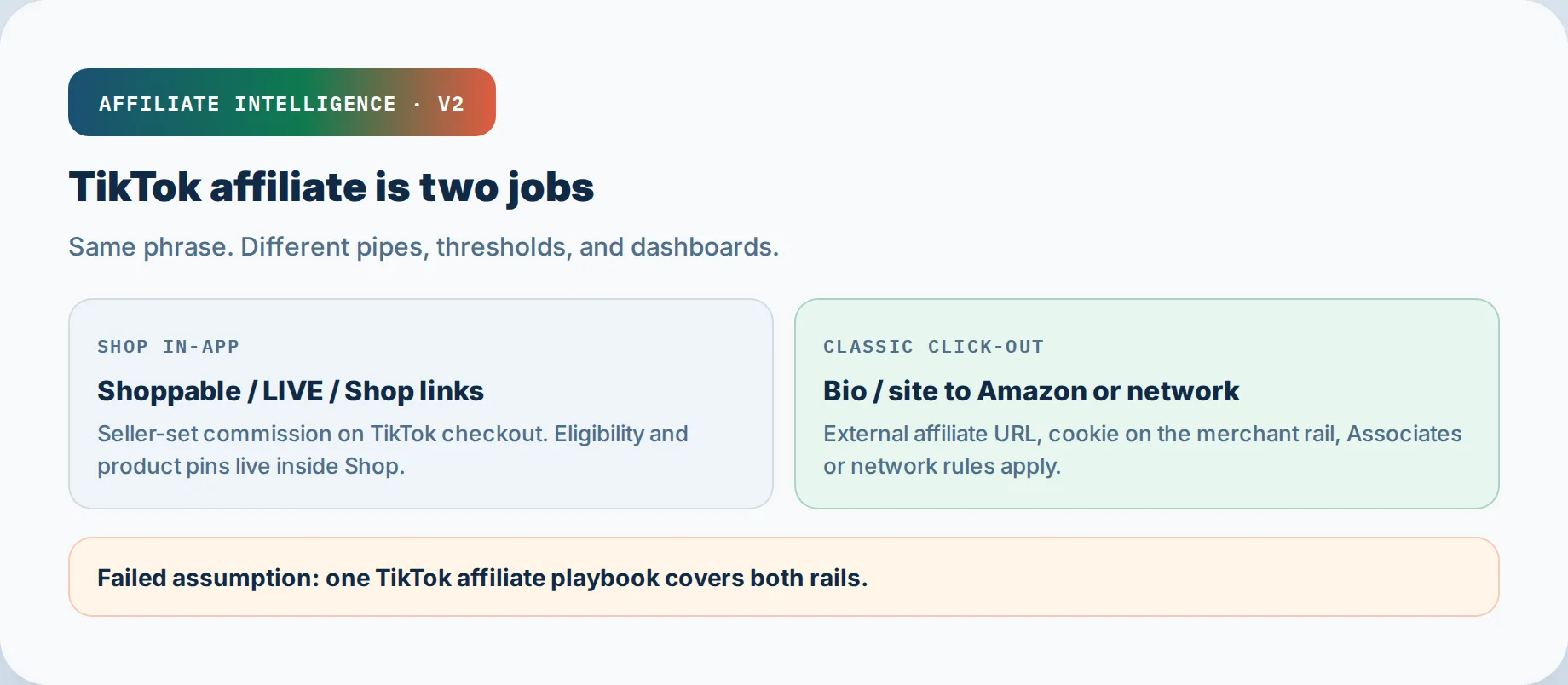
The phrase collides. TikTok Shop affiliate means the buyer checks out inside TikTok, and you earn a commission from TikTok Shop’s native product links. Classic affiliate means the buyer leaves TikTok, lands somewhere else, and a merchant network such as Amazon Associates or a private program pays you.
Those are different jobs. They have different eligibility, different link surfaces, different payout logic, and different failure modes.
TikTok Shop grew 80% in annual sales from 2025 to 2024, and 83% of Shop customers say they discovered a new product there, according to the TikTok Shop seller page. That is a demand signal for the Shop rail. It does not prove that your bio link to Amazon will behave the same way.
The Phrase Collision
One label, three rails. “TikTok affiliate” also sometimes points to TikTok Ads Manager affiliate, which is a B2B referral program that pays you for sending advertisers to TikTok Ads, not for selling products. The TikTok Ads Affiliate Program page advertises up to 30% commission, with an estimated average of $8,240 per month for members. That is not the same dashboard as TikTok Shop commissions.
Decision Rule
Before trusting any report, ask: does the viewer check out inside the TikTok app, or do they leave? If inside, you run the Shop affiliate pipe. If outside, you run the classic affiliate pipe. If the action is an advertiser signing up for TikTok Ads, you run the Ads Manager affiliate referral pipe.
You can run more than one rail in the same month, but you plan and measure them separately.
Two-Pipe Decision Checklist
- Does the buyer check out inside TikTok? Yes = TikTok Shop affiliate rail.
- Does the buyer click out to Amazon or another merchant? Yes = classic affiliate rail.
- Are you referring advertisers to TikTok Ads Manager? Yes = Ads Manager affiliate referral rail, not product sales.
Step 2: Job Map: Shop Affiliate (In-App) vs Classic Links (Click-Out)
In-App Shop Rail
Shop affiliate means the product link lives on a video, LIVE, or Shop share link, and the purchase completes inside TikTok without a browser handoff to Amazon or another merchant. The standard Shop affiliate commission formula is Commission = (Revenue - Refunds) x Commission rate, as documented in TikTok Shop Seller Center. Refunds reduce the base before the rate applies.
This rail is native, short-path, and TikTok-controlled. You optimize for completed orders, not clicks.
Classic Click-Out Rail
Classic affiliate means a bio link or bridge page sends traffic to an off-platform merchant. TikTok structurally limits where that can happen: no links in captions or comments, one clickable Website field in the bio, and TikTok restricts links to competing e-commerce platforms such as Amazon, as reported by Social Media Today’s platform external link policy.
That restriction is not a rumor. It is the starting condition of the classic pipe.
Step 3: Verify Eligibility: Follower Thresholds Plus What TikTok Actually Checks
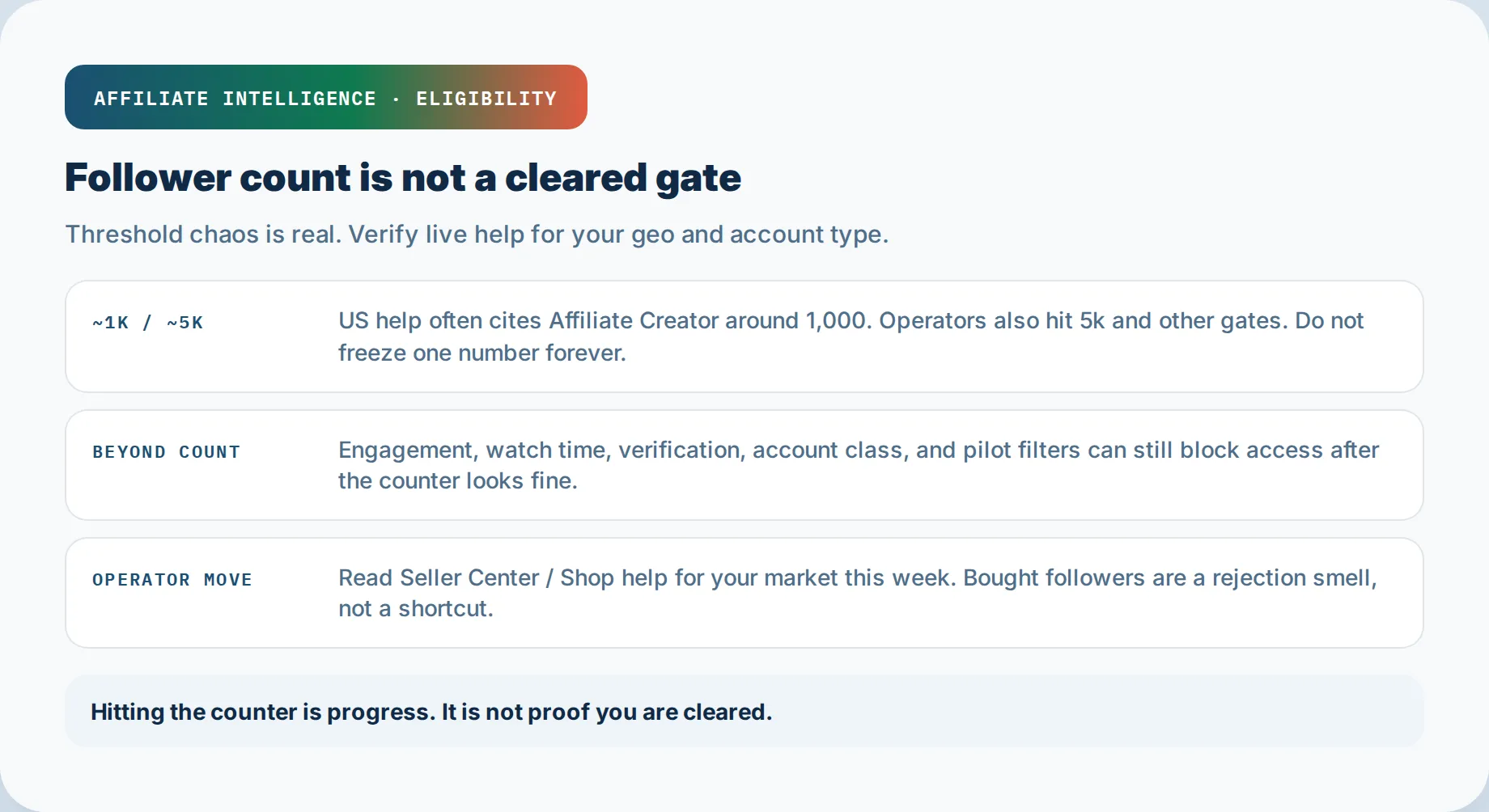
The common numbers are 1,000 followers to join TikTok Shop affiliate, with some marketplace features gated at 5,000 followers, and a 30-day pilot for new creators in some regions, per TikTok Shop Seller Center documentation. Those thresholds vary by market and account type. Treat them as current examples, not law.
Open Seller Center in your market today. Screenshot the current eligibility screen. That screenshot is your evidence, not a TikTok guru post.
Beyond Follower Count
Follower count is a floor, not a gatekey. TikTok also checks account standing, location, age, identity verification, and compliance history. A clean follower count with a prior community guideline violation can still block you. A new account with zero followers might enter a pilot but not unlock open marketplace features.
Your named verification checklist should include:
- Current market and account-type eligibility rule, saved with a timestamp.
- Account standing check, not just follower count.
- Location and age verification where required.
- Completed identity verification and tax information.
- Compliance history review.
Do not buy followers or run follow-for-follow to force eligibility. Inflated follower growth is a rejection smell, not a cleared gate.
Step 4: Where Links Live: Shoppable Video, LIVE, Shop Share Links vs Bio Classic
Native Shop Placements
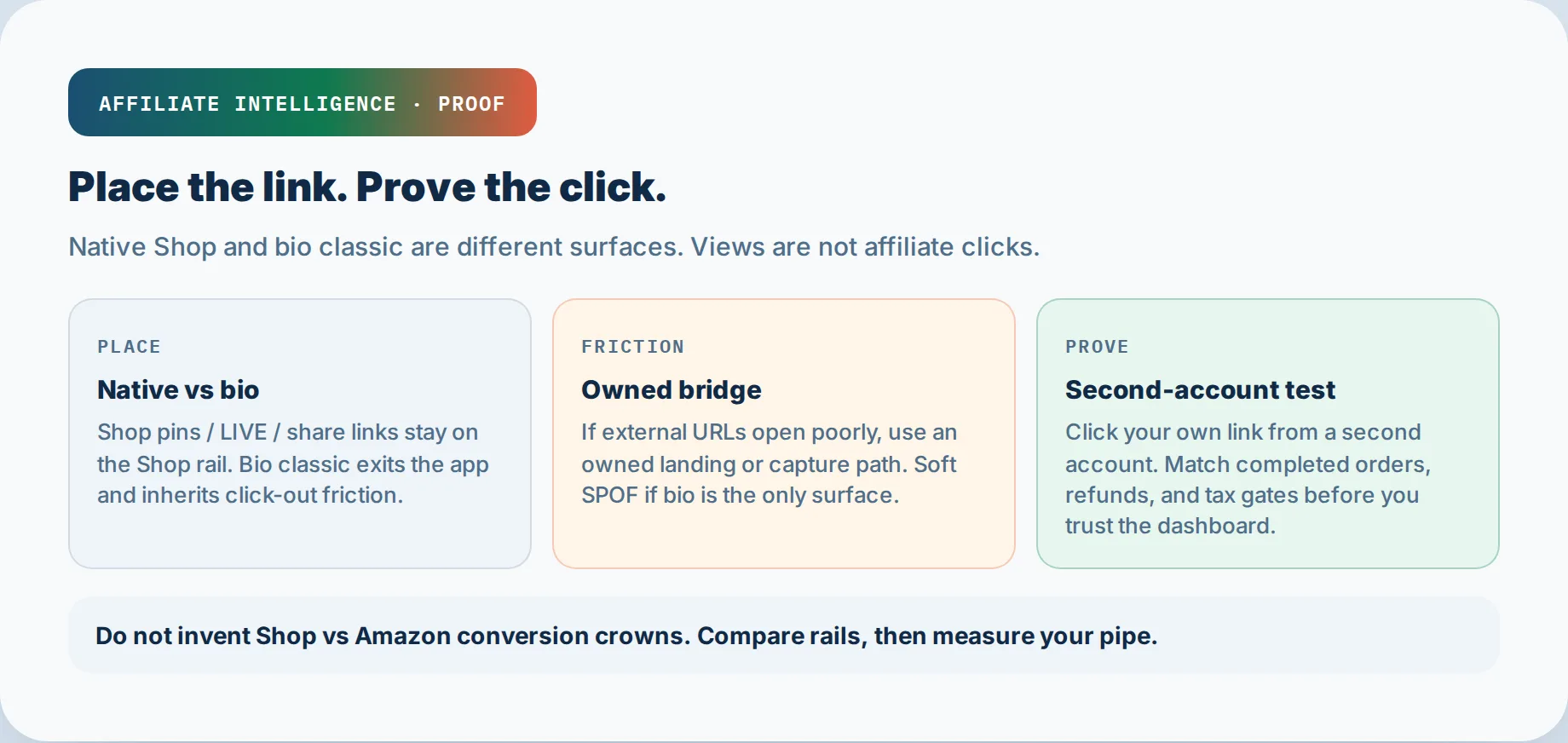
Shoppable video, LIVE product link, and Shop share links are the native surfaces. Product-linked videos are submitted for extra review, and once approved, the product link appears above your username, according to TikTok for Business help for adding product links to TikTok videos. You do not paste an Amazon URL there. You attach a Shop product.
When you pick Shop products, prefer items that already show demand or Creative Center signal over a random SKU dump. Product fit beats catalog noise.
Shop share links let creators earn the same commission as shoppable videos and LIVEs by sharing trackable product, showcase, or shop links outside TikTok, per TikTok Shop Seller Center. Even those share links remain inside the Shop payment rail.
Bio Classic Link
TikTok gives you one clickable link, and only in the Website field. That is your classic rail surface. Use a bridge page, not a naked merchant URL.
TikTok Affiliate Placement Map
| Surface | Where it appears | Checkout path | Affiliate rail | Key limitation |
|---|---|---|---|---|
| Shoppable video | Product link above username after approval | In-app TikTok Shop checkout | TikTok Shop affiliate | Requires product link review before link appears |
| LIVE product link | Product link shown during LIVE | In-app TikTok Shop checkout | TikTok Shop affiliate | Requires account and product eligibility for LIVE |
| Shop share link | Creator shares trackable product, showcase, or shop link outside TikTok | In-app TikTok Shop checkout | TikTok Shop affiliate | Shared off-platform but purchase stays in Shop rail |
| Bio Website field | One clickable Website field in the TikTok bio | Click-out to bridge page or merchant | Classic affiliate | TikTok limits external links and creates friction, especially for Amazon and retail pages |
Step 5: Classic-Path Friction: In-App Browser, Suppression, Bridge Page / Owned Pipe
The classic rail has real drag. Most visitors spend under 8 seconds on a bio link page, and while an impulse click has roughly a 2% conversion chance, a deliberate “I came here on purpose” bio click is a 10-20% conversion opportunity according to Liinks research on link suppression. That is not a TikTok Shop commission promise. It is a funnel quality note: the few clicks that leave TikTok are high-intent, so do not waste them on a raw Amazon listing.
In-App Browser and Suppression
External links may open inside TikTok’s in-app browser. That browser can strip cookies or tags, so the merchant may never see your affiliate ID. Do not assume the tag=amazon-20 survives. Test it. TikTok also restricts links to competing e-commerce platforms. That suppression is structural. Do not try to bypass it.
Bridge Page / Owned Pipe
Use an owned domain page as a legitimate disclosure and handoff path. A short value page on your domain explains the recommendation, discloses the affiliate relationship, and then sends the qualifying click to the merchant. This is not evasion. It is a transparent bridge that respects TikTok’s allowed surfaces and the merchant’s affiliate rules.
Branded short URLs on your own domain tend to earn more clicks than generic shortener links because they read as trustworthy, not tracked. That is a trust signal, not a trick.
Step 6: Pay and Tracking Hygiene: Completed Orders, Refunds, Tax/Info Gates, Second-Account Link Test, Views != Clicks
This is the trust gate. Before you believe any dashboard, run the named pre-publish checklist below.
Completed Orders, Refunds, Fees
Shop affiliate commissions settle on completed orders, not views. The formula already subtracts refunds before the rate. TikTok Shop charges a 6% referral fee on each sale, according to the TikTok Shop seller page. Refunds or returns incur a refund administration fee of 20% of the refunded referral fee, capped at $5 from May 15, 2025, per TikTok Shop Seller Center. Your dashboard’s “earnings” line may include orders still inside the return window.
Tax/Info Gates
Payout can halt if identity or tax info is missing. For US TikTok Shop sellers, the 1099-K threshold was greater than $20,000 and 200 transactions for 2025, changes to more than $5,000 for 2026, and phases toward $600 for 2027, according to Dashboardly’s TikTok affiliate payout guide. Complete your W-9 and identity verification before scaling. A stuck payout is usually an info gate, not a tracking failure.
Second-Account Link Test and Views != Clicks
Run this test before scaling any link:
- Copy your final affiliate URL from your bridge page.
- Open TikTok from a second account, not your own.
- Tap your bio link, then tap through to the merchant.
- Inspect the merchant page URL. Confirm your tag or click ID is still present.
- Compare TikTok video views against outbound clicks in your tracker.
A view is not a click. TikTok reports views separately from outbound clicks. If your video has 50,000 views and your link tracker shows 9 outbound clicks, that is not a broken tracker. That is the funnel reality. The YouTube views-are-not-commissions breakdown applies to TikTok too.
Pre-Publish Tracking Hygiene Checklist
- Completed orders only, never views or taps, counted as commission base.
- Refund and return window noted: refunds reduce commission base before rate applies.
- TikTok Shop referral fee and refund administration fee noted.
- W-9 or equivalent tax info and identity verification complete in Seller Center.
- Second-account link test confirms affiliate tag or click ID survives TikTok to merchant.
- Views versus outbound clicks logged for every posted surface.
Step 7: Rails Contrast: Shop vs Amazon (and Other Classic Catalogs), Plus Ads Manager Affiliate Disambiguation
Do not build a universal conversion rate table. Contrast the rails by structure instead.
TikTok Shop is an in-app checkout rail, TikTok-controlled, with a 6% referral fee per sale and commission on revenue minus refunds. Amazon Associates is a classic click-out rail with category rates up to 10%, paid approximately 60 days after the end of the month in which the income was earned, and a 24-hour arrival window for cart attribution, according to the Amazon Associates Program Help page.
The right question is not “which pays more per sale” but “which pipe can I actually run this week without leaking tags and without breaking platform rules?”
Ads Manager Affiliate Disambiguation
TikTok Ads Manager affiliate is a separate B2B referral pipe. It pays up to 30% commission for referring advertisers to TikTok Ads Manager, with an estimated average of $8,240 per month, according to the TikTok Ads Affiliate Program page. New advertisers can unlock up to $6,000 in ad credits after meeting minimum spend thresholds, and TikTok recommends new advertisers spend at least $200 within their first 30 days to hit the minimum coupon threshold, per TikTok Ads Affiliate onboarding guide.
That is not TikTok Shop affiliate. It has its own dashboard, its own payout cadence, and its own conversion event. If your “TikTok affiliate dashboard” shows advertiser signups instead of product orders, you opened the wrong rail.
Structural Rails Contrast: TikTok Shop Affiliate vs Amazon Associates
| Dimension | TikTok Shop affiliate | Amazon Associates |
|---|---|---|
| Checkout location | Inside TikTok Shop | On Amazon after click-out |
| Fee structure | 6% referral fee on each sale | No per-sale listing fee; commission varies by category, up to 10% |
| Commission base | Revenue minus refunds | Qualifying purchases |
| Payout timing | After return window closes; creator payout net-15; US seller payout initiated 1-31 days after delivery | Approximately 60 days after the end of the month earned |
| Attribution window | Shop order settlement after return window | 24-hour arrival window for cart attribution |
| Identity or tax gates | Identity verification; US 1099-K threshold phased to more than $5,000 in 2026 and $600 in 2027 | Amazon Associates tax and identity requirements in portal |
| Refund treatment | Refunds reduce commission base; refund administration fee of 20% of refunded referral fee, capped at $5 from May 15, 2025 | Returns reduce qualifying commission |
Faceless / No-Inventory Realism
You can run no-inventory content with compliant product imagery, samples, or screen recordings only if it is transparent and lawful. A faceless account still has to clear the same follower, standing, location, age, and identity gates. There is no loophole through thresholds. Only content volume and legitimate account growth move you forward.
If you do not hold inventory, your realistic path is usually an affiliate or partnership arrangement, not a seller account. Disclose the relationship where required, keep tax and payout information current, and test every link before scaling. Quiet operations still require the same hygiene as public ones.
Running seller and affiliate roles on the same profile can create policy conflict. Verify the live rule for your market before you mix both jobs on one account.
Soft Bridges to Sibling Lessons and Concentration Risk
These linked sibling guides are useful context, not replacements for this audit:
- Pinterest vanity metrics breakdown
- YouTube views-are-not-commissions breakdown
- Amazon Associates for operators
- Amazon Associates approval and eligibility
- Affiliate domain resilience playbook
- Dark social attribution for affiliates
- Affiliate program fit tests
- Start affiliate marketing by shipping a link
- Is affiliate marketing a scam checklist
- Platform risk in affiliate forecasting
Concentration risk is operational, not theoretical. If TikTok removes your bio link surface or suppresses your classic destination, do you have another owned entry point? If not, treat that as a forecast risk. Own at least one asset outside TikTok that can carry the classic rail.
Troubleshooting Common Issues
1. Dashboard shows earnings but payout is stuck.
Check identity verification and tax info gates in Seller Center. The most common cause is a missing W-9 or unverified identity. Fix in Seller Center > Finances or the equivalent creator payout section.
2. You see Shop commissions but no attributable video.
You likely used a Shop share link instead of a shoppable video product link. Share links convert as Shop revenue but may not map to a specific video in your creative dashboard. Attach the product to the video’s Add Link step, not just the caption.
3. Classic link clicks show in TikTok but not in Amazon Associates.
The in-app browser stripped your tag or the redirect dropped it. Run the second-account test. If the final merchant URL lacks tag=, rebuild the bridge link with an owned-domain redirect that preserves query parameters.
4. Views are high, click-through is low, commissions are zero.
This is a funnel problem, not a broken pipe. Check the CTA, the bridge page, and whether the product is relevant before blaming the program.
5. You see “TikTok Affiliate” earnings but the dashboard wants advertiser referrals.
You opened TikTok Ads Affiliate, not TikTok Shop affiliate. Log out, open Seller Center or Creator, and look for product order settlements, not advertiser signups.