YouTube Affiliate Links Not Converting? Diagnose the Fork First
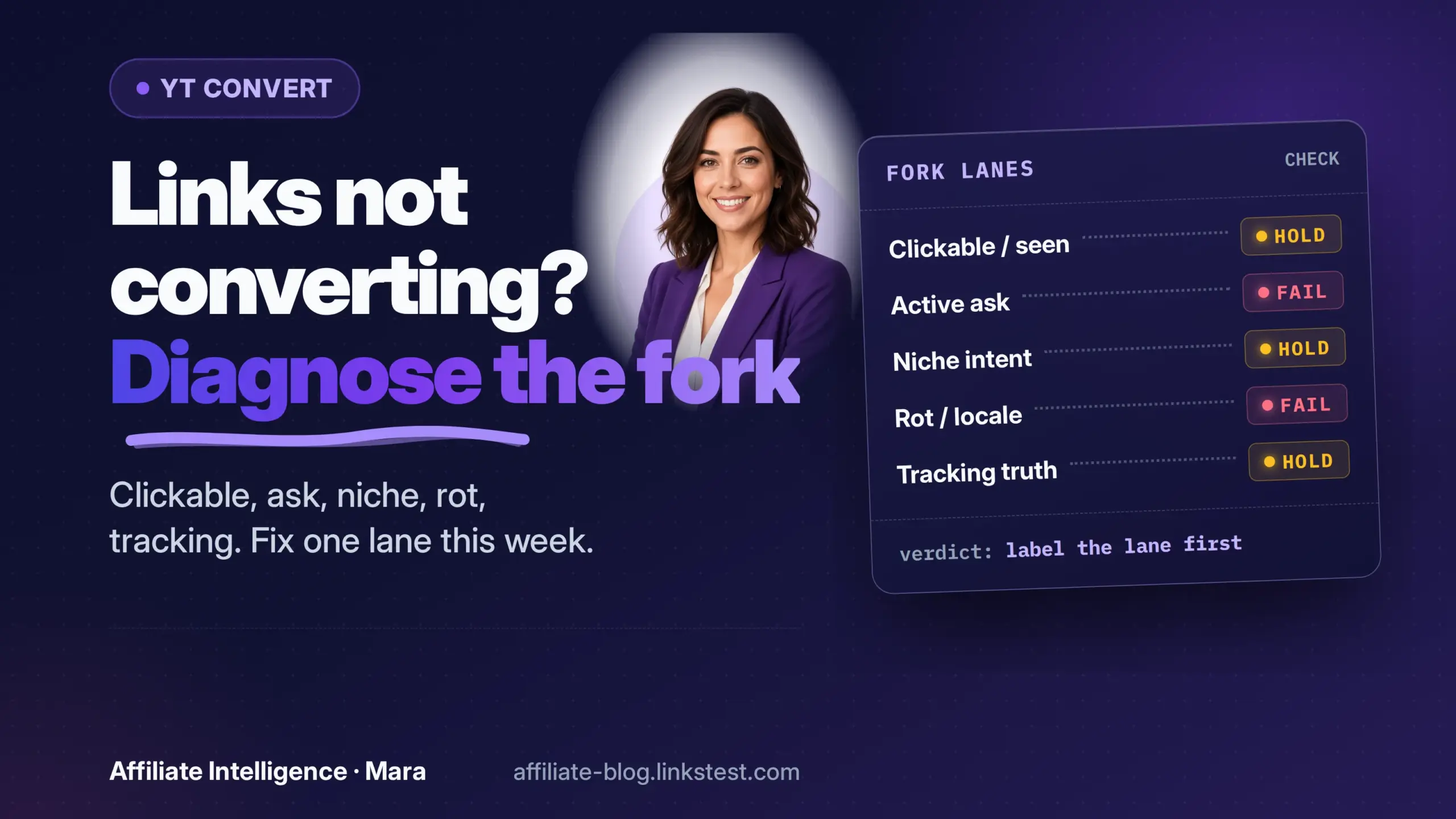
Operators often treat "the links don’t work" as one finished diagnosis when YouTube affiliate links earn views but no commissions. That is too coarse. Flat commissions hide several failure lanes, and each lane has a different fix. Rewriting the CTA before naming the lane is vanity diagnosis.
If you have not built the pipe at all, start with the YouTube affiliate funnel: views are not commissions map and get one tracked link live before scaling uploads. Otherwise, label the failure mode before touching the CTA.
Symptom router (start here)
Match the symptom to evidence, then jump to the checkpoint. Do not rewrite the CTA until the lane is named.
Failed assumption: "the links don’t work" is too coarse
A flat commission line is rarely one problem. Name the lane in one sentence, then use the router. Skipping that step and rewriting the CTA is noise: a 404 destination and a qualification window do not care about a better ask.
Checkpoint: you can name the single flat lane before this week’s fix.
Prerequisites: two ledgers + sample-size guardrail
YouTube Studio does not report description-link clicks as a reliable outbound ledger. Use an operator-owned per-video short link, redirect, or tracked hop for outbound tap truth. For Amazon Associates, current Order Report Help defines Product Link Clicks as clicks from your property to the product detail page you specifically chose, and Product Link Conversion as the share of those clicks that ordered the targeted item.
Ledger one is your own click truth (hop tagged per video / placement). Ledger two is network conversion truth (commission rows or Orders for that Tracking ID). They measure different jobs, so a gap is often expected when the destination is not a direct product detail link, the tap never reaches Amazon, or the report window misses the click. Do not treat that gap alone as Tracking ID death, and do not force GA4 into payout truth.
The Order Report also has an Items with no orders section: direct product links with no order in the selected window. Use it as free item-level click evidence before inventing another dashboard.
Sample-size guardrail (use your baseline only): expected sales is about outbound clicks times your prior conversion rate on that placement. Eight clicks at a 3% baseline expect about 0.24 sales - a zero is normal. Do not call the video dead until expected sales are about 3 or more for that window (roughly 100 outbound clicks at 3%). Under a simple independent-sales model, expected sales of 3 still leave about a 5% chance of a pure-chance zero. See the UTM and SubID hygiene guide if you need a third reconciliation layer.
Checkpoint: two named ledgers exist, and you have a minimum sample from your own baseline before any kill decision.
Checkpoint A + B: Clickable surface and active ask
These are surface checks. Stop here if the link never had a clickable path.
Checkpoint A: Clickable and seen?
Current YouTube Help draws a hard line: URLs in long-form video comments and descriptions are clickable. URLs in Shorts comments and Shorts descriptions are non-clickable. Clickable external links also require advanced features access. Verify current Help for your channel.
If the link lived only under a Shorts description, you are not diagnosing conversion. You never had a clickable surface. A spoken CTA is irrelevant when the destination is not clickable.
Stop and fix the surface before touching the script. This is a fork check, not a platform encyclopedia.
Checkpoint: you know whether the click ever had a surface.
Checkpoint B: Active ask vs passive dump
A description full of links is not an ask. One scripted spoken CTA is: "The links I mention are in the description, right below the disclosure." Put the primary commercial link near the top of the description, above the Show More fold when you can, and verify on a phone. On many mobile layouts the description truncates, so a pinned comment with the same link becomes the visible second surface - treat that as an operator placement test, not a universal UI law. Pinned comments need Advanced features under current YouTube verification Help; Intermediate-only channels cannot pin yet.
Pinned comments are an Advanced feature under current YouTube verification Help. If Feature eligibility is still Intermediate, a pinned-comment second surface is not available yet - the same Advanced gate that unlocks clickable long-form description links. For plain-text description URLs, see the YouTube description links not clickable: eligibility fork.
Label description and pin separately at your click layer, per video. A naming convention like yt_video-slug_desc and yt_video-slug_pin survives an audit. Use that comparison to learn which surface moved. If hop taps look healthy while Amazon Product Link Clicks stay empty, first check whether the destination is a direct product detail URL (the report definition) and whether the Tracking ID survives the hop - do not invent an "app always drops the tag" rule. Treat app-to-browser handoffs as a hypothesis to test with one controlled click, not as settled fact.
Checkpoint: one scripted spoken ask points to a labeled description or pin placement, and you can compare the two.
Checkpoint C: Niche, centrality, buyer intent
A high-view entertainment video that mentions a USB cable in the first thirty seconds will collect curious clicks and flat commissions. The product was not the video’s job. Score the video on whether the product is central to what the viewer came to solve - a how-to that actually uses the product can convert; a how-to that dumps an unrelated ASIN usually does not. "Best for X" and comparison formats often help, but centrality beats format labels.
Current YouTube Shopping affiliate Help also excludes music channels / Official Artist Channels from that Shopping pipe and limits country eligibility. That is a structural pairing failure before you blame the description. Classic description links still need buyer-intent context; entertainment without a product ask rarely converts.
If the product is an unrelated dump, many operators pull Amazon off that pairing rather than keep sending low-intent traffic at the same Tracking ID. Treat that as operator judgment, not a documented Amazon "quality score" rule. Read the approval and staying eligible guide when the question is program standing. If the offer is central and the audience still does not buy, move to later checkpoints.
Checkpoint: you know whether the product is central to the video’s job or an unrelated dump.
Checkpoint D: Destination health (rot shapes + redirect SPOF)
Old videos rot silently. Impact.com’s public link-rot scan covered large publisher web pages, not YouTube descriptions, so do not import its percentages. Use its failure shapes as a checklist: a page gone to 404; a page that returns 200 but is not buyable (out of stock or discontinued); homepage landings that drop the Tracking ID; and search-results destinations that never land on a chosen product detail page.
Do not treat Amazon search-results links as "URLs that no longer pay." Current Associates commission Help states that links can point to individual products, search-results pages, the home page, or other Amazon pages and still qualify when a purchase ships. What search dumps do poorly is convert, and they do not count as Product Link Clicks under the Order Report definition (those require a click to the product detail page you specifically chose). Prefer a live product detail URL when the video is about one SKU.
Manual "click every link" does not scale past a handful of videos. For a backlog of dozens or hundreds:
- Pull description text for videos that still get traffic via the YouTube Data API
videos.listwithpart=snippet(description lives under snippet - verify current docs), or copy from your own CMS if you already store descriptions. - Keep a redirect map if you already use a central hop, so one destination fix covers many videos.
- Fill a minimum audit sheet before you open more edits.
Minimum audit columns:
Prioritize rows with traffic. Fix or replace destinations that fail buyable or Tracking ID before you upload more.
A central redirect is useful for backlog edits, and it is also a single point of failure. If every video points to yourdomain/go/product and the domain lapses, every description dies at once. Admit that risk before recommending one. Read the compliant wrapper and redirect hygiene guide if you are considering a managed hop.
Checkpoint: you have a destination health checklist (scalable sheet, not only manual clicks) and know the redirect single point of failure.
Checkpoint E: Locale / geo
Audience geography can suppress conversion without a single broken link. If most viewers watch from outside the US but your link only points at Amazon.com US and you have not set up geo redirection, many sessions end at the wrong storefront or never complete a local purchase.
Amazon OneLink is a geo-redirection solution for US Associates. Current OneLink Help requires mapping US Tracking IDs to each destination marketplace’s store ID so redirected traffic attributes to the local Associates account. Earnings from redirected traffic accrue in that local program, each with its own payout minimum and tax setup. Clicks and earnings for redirected traffic show in the Geo-redirected Traffic section of the international portals. A quiet US Earnings row can be a zero on the wrong portal, not a dead video.
The same Help states that shortened links created by third-party link shorteners are not supported by OneLink and will not be redirected - use Amazon full links or Amazon short links for OneLink paths. That creates a real tension with an operator-owned hop used for click truth: test whether your hop preserves OneLink behavior before you trust geo earnings. If it breaks redirection, keep Amazon’s native link for the live description and measure clicks another way (or accept the measurement gap).
Checkpoint: you know whether locale mismatch or the wrong Associates portal is suppressing what looks like a US zero.
Checkpoint F: Clicks-vs-CVR + demand moved
Pull your two ledgers and decompose against your prior baseline on the same placement. Normalize clicks to outbound clicks per 1,000 views for that video (or placement), not absolute click counts. If views fell, absolute clicks fall even when the ask is intact.
- Did clicks per 1,000 views move?
- Did conversion rate move?
- Are destinations still buyable with Tracking ID intact (Checkpoint D)?
- Is the sample large enough that a zero is surprising (Prerequisites)?
Decision rule:
- Clicks/1k views down, CVR flat -> surface / ask / placement (A-B), not a new offer.
- Clicks/1k views flat, CVR down, destinations healthy -> offer fit, geo, or demand.
- Clicks/1k views flat, CVR down, destinations unhealthy -> fix rot first.
- Clicks/1k views flat, CVR down, destinations healthy, and category interest clearly softened (seasonality or a demand shift you can see in your own traffic mix) -> kill or pause that pairing this week. Do not rewrite the CTA again.
Illustrative numbers only (not a diary, not a benchmark). Same video, two windows:
- Before: 100,000 views, 400 outbound clicks (4.0 per 1,000 views), 20 attributed sales (5% CVR).
- Now: 60,000 views, 240 outbound clicks (still 4.0 per 1,000 views), 5 attributed sales (about 2.1% CVR), destinations still buyable.
Absolute clicks fell because views fell, but clicks per 1,000 views did not. Against the 5% baseline, 240 clicks expect about 12 sales; you observed 5. That gap is large enough to clear the sample-size guardrail (expected sales well above 3), so the router points at offer / geo / demand (F), not a missing ask. If instead clicks per 1,000 views had dropped to 1.5 while CVR stayed near 5%, you would open A-B first.
Use Google Trends only as a directional hint. It is a relative index, not absolute volume, and it is not a commission ledger.
Checkpoint: you have a kill, scale, or wait decision anchored to your own baseline, not a vendor benchmark.
Checkpoint G + H: Account status, tracking survival, and settlement
These are the non-traffic forks. Flat commissions are sometimes account timing or reporting lag, not offer fit.
Checkpoint G: Account / application status
Current Amazon Associates Account Dormancy Help is precise. Once you have applied, you have 180 days to refer a sale through one of your Associates links. Once you have referred three qualifying sales, Amazon evaluates the application. Your application can be withdrawn if there were not enough qualifying sales for 180 days after submission. Amazon cannot reinstate an account or Associates ID after rejection; you may reapply when the site is established.
That is not offer fit. If the account is still inside the qualification window with clicks and fewer than three qualifying sales, the diagnosis is qualification, not CTA. If the application was rejected, stop editing CTAs and reapply only when the property is ready. The approval and staying eligible guide covers the full setup.
Separately, Amazon’s Operating Agreement updates effective April 14, 2026 expand disqualified purchases to include products bought by customers referred through any paid or boosted advertisement that links to Amazon (limited exceptions). That means paid ads whose destination is an Amazon link - not merely promoting a YouTube video that later contains a description link. Verify the live Operating Agreement before you treat that as the whole diagnosis; it is a candidate lane, not a catch-all.
Checkpoint: you know whether the account is still in qualification, already rejected, approved, or possibly hitting a disqualified-referral rule.
Checkpoint H: Tracking survival and settlement / pending
Run a parameter survival test before assuming the offer failed. Prefer a browser-like GET that prints the final URL. A HEAD-only probe (-I) often gets a different answer from Amazon and many trackers, and your own test click also increments your hop ledger - tag it as a self-test.
curl -sL -A "Mozilla/5.0" -o /dev/null -w "%{url_effective}\n" "https://your-short-domain/go/video-slug"If the final Amazon URL lacks your tag= or Tracking ID, a redirect or shortener stripped attribution before the network could record the sale. That is a tracking survival problem, not offer fit.
Then separate settlement and reporting lag. Current Order Report Help says Amazon credits items placed in the cart within the 24-hour session window and then purchased within 90 days. Over short windows, orders can appear without matching clicks in the selected range.
Current Associates reporting Help says Ordered Items and Bounties update hourly, with most orders reported within about three hours. Current payment schedule Help says commissions post after the order ships, and lists common reasons an item never appears in Earnings: cancelled before ship, not shipped yet, or marked ineligible (including orders placed on the associate’s behalf or by closely related parties). Current YouTube Shopping Help says Shopping commissions pay through AdSense about 60 to 120 days after purchase to account for returns. Day-0 estimated $0 is not failure. Wait the settlement window before declaring the link dead.
Do not add more tools yet. Read the SubID guide and the tracking best practices only if the param survival test fails.
Checkpoint: you know whether a zero is a tracking strip, an ineligible/cancelled/unshipped order, or a settlement lag.
What to do this week
Label the fork, fix only that lane, and kill vanity diagnosis. Use the symptom router first if you are unsure which checkpoint owns the week.
- A fails: fix the clickable surface or feature access. Stop; no CTA rewrite.
- B fails: fix the spoken ask and label desc vs pin.
- C fails: make the product central, or walk away from that entertainment pairing.
- D fails: run the audit sheet; replace dead, non-buyable, or stripped destinations; prefer product detail URLs over search dumps.
- E fails: map OneLink store IDs, check Geo-redirected Traffic on the local portal, and test whether your hop breaks OneLink.
- F fails: apply the clicks/1k-views vs CVR decision rule; wait if the sample is thin; kill/pause if demand moved under healthy destinations.
- G fails: wait out qualification, reapply only when ready, or check paid ads whose destination is an Amazon link against current Operating Agreement rules.
- H fails: fix param survival, or wait for ship / returns / Shopping settlement.
Disclosure still sits above the first commercial link. If you need the full checklist, use the affiliate compliance audit. This is not legal advice.
If the pipe never existed, go back to the YouTube affiliate funnel hub. If the sample is too thin, wait. If destinations, tracking, account status, and settlement are clean, and clicks per 1,000 views are stable while conversion stays flat against a meaningful baseline, then walk away from that niche or offer pairing this week instead of filming another video that cannot pay.
Checkpoint: one labeled fork, one week’s action, no blind CTA rewrites.
If the description URL is plain text instead of a blue hyperlink, run the YouTube description links not clickable: eligibility fork before treating it as a conversion problem.
If the link is clickable and tracked but every surface still carries the same ask, run the YouTube affiliate link placement: assign jobs, then prove which surface wins map before rewriting the CTA again.